Transform your online school into a self-running system. This recipe book provides step-by-step instructions for automating student access, progress, and roles within Thrive Apprentice and Thrive Quiz Builder.
Recipe 1: Grant Access Based on Quiz Results
Use this recipe to automatically enroll students in a premium course only if they achieve a specific score or result in a quiz.
The Setup
- Trigger: Select “User completes quiz”.
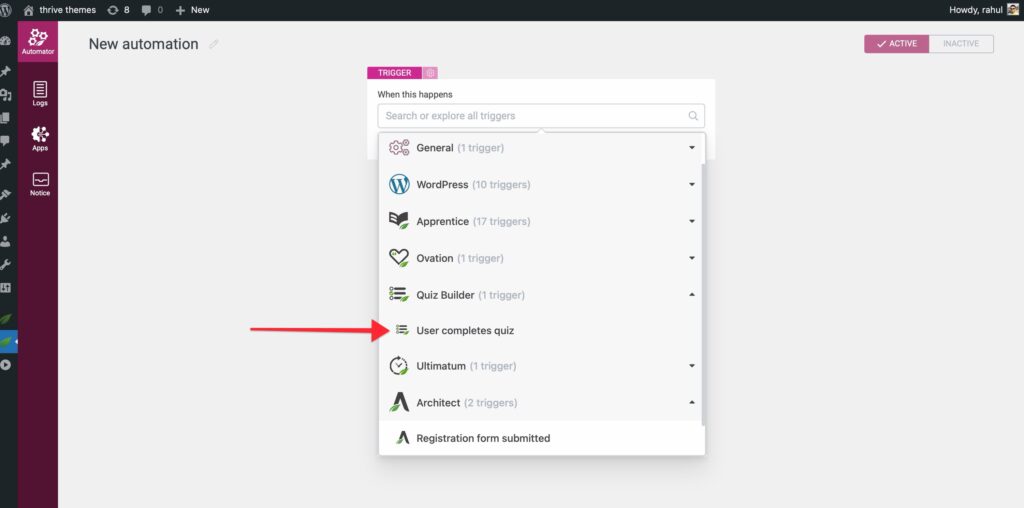
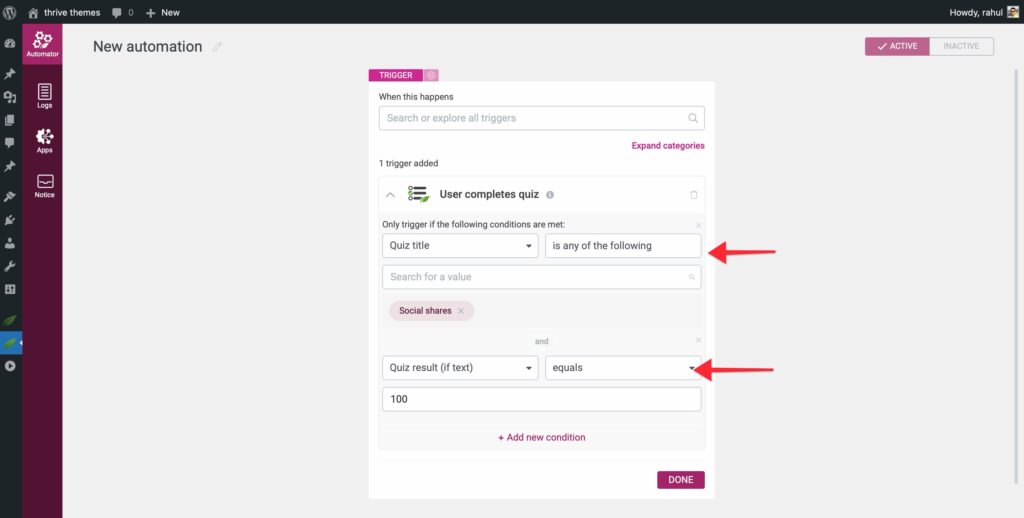
- Condition: Add a condition for “Quiz title” (select your quiz) and “Quiz result” (e.g., “Score is greater than 80%”).
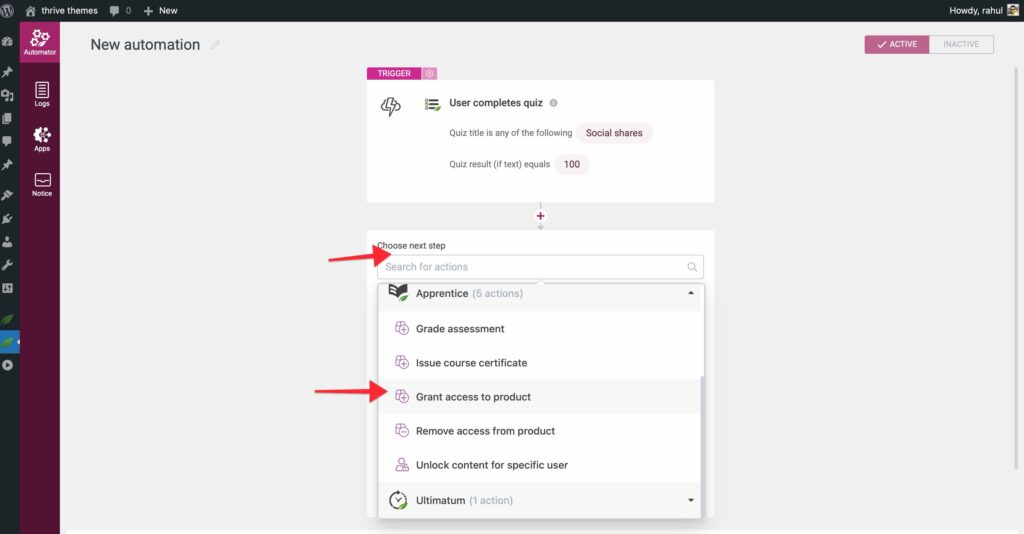
- Action: Select “Thrive Apprentice > Grant access to product” and choose the course or bundle to unlock.
Why use this? perfect for “certification” courses where students must pass a pre-test before gaining access to advanced material.
Recipe 2: Auto-Enrollment via User Roles
Trigger course access automatically whenever a user’s WordPress role changes.
The Setup
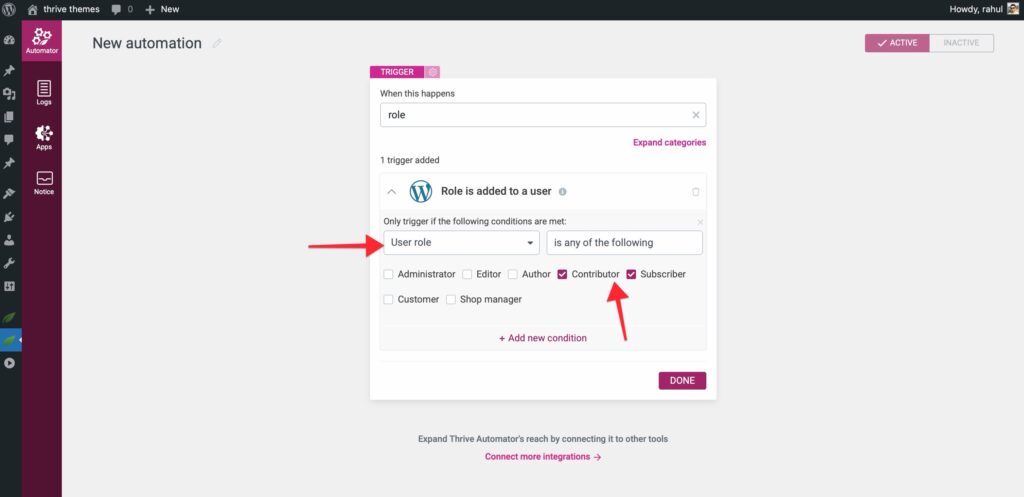
- Trigger: Select “Role is added to a user”.
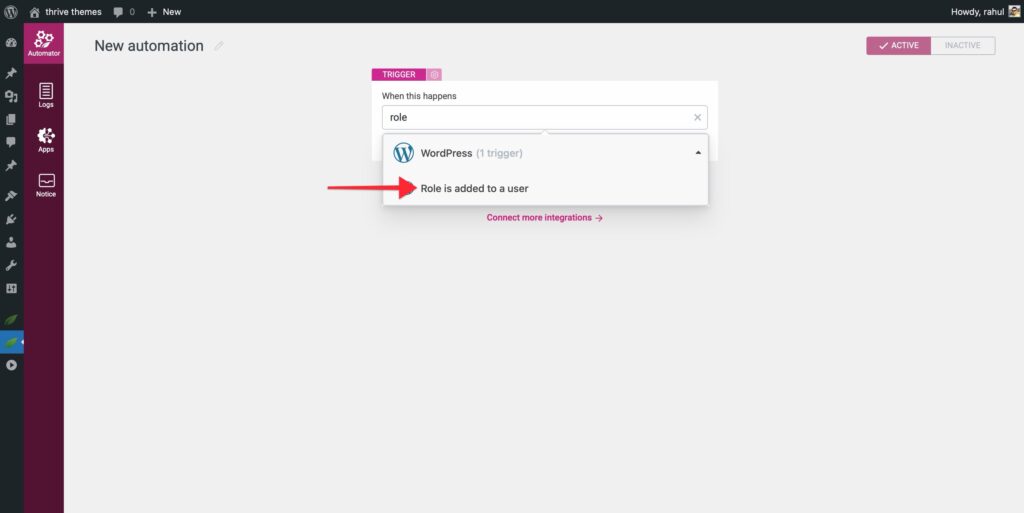
- Condition: Set the “User role” to the specific role that should trigger access (e.g., “Contributor” or “Member”).
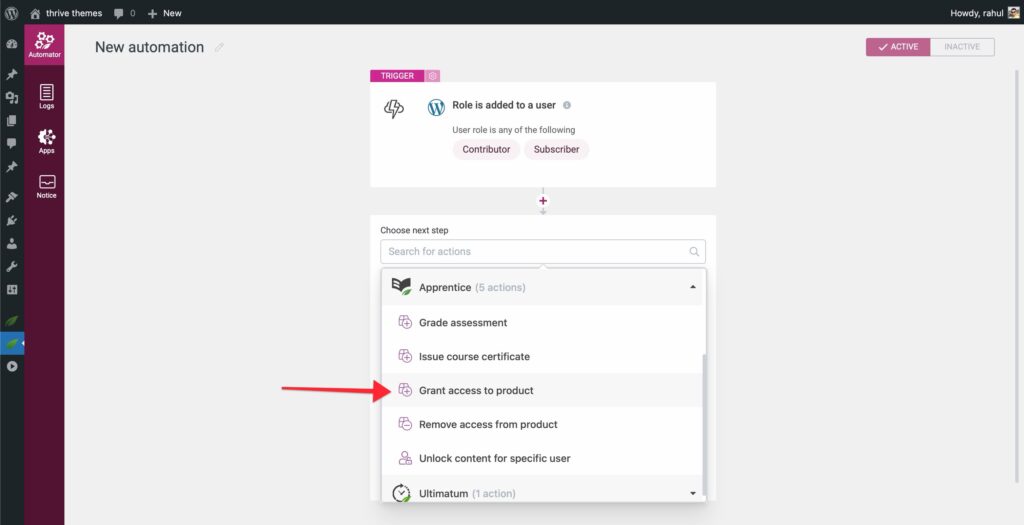
- Action: Select “Thrive Apprentice > Grant access to product” and choose your desired product.
Why use this? Useful if you manage memberships through 3rd-party plugins that assign WordPress roles upon purchase.
Recipe 3: External Integration (ActiveCampaign Tags)
Automatically grant course access when a specific tag is added to a contact in ActiveCampaign.
The Setup (ActiveCampaign)
- Create an automation in ActiveCampaign triggered by “Tag is added”.
- Add a “Webhook” action. You will paste the URL from Step 4 below.
The Setup (Thrive Automator)
- Trigger: Select “Incoming Webhook”.
- Copy URL: Copy the generated Webhook URL and paste it into your ActiveCampaign webhook action.
- Action: Select “Thrive Apprentice > Grant access to product”.
- Verification: Use the “Listen” feature in Automator to ensure the email address is being passed correctly from ActiveCampaign.
More LMS Automation Ideas
- Course Progress to Slack: Send a notification to your team whenever a student completes a specific lesson or module.
- Role Change on Completion: Automatically promote a student to a new WordPress role (e.g., “Graduate”) once they complete a course.
- Tagging on Progress: Add a “In Progress” tag to your autoresponder as soon as a student starts their first lesson.
Always check your Logs after setting up a new recipe to ensure triggers are firing and access is being granted correctly.