In this article, you’ll learn how to run A/B tests (split tests) to optimize your opt-in forms and increase your conversion rates.
Types of Tests
Thrive Leads allows you to run two distinct types of tests:
- Design Test: Test two different variations of the same form type (e.g., Lightbox A vs. Lightbox B with different colors).
- Form Type Test: Test two completely different form types against each other (e.g., Lightbox vs. Ribbon) to see which is more effective.
Starting a Test
1. For Design Tests
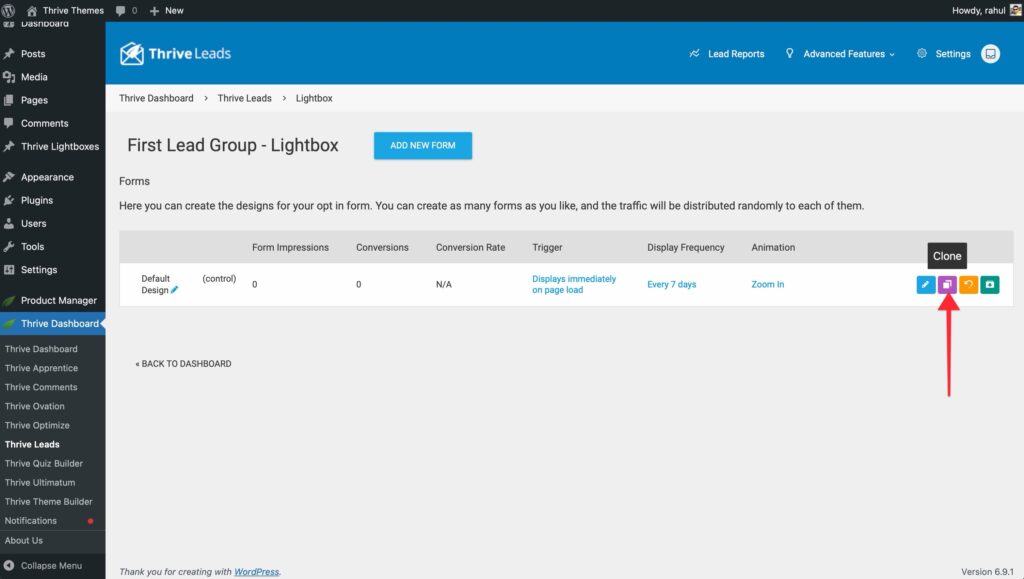
- Go to your form type (e.g., Lightbox).
- Click the Clone icon on your existing form to create a copy.
- Edit the design of the copy (change the headline, button color, etc.).
- Click Start A/B Test.
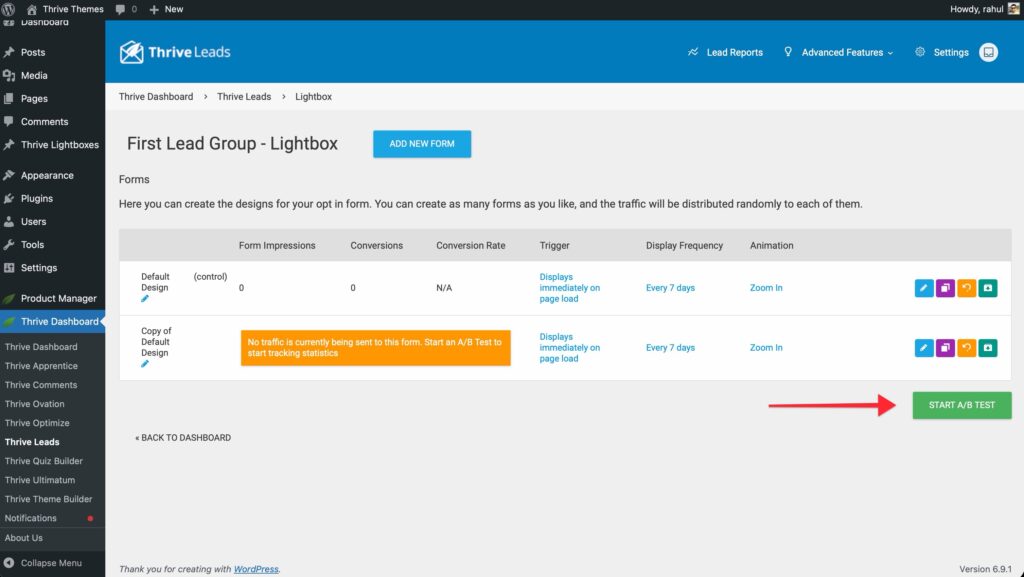
- Give your test a name and start it.
2. For Form Type Tests
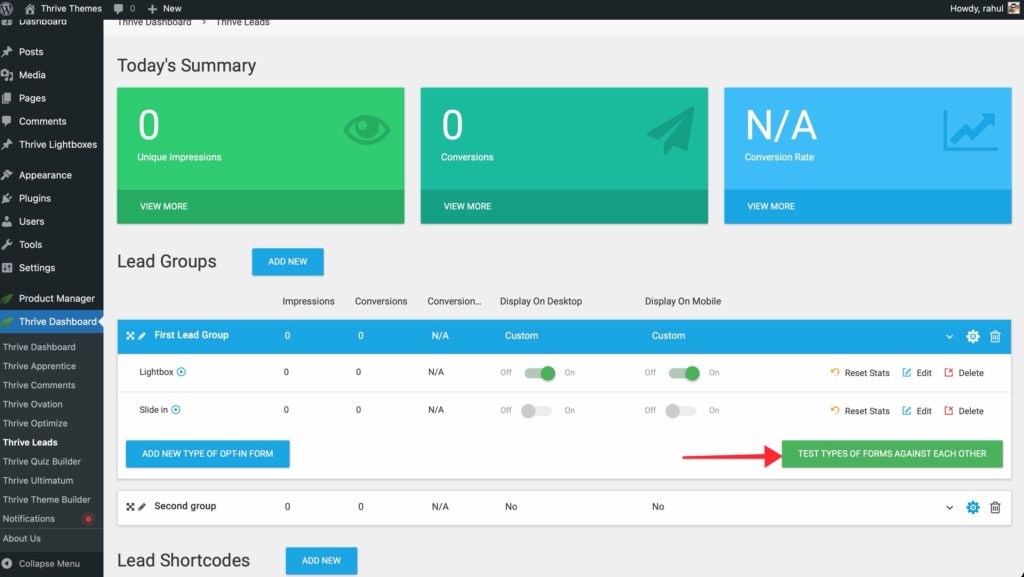
- Go to your Lead Group.
- Ensure you have at least two active form types (e.g., add a Lightbox and a Widget).
- Click Test Types of Forms Against Each Other.
- Select the forms you want to include in the test.
Automatic Winner Settings
You can let Thrive Leads run the test and automatically choose the winner based on data.
- In the test configuration popup, enable Automatic Winner Settings.
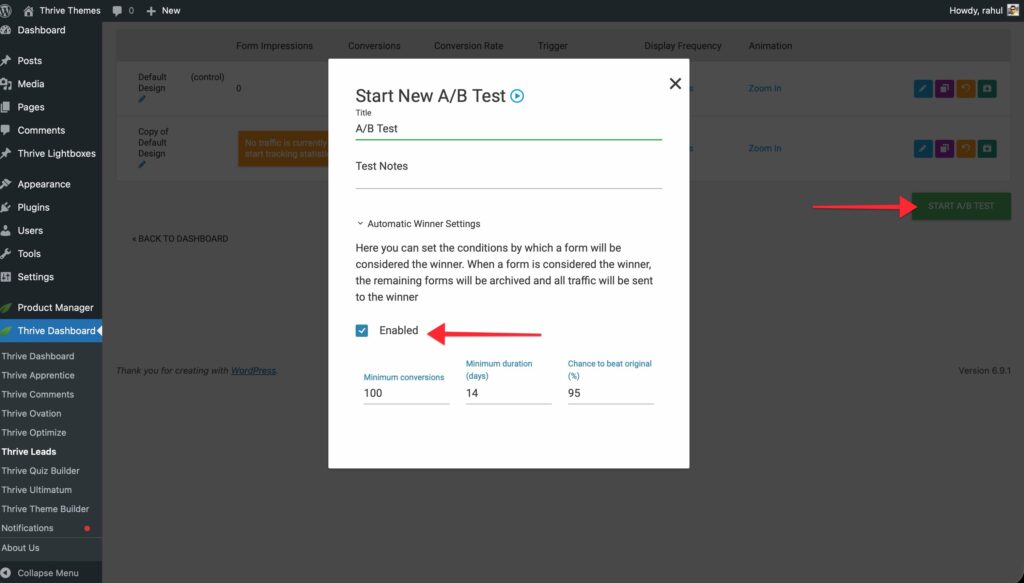
- Set your conditions:
- Minimum Conversions: The minimum number of signups required before a decision is made (e.g., 100).
- Minimum Duration: How long the test must run (e.g., 14 days).
- Chance to Beat Original: The statistical certainty required (e.g., 95%).
- If enabled, Thrive Leads will automatically stop the losing form and show only the winner once these criteria are met.
Manual Winner Selection
If you prefer to make the call yourself:
- Let the test run until you have enough data.
- Click View Test in the dashboard to see the performance graph.
- When you’re satisfied, click Stop Test and Choose Winner.
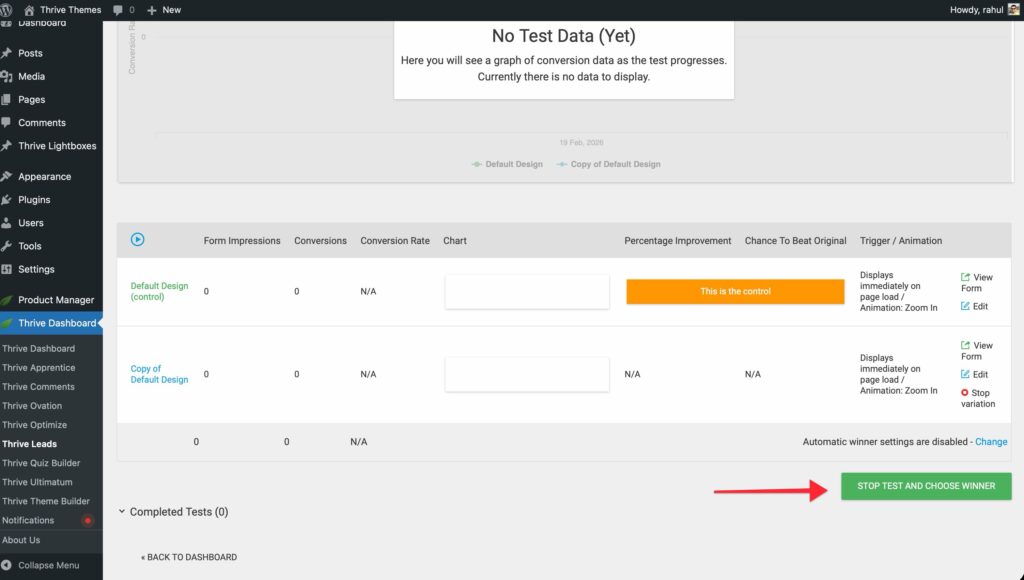
- Select the form you want to keep. All others will be archived.
That’s it! You are now ready to optimize your campaigns with data-driven testing.
Related Resources
- Analytics: Understanding the Thrive Leads Dashboard
- Lead Groups: Lead Groups — Complete Guide