Conversion events are specific actions taken by a user on your website that signal they have “converted” or completed the goal of your campaign.
In Thrive Ultimatum, conversion events are used to automatically stop a campaign or switch to a different campaign once a user converts.
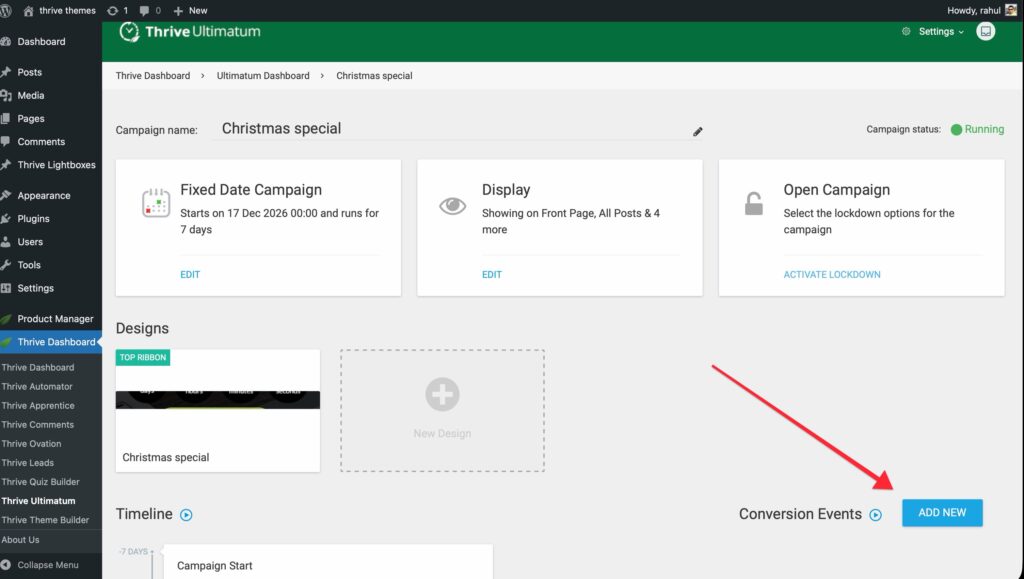
Common examples include:
- A user subscribes to a product.
- A user visits a conversion page.
Why use them?
- Stop Annoying Customers: If a user has already bought your product, showing them a “Hurry, buy now!” countdown is irrelevant and annoying. A conversion event stops the campaign for them immediately.
- Move to the Next Funnel: Once a user converts on Offer A, you can automatically start an Evergreen campaign for Offer B (Upsell).
How to Set Up a Conversion Event
Implementation depends on your specific integrations. See the “Integrations” section for setup guides on your specific email marketing tool.
Related Resources
- Webhooks: How Incoming Webhooks Work
- Campaign Types: Understanding Types of Campaigns in Thrive Ultimatum
- Thrive Ultimatum Documentation: Explore the full Thrive Ultimatum knowledge base.