In this article, you’ll learn how to optimize your database and improve site performance by disabling quiz statistics collection in Thrive Quiz Builder.
If you have a high-traffic website, the statistics collected by Thrive Quiz Builder can grow significantly over time. This large amount of data may increase your database size and, in some cases, cause quizzes to load slowly.
To prevent this, we have introduced a feature that allows you to stop collecting stats completely or automatically clear old data.
Accessing Quiz Stats Settings
To find these performance settings, follow these steps:
- Navigate to Thrive Dashboard > Thrive Quiz Builder inside your WordPress Dashboard.
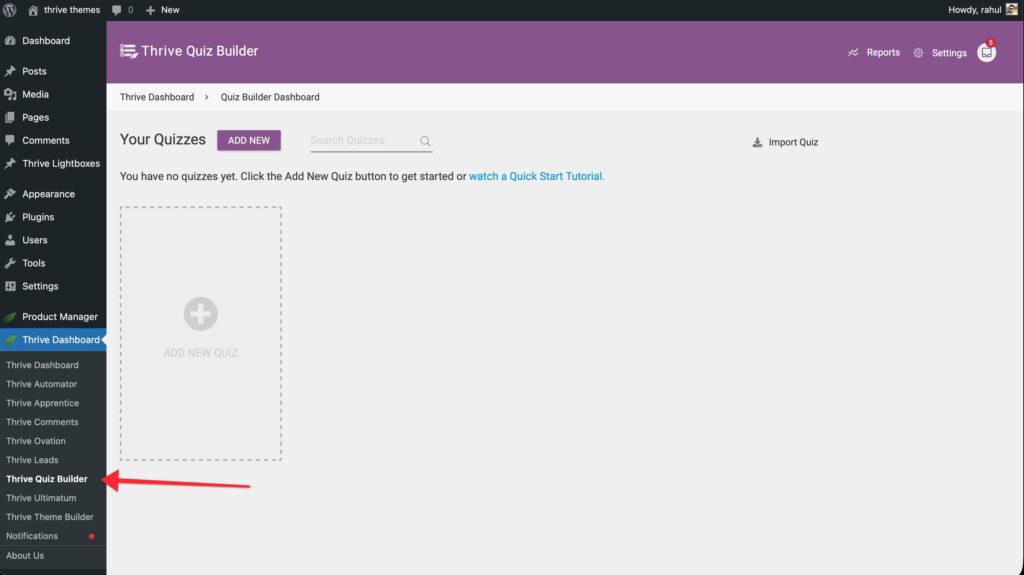
- Click on the Settings gear icon in the top right corner.
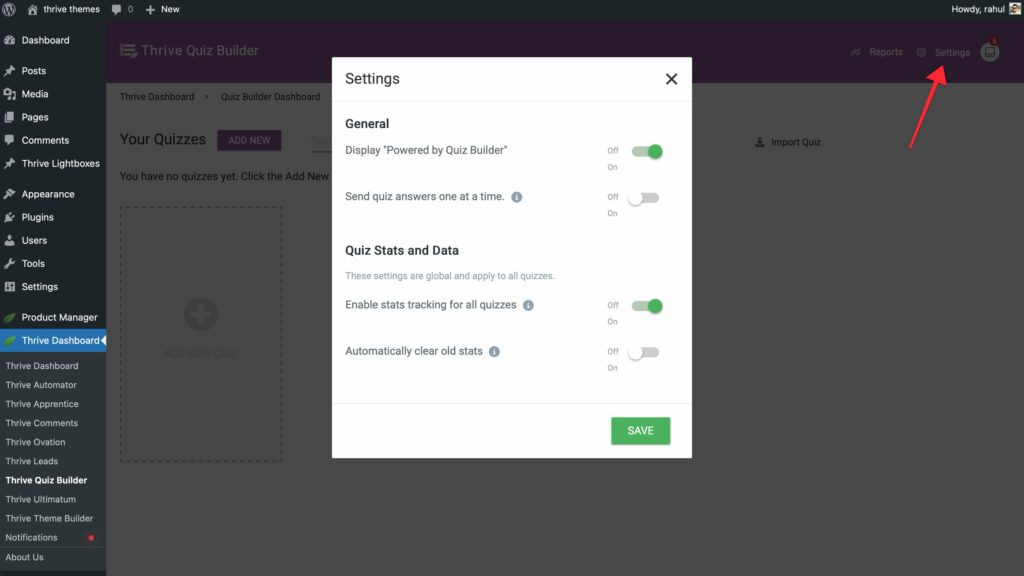
- Go to the Quiz stats and data section.
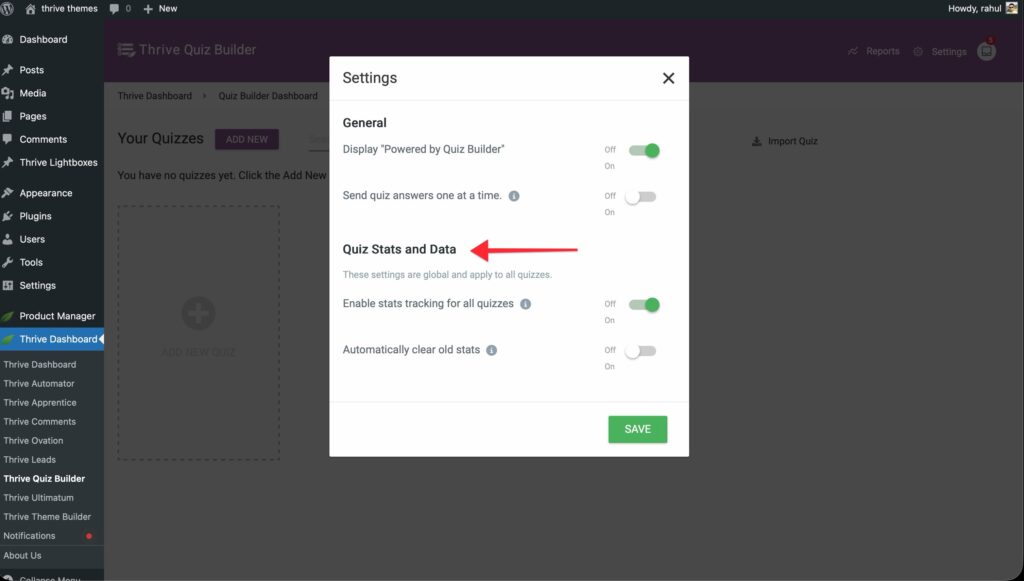
Disabling Stats Collection
If your database is too large or you do not need to track user results, you can disable collection entirely.
In the Quiz stats and data section, locate the Enable stats tracking for all quizzes option.
- Switch to OFF: This will stop recording new statistics for ALL quizzes on your site.
Disabling this setting does not delete your existing data; it only prevents new data from being added.
Automatically Clearing Old Data
If you want to keep tracking statistics but need to save space, you can use the automated cleanup feature instead of disabling stats completely.
- Ensure Enable stats tracking is set to ON.
- Enable the Automatically clear old stats toggle.
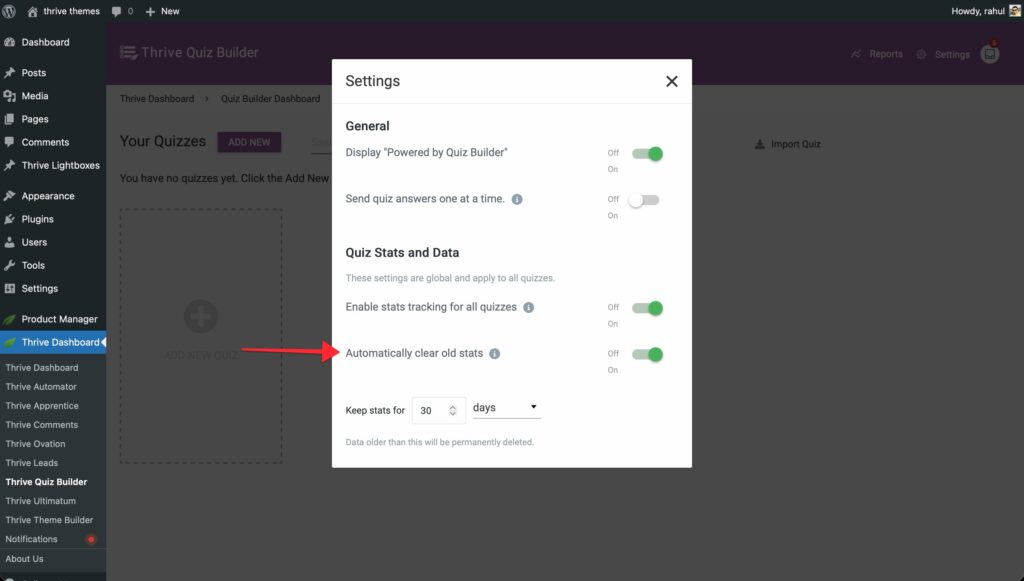
- Set your desired retention period (e.g., Keep analytics for 30 Days).
Thrive Quiz Builder will now automatically delete data older than your specified timeframe, keeping your database size under control without losing recent insights.
That’s it! You’ve successfully optimized your Thrive Quiz Builder settings for better performance. If you’re still having trouble, check out the Thrive Quiz Builder Knowledge Base for more information.