Connect ActiveCampaign to Thrive Ultimatum to trigger scarcity campaigns based on contact actions.
1. Configure Thrive Ultimatum
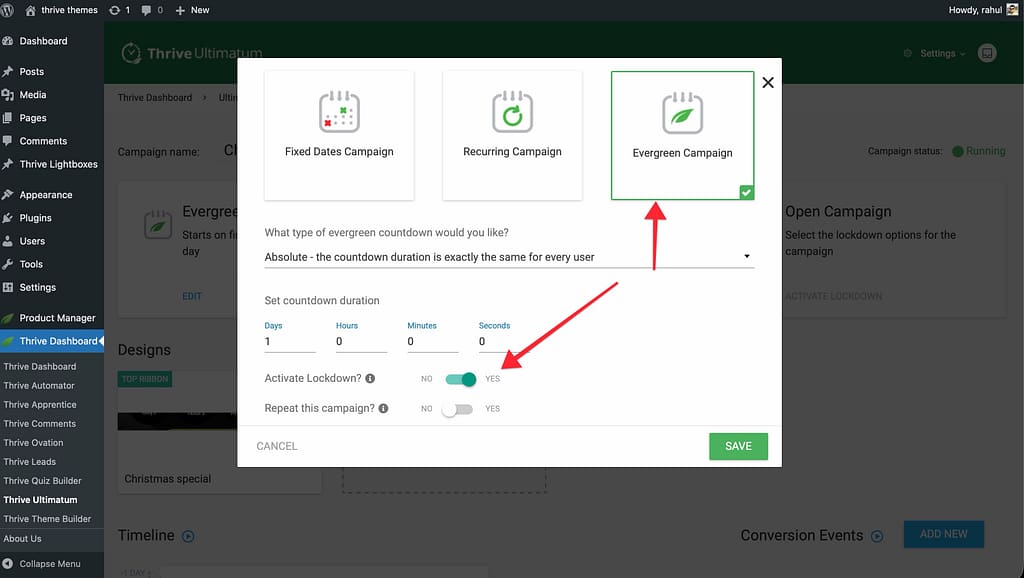
- Create an Evergreen Campaign in Thrive Ultimatum.
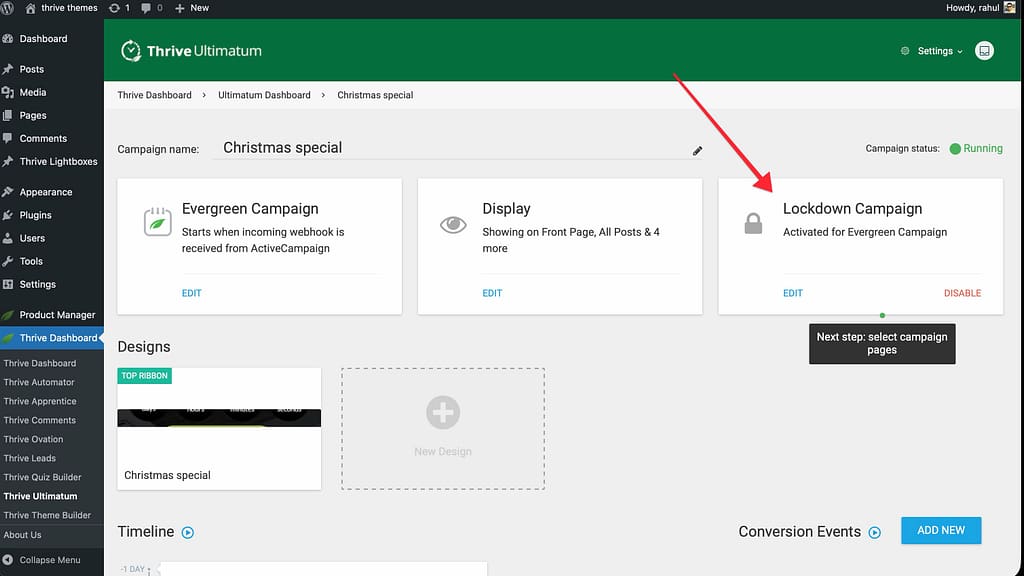
- Enable Lockdown in the campaign
- Set the Trigger to 3rd Party Event -> ActiveCampaign Webhook.
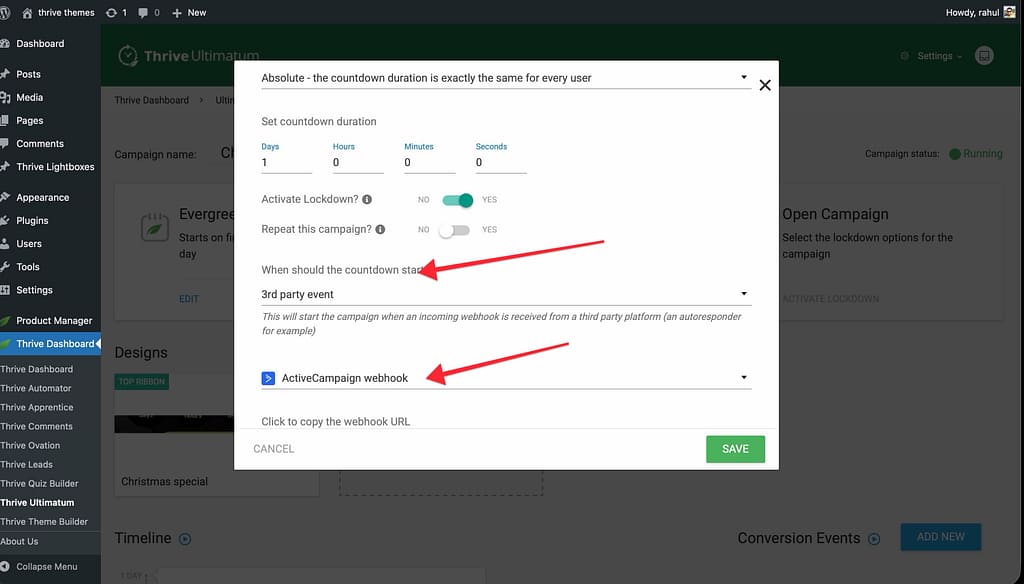
- Copy the Webhook URL provided.
- Go to the Lockdown settings of the campaign.
- Select ActiveCampaign as the email service.
- Enter your Promotion Page URL.
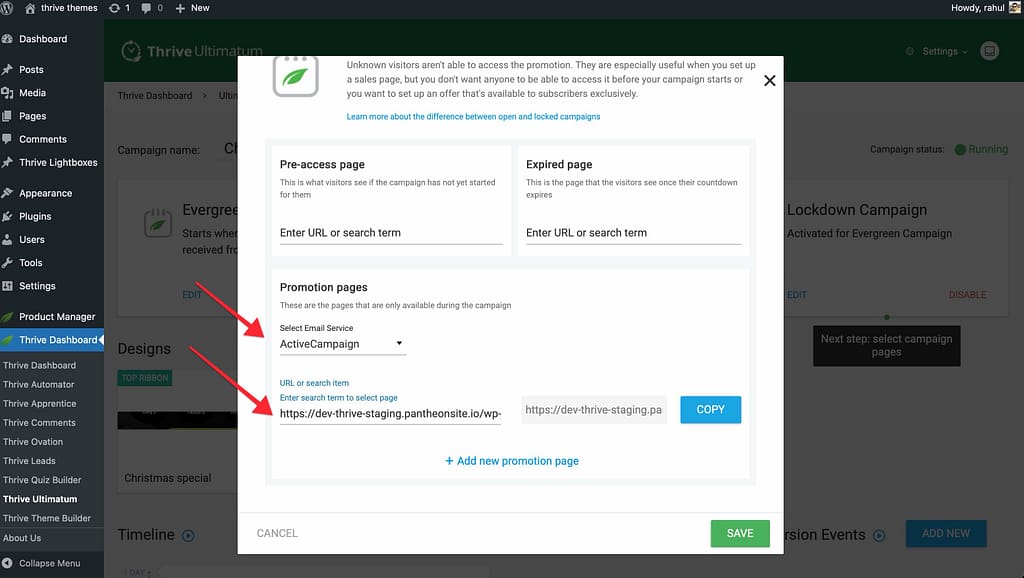
- Copy the Special Link generated (you will need this for your email).
2. Configure ActiveCampaign
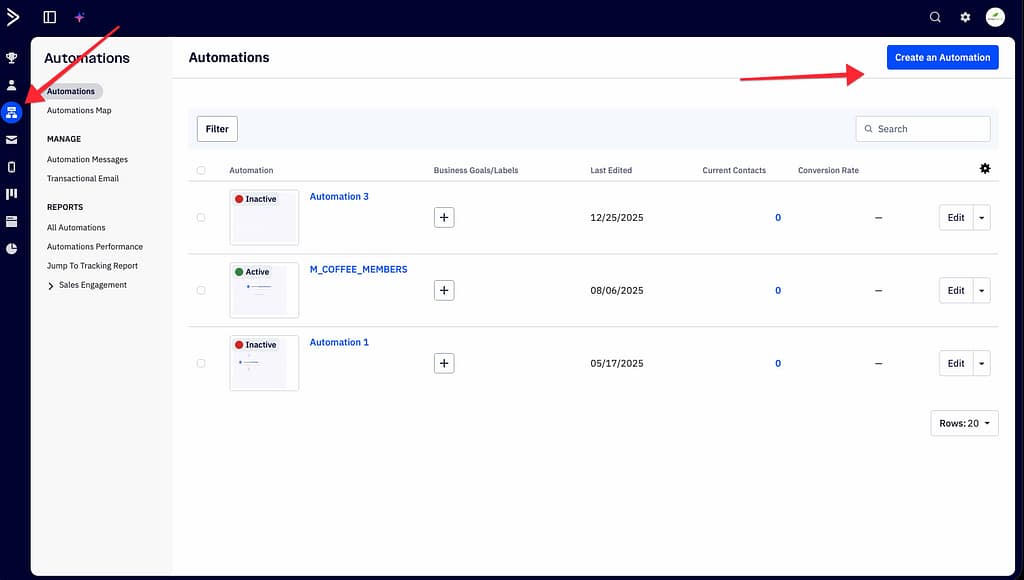
- Log in to your ActiveCampaign account.
- Create a new Automation.
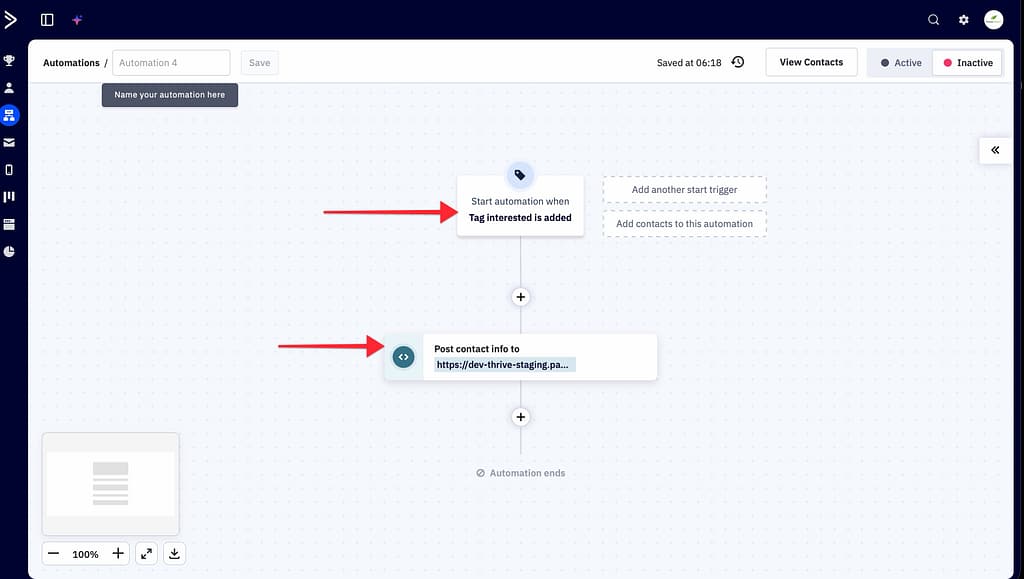
- Choose a start trigger (e.g., “Tag is added: Interested”).
- Add a new action: Webhook.
- Paste the Webhook URL you copied from Thrive Ultimatum.
- Add an action to Send an Email.

- In the email body, use the Special Link as the button URL for your offer.
Result: When the user gets the tag, ActiveCampaign pings Thrive Ultimatum to start the timer. When the user clicks the link in the email, they arrive on your site and see their personalized countdown.
Related Resources
- Overview: How Incoming Webhooks Work
- Thrive Ultimatum Documentation: Explore the full Thrive Ultimatum knowledge base.