


TL;DR: The Best Lead Magnet Tools for 2026
Building your email list shouldn't feel like a technical chore. If your current setup is slowing you down, it’s time to upgrade your tools. I’ve cut through the noise to show you the exact combination of software that lets you create high-value assets, capture emails effectively, and deliver the goods instantly, all while keeping your tech stack simple and affordable.
Key Takeaways for Skimmers:
- Creation is Faster Now: Use AI tools like ChatGPT or Claude for rapid outlining and drafting, then polish the design in Canva. This cuts creation time from days to hours.
- Delivery is the Weakest Link: Don’t rely solely on email. Use a reliable capture tool (like Thrive Leads) to redirect subscribers to a branded thank-you page for instant gratification, using your ESP (like Kit) as a reliable backup.
- Targeting Drives Conversions: Stop using generic popups. Use the targeting features in your capture tool to show highly specific lead magnets based on the content the visitor is currently reading. This hyper-relevance is the secret to high conversion rates.
If you’re ready to stop wrestling with technology and start building your list the smart way, keep reading.
I’ve spent years watching smart people lose leads because their tech stack was fighting itself. They had brilliant ideas for checklists, templates, and mini-courses, but the process of turning that idea into a deliverable asset, capturing the email, and then actually delivering the thing felt like a scavenger hunt across five different platforms.
If your best lead magnet tools are clunky, disconnected, or just plain old, your conversion rates will suffer. It doesn't matter how great your free offer is if the sign-up form is invisible or the delivery email ends up in the spam folder.
You don't need a massive, expensive tech stack to fix this. You need a small, curated set of tools that work together beautifully. I’m talking about the ones that reduce confusion, save you time, and quietly position your business as the professional solution.
This guide cuts through the noise. I’ll show you the tools I use and recommend—from AI drafting assistants to WordPress capture plugins—so you can stop wrestling with technology and start building your email list the right way.
To really nail down the entire process from start to finish, you'll want to check out our guide on 'How to Create a Complete Lead Generation Funnel - Step by Step'.
The days of slapping together a generic PDF and watching sign-ups roll in? Over. Your audience has seen thousands of freebies. They've been burned by resources that promised the world and delivered a recycled checklist.
And trust me, I'm not being dramatic. I've seen this play out many times:
Someone creates a lead magnet, and it sits there collecting digital dust because it looks amateur, solves nothing, or requires eight steps just to access it. You lose people at the download.
Here's what changed: your lead magnet became your first product. People judge it the same way they'd judge something they paid for. If it feels slapped together, they assume everything else you offer will feel the same way. If the file is huge, the branding is inconsistent, or the delivery fails, you've damaged trust before the relationship even starts.
I've seen businesses double their conversion rates just by switching from a static PDF to something people can actually use: a Notion template they duplicate, a quiz that segments them intelligently, or a checklist that solves a problem in the next ten minutes. The format matters because action matters. Static assets collect in downloads folders and get forgotten.
Speed matters too. If creating a quality lead magnet takes you a full week, you're moving too slowly. AI tools changed this completely. You can draft outlines, generate ideas, and polish copy in an afternoon instead of waiting for inspiration to strike or outsourcing to a designer who takes three rounds of revisions to understand your brand.
But here's where most people screw up: delivery. You built something great, someone signed up, and then... nothing. The email doesn't send. The link breaks. The download requires a password you forgot to include. I see this more than I see bad design. Your delivery system needs to tag the subscriber, send the asset immediately, and confirm everything worked—without you touching anything.
Getting the tools right means you stop troubleshooting tech problems at midnight and start focusing on strategy. That's the difference between running a business and babysitting software.
Before you start signing up for free trials, you need a clear framework for evaluating tools. Choosing the right stack isn't about picking the flashiest software; it’s about finding the combination that fits your technical skill level, your budget, and, most importantly, your core platform.
I evaluate every tool based on three criteria. If a tool fails one of these, I don't recommend it.
1. Integration (Does it talk to the rest of your stack?)
The number one cause of lead magnet failure is poor integration. You need to verify that your capture tool (e.g., Thrive Leads) can easily communicate with your Email Service Provider (e.g., Kit).
If you have to export CSV files and manually upload them, you’ve failed the integration test. The process must be automatic. If you’re a WordPress user, look for tools built specifically for WordPress, as they tend to work together more smoothly than trying to force a third-party SaaS solution into your existing site.
2. Testing Capability (Can you prove it works?)
If you can’t A/B test your forms, headlines, and calls to action, you are leaving conversion rate improvements on the table. The best lead magnet tools include testing features built right in.
I don't want to export data to a spreadsheet or set up complex Google Analytics goals just to see if a red button converts better than a green one. Your capture tool should handle the split testing, traffic distribution, and reporting automatically, telling you exactly which variation won.
3. Ease of Use (Can you set it up in an afternoon?)
Complexity kills momentum. If setting up a new form requires writing custom code or navigating a dozen different menus, you won't use the tool effectively.
I look for tools that are intuitive enough for a smart non-developer to master quickly. If I can’t build a new lead magnet form and set up the delivery automation within an hour, the tool is too complicated for the average business owner.
Here's what I actually use, organized by where each tool fits in the process. Some handle creation, others focus on capture, and a few do it all.
Lead Magnet Tools Comparison
Tool | What It Does | Who Should Use It | What You'll Pay | Work in WordPress? |
|---|---|---|---|---|
ChatGPT / Claude | Drafts your content fast | Anyone who needs to outline or write quickly | Free / $20/month | Export and upload |
Canva | Designs professional PDFs | People who want their lead magnets to look polished without hiring a designer | Free / $12.99 per month (Pro) | Export as PDF |
Beacon | Builds checklists and mini-eBooks | Marketers who need lead magnets done in under an hour | Free (watermarked) / $19 per month | Export as PDF |
Thrive Suite | Handles everything—forms, split testing, delivery | WordPress users who want one tool that does the whole job natively | $299 per year (Full Suite) | Built for WordPress |
OptinMonster | Advanced popup targeting | Multi-site managers who need behavior-based triggers | $9 per month (Basic) / $29+ (Advanced) | Plugin available |
HubSpot Forms | Simple forms tied to CRM | Teams already using HubSpot who want leads flowing straight into their system | Free | Plugin available |
Kit | Email delivery and sequences | Email-first marketers who live in their newsletter platform | Free (up to 1,000 subscribers) | Embeds via integration |
Most people don't need every tool here. You need something to create the asset, something to capture the email, and something to deliver it. The rest is preference and budget.
A great lead magnet needs to be useful, quick to consume, and easy to say yes to. These are the tools that help me turn a rough idea into a polished, high-value asset quickly.
The Rise of AI: Tools for Rapid Lead Magnet Creation
I used to spend days putting together a lead magnet — writing, designing, tweaking, second-guessing every word. Now? I can draft one in a few hours, and AI does most of the heavy lifting.
But here's what matters: I don't let AI write the final version. That would be a disaster. What I do use it for is getting past the blank page — outlining the structure, generating ideas I wouldn't have thought of, and knocking out a rough draft that I can actually work with. Think of it like hiring a research assistant who never sleeps and doesn't charge by the hour.
The trick is knowing where AI helps and where it falls flat. Use it to build the skeleton, not to polish the final thing. That part still needs you.
ChatGPT and Claude are where I start almost every lead magnet project. Not because they'll write the finished product — they won't — but because they're excellent at helping you think through structure and get past the blank page.
I use these tools differently than most people. Instead of asking them to "write an eBook about WordPress security," I treat them like a brainstorming partner who never gets tired of throwing ideas around. ChatGPT is particularly good at generating multiple angles on the same topic quickly, while Claude tends to give more nuanced, thoughtful responses that feel closer to how a human would actually explain something.
The real power here is speed. What used to take me an afternoon of staring at a whiteboard now takes twenty minutes. I can test three different content approaches, see which one clicks, and move forward with actual writing. That matters when you're trying to get a lead magnet out the door before a campaign launch or while momentum is still high on a content idea.
Canva is my go-to when I need something visually sharp. It gives me full control over the look and feel of my lead magnets without requiring me to open expensive design software or beg a designer for help.

When I want a branded checklist, a detailed planner, or a swipe file that looks professional, I use Canva. It’s flexible, intuitive, and once you set up your brand kit, it’s incredibly fast to reuse those templates.
Canva Pro-Tip
Make sure you export your lead magnet as a PDF with clickable links. That small detail makes the asset feel more professional and lets you drive traffic back to your site or affiliate offers.
Beacon is one of the few tools actually built for lead magnets—not adapted for them. When I need to create a downloadable checklist or a quick guide fast, Beacon is the tool I reach for.
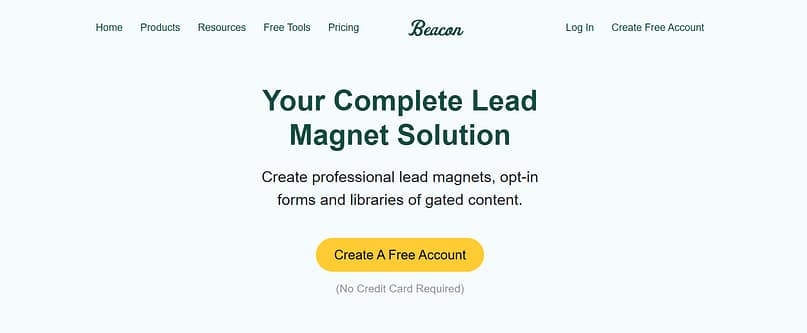
It removes the friction of formatting. You paste your content, select a template, and it handles the layout, table of contents, and export. Yes, the designs can look a little "template-y" if you don't customize them, but when time is money, it’s a brilliant shortcut.
Notion wasn’t built for marketing, but it has quietly become one of the best tools for interactive lead magnets.

It’s perfect when your audience values usability over heavy design. I use it to share productivity templates, content calendars, or launch checklists. The magic is the "Duplicate" button. Your subscriber clicks the link, duplicates the template into their own Notion workspace, and starts using it immediately. No downloading, no file management, no friction.
If you’re worried your freebies are falling flat, you might need a refresher on 'No More Lame Freebies! This is How to Get Lead Magnets Right'.
Once your asset is ready, you need a reliable way to capture the email address and deliver the goods. This is where most people introduce unnecessary complexity.
If you’re running on WordPress, you have fantastic options that keep everything centralized. If you’re managing multiple sites or need deep CRM integration, a dedicated SaaS tool might be a better fit.
For WordPress Users: The All-In-One Solution
If your primary marketing engine is WordPress, you should look for tools that live natively inside your dashboard. This keeps your data centralized and reduces the chance of integration headaches.
I use Thrive Suite because it gives me the full list-building toolkit without making me struggle to get five different plugins to work together.
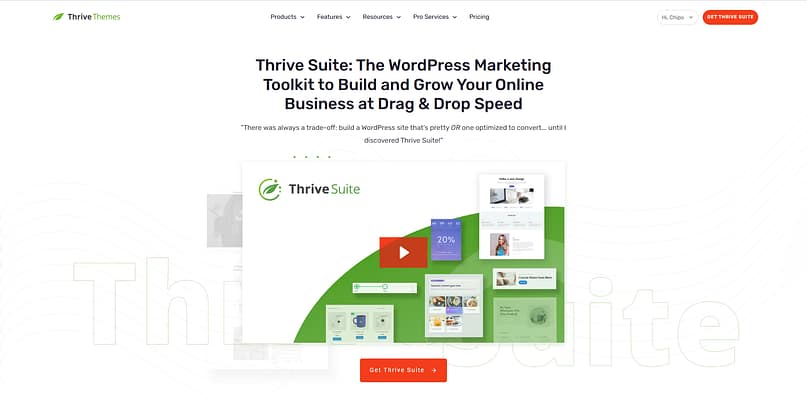
Thrive Leads lets you build every type of opt-in form (popups, slide-ins, sticky ribbons, inline forms—and connect them directly to your email platform. The best part is the built-in A/B testing. You can easily test two different headlines, two different images, or two different form types against each other to see which one converts better.
You also get advanced targeting: you can show a specific lead magnet only on blog posts tagged "SEO," or only to mobile users. This level of personalization moves the needle on conversions.
Why I like it:
Everything is managed inside your WordPress dashboard. You don’t have to jump to an external platform to check stats or build a new form. It feels like the set up actually knows what I want to do.
For Advanced Targeting and Multi-Platform Campaigns
If you manage leads across several different websites or platforms, a standalone SaaS tool gives you more flexibility.
OptinMonster is incredibly flexible, especially when it comes to behavior-based display rules. If you need advanced conditions like "show this form after 8 seconds only on product pages" or "only show this to users arriving from Facebook," OptinMonster can do it.
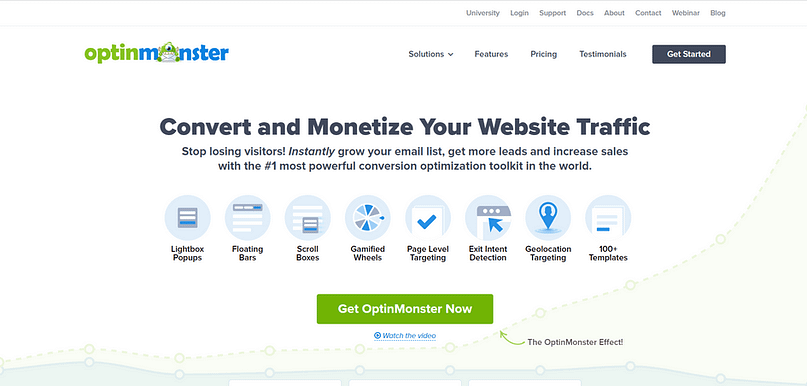
It’s a standalone SaaS tool, meaning you manage your forms from their dashboard, not inside WordPress. That set up works well if you’re juggling multiple sites or need to run the same campaign across different platforms (like WordPress and Shopify).
A word of caution:
You'll need at least the Pro plan to access the features that make OptinMonster truly powerful, like exit-intent popups and A/B testing. It can get pricey fast, so weigh that against how much you need the extra targeting features.
For Simple Forms and CRM Integration
Sometimes, simplicity and integration with your existing customer management system are the highest priorities.
If your business lives inside a CRM, you might want to use HubSpot's free tools. They offer simple forms and popups that integrate directly with their free CRM.
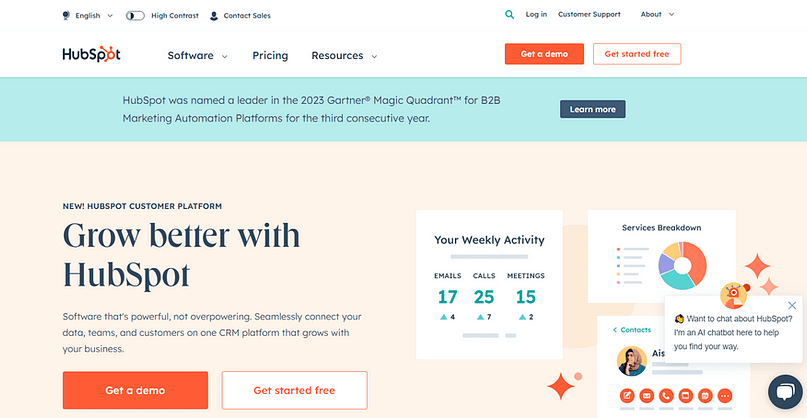
The forms are easy to set up, and the main benefit is that every lead is automatically logged and tracked in your sales pipeline. This is a great choice if your priority is lead quality and immediate hand-off to a sales team, rather than complex A/B testing on the capture form itself.
WPForms is one of the easiest form builders for WordPress to set up. If you just need a simple contact form or a basic opt-in embedded at the bottom of a page, it’s clean, reliable, and has a very low learning curve.
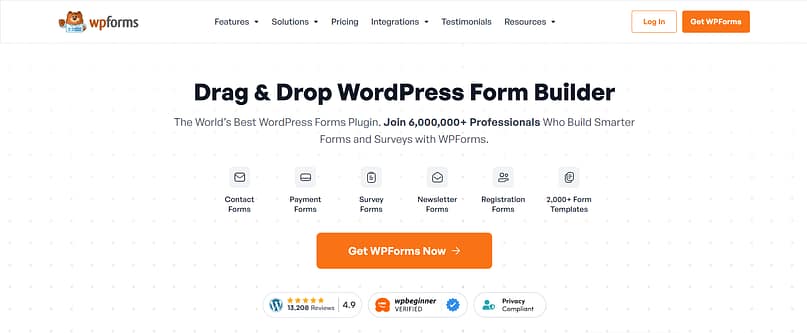
A note on features: WPForms is fantastic for simplicity, but it doesn't offer the advanced targeting, A/B testing, or sophisticated popup display options that Thrive Leads or OptinMonster provide. It's best for smaller sites or simple opt-ins where conversion improvement isn't the primary focus.
If you're still hunting for the perfect capture solution, I've already done the heavy lifting and put together a list of the top tools in 'I Tested 20 WordPress Lead Gen Plugins: This Is My Top 6'.
Video & Interactive Lead Magnet Tools
Video changed how I think about lead magnets. A three-minute explainer can build trust faster than a 20-page PDF most people won't finish. You're not just giving away information — you're letting them see how you think, hear your tone, and decide if they want to work with you.
The tools below work best when you already know what you want to create. If you're testing ideas, start simple. Record a Loom walkthrough or film a quick Q&A. Once you know what resonates, invest in something polished.
Here's what I've learned: video lead magnets convert better when they're short, specific, and promise a quick win. A five-minute tutorial beats a 40-minute masterclass if the goal is to get someone into your funnel. Save the long-form content for people who've already raised their hand.
One last thing — don't overthink production quality. I've seen shaky iPhone recordings outperform studio-lit webinars because the content was sharper and the person on screen felt real. Start scrappy, test what works, then upgrade your tools.
Quiz Builder Tools for Lead Segmentation
Quiz builders sit in their own category because they do something most lead magnets can't: they make people want to share information about themselves. A well-designed quiz feels fun, not like a transaction. People answer questions to get personalized results, and in the process, you gather segmentation data that would be awkward to ask for in a standard opt-in form.
The smart move here is matching the quiz to the decision your audience is trying to make. Career advice sites use "What's your leadership style?" Business coaches run "Which revenue model fits your goals?" Agencies ask "How scalable is your current marketing setup?" The quiz feels like a helpful diagnostic, and the results email becomes the start of a segmented nurture sequence.
The decision comes down to what you're optimizing for. If you want quiz data flowing directly into your WordPress-based marketing automation, Thrive Quiz Builder is the cleanest path. If you're running standalone quizzes and prioritizing design and ease of use, Interact or Typeform make more sense. Outgrow is the move if you need calculators or recommendation engines that do more than basic segmentation.
One thing to watch: quiz completion rates drop fast if you ask too many questions. I've seen quizzes with 15+ questions get a 20% completion rate, while 5-7 question quizzes hit 60-70%. Keep it short, make the questions interesting, and make sure the result actually delivers value. A vague personality type won't convert. A personalized action plan will.
Getting the sign-up is only half the battle. If your delivery process is clunky, you’ll annoy your new subscriber and increase your unsubscribe rate immediately.
The goal is instant, branded, and reliable delivery.
1. Delivery via Branded Thank You Page
I always prefer delivering the asset via a branded thank-you page rather than relying solely on email.
When someone signs up, the form redirects them to a dedicated page that says, "Success! Here is your download link."
Why this works better:
- Instant Gratification: The subscriber gets the asset immediately, before they even check their inbox.
- Branding Control: You control the look and feel, reinforcing your brand identity.
- Next Step Control: You can use that thank-you page to introduce your low-cost offer, ask them to join your private community, or point them to your best content.
If you’re using Thrive Suite, you can easily build these clean, conversion-focused thank-you pages using Thrive Architect and link them directly to the form submission action in Thrive Leads.
2. Delivery via Reliable Email Service Provider (ESP)
Even if you use a thank-you page, you still need to send the asset via email. This serves as a backup, a confirmation, and the start of your welcome sequence.
I recommend two ESPs that actually work: Kit and Brevo (formerly Sendinblue). Both handle deliverability well, which matters more than you'd think—your beautiful lead magnet means nothing if it lands in spam.
Here's how the handoff works. Your capture tool (Thrive Leads, in this case) grabs the email address and passes it to your ESP with a note: "This person wants the Content Calendar Template." Kit receives that signal and immediately fires off your welcome sequence—the first email containing the download link.
The magic lives in the automation rules. When someone subscribes to Asset X, I tag them "Got_Asset_X" and drop them into the matching welcome sequence. No manual work. No delays. They get the asset within seconds, and you start building the relationship while you're still in their inbox.
Kit makes this dead simple with visual automation builders. Brevo gives you more granular control if you like tinkering. Either way, you're automating the delivery so you can focus on creating content worth delivering.
3. Hosting the File Itself
Where should you put the actual PDF or template file?
Google Drive or Dropbox (Quick & Easy)
For quick, low-maintenance file hosting, Google Drive or Dropbox are fine. They are free, universally accessible, and easy to update.
The trade-off:
You don't have much control over the branding of the download page, and the link might look a little messy.
Hosting on Your Own Server (Branded & Clean)
If you want the cleanest possible link (e.g., yourdomain.com/downloads/my-checklist.pdf), you can upload the file directly to your WordPress media library.
The benefit: The link is clean and professional.
The drawback: If the file is huge (like a video or a massive, high-res eBook), it can slow down your site's server when hundreds of people try to download it at once. For most PDFs under 10MB, though, this is the best option.
Tools are just tools. The strategy behind them is what generates revenue. Before you set up your new stack, remember these three strategic moves that separate the high-converting funnels from the duds.
A. Bundle Assets into a Starter Kit
A single PDF is fine, but a "Starter Kit" or "Resource Library" has a much higher perceived value.
Instead of offering just the "SEO Checklist," offer the "SEO Starter Kit," which includes:
- The Checklist (PDF)
- The Template (Notion or Google Doc)
- A 5-Minute Video Walkthrough (Unlisted YouTube Link)
You only capture the email once, but you deliver triple the value. This makes people much more likely to sign up and much less likely to unsubscribe.
B. Use Quizzes to Segment Your Audience
If you offer five different lead magnets, how does a new visitor know which one is right for them? They don't.
Instead of making them guess, use a quiz. Tools like Thrive Quiz Builder let you ask a few simple questions and then send the user to the most relevant lead magnet based on their answers.
This doesn't just improve conversions; it improves lead quality. You instantly know what problem the subscriber needs help with, allowing you to tailor your welcome sequence and future offers precisely.
If you want to dive deeper into those high-converting interactive assets, check out 'This Is My Proven Interactive Content Strategy for Lead Gen'.
C. Target Opt-Ins by Content
This is the biggest mistake I see: using the same generic popup across every single page of a website.
If someone is reading your post about email marketing, they probably don't want your lead magnet about SEO. They want the "Email Subject Line Swipe File."
Use your capture tool's targeting features (like those in Thrive Leads or OptinMonster) to show specific, highly relevant lead magnets based on the category, tag, or even the specific URL of the page the visitor is viewing. This hyper-relevance is the secret sauce to high conversion rates.
I often get asked about the specific technical choices involved in setting up a high-converting lead magnet system. Here are direct answers to the most common questions.
What are the best lead magnet tools?
You need three things: something to create the asset (AI drafting plus Canva covers most cases), something to capture the email (Thrive Leads on WordPress), and something to deliver it (a branded thank-you page with your email provider as backup). For WordPress users, Thrive Suite covers capture, testing, and delivery in one system; pair it with Canva for design and you're done.
What's the best free lead magnet tool?
You can build a complete lead magnet for free: draft with ChatGPT or Claude's free tiers, design in Canva's free plan, and deliver through Kit's free tier (up to 10,000 subscribers). The paid upgrades buy you capture and testing power on your own site, not the ability to create the asset itself.
What's the best tool to create a checklist lead magnet?
Canva, and it takes under an hour: outline the checklist with an AI assistant first, then drop it into a Canva checklist template and export as PDF. Beacon is a good alternative if you want a purpose-built lead magnet creator with checklist formats ready to go.
What are the best tools for interactive lead magnets?
Quizzes and calculators out-convert static PDFs because people finish them. On WordPress, Thrive Quiz Builder handles the full flow: the quiz, the opt-in gate, and audience segmentation based on results, so each subscriber lands on your list already sorted by what they need.
Should I host my lead magnet file on my server or on Dropbox?
Either works; what matters is the experience. Hosting on your own site (the WordPress media library handles PDFs fine) keeps the link on your domain, which looks more professional. Dropbox or Google Drive is fine for large files, but use a direct-download link and never make subscribers log in to get their file.
What's the most reliable way to deliver a lead magnet?
Two channels, always: an instant download on a branded thank-you page (immediate gratification, no spam-folder risk), plus the same link in a welcome email from your email provider as the durable backup. The email also confirms deliverability and starts the relationship.
How can I use AI to create lead magnets faster?
Use it for the skeleton, not the final product: outlining the structure, generating angles you wouldn't have thought of, and producing a rough draft you refine. The polish, the voice, and the actual expertise still need to be yours, because a lead magnet is your first product and it gets judged like one.
You don’t need a Frankenstein tech stack held together by duct tape and prayer. You need a small set of professional tools that communicate clearly with each other.
If you’re building on WordPress and want the simplest, most powerful set up that handles creation, capture, testing, and delivery all in one place, I recommend starting with a combination of Canva (for design) and Thrive Suite (for capture and delivery).
Stop worrying about the tech. Choose your tools, set up your delivery workflow, and focus your energy on creating high-value assets your audience actually wants to use.


