

TL;DR — Find Your Ideal Membership Site Platform Today
This article is your shortcut to choosing a membership site platform without feeling overwhelmed, second-guessing yourself, or wasting months testing tools that don’t fit your business. I walk you through the major platforms, the hidden costs no one warns you about, the migration headaches you only notice once you’re stuck, and the strategic choices that actually affect your revenue, retention, and long-term freedom. If you’re building a membership — or thinking about it — this guide gives you the clarity most creators wish they had at the beginning.
3 Key Takeaways to Keep in Mind
If You're Skimming This…
The full article will save you from expensive mistakes, messy migrations, and the kind of tech decisions that drain your energy and margins later. Give it a proper read — it’s written to make your next move easier, faster, and far more confident.
I’ve learned something about membership platforms after years of launches, relaunches, experiments, and a few “why did I do this to myself?” tech decisions: this choice shapes your daily life far more than you expect. It influences your workflow, the way your audience experiences your content, and the energy you have left at the end of the week.
When people ask me which platform they should use, I don’t jump straight to a brand name. I look at the business they’re trying to build, the person behind it, and the way they naturally work. That tells me more than any feature table ever could.
To make this easier, I keep a handful of truths close:
- Your platform becomes your routine — so it has to match your real working style, not the fantasy version.
- Your margins matter, especially when transaction fees creep in quietly.
- Your membership isn’t “just content.” It’s community, structure, expectations, and the experience you’re promising.
- Your long-term freedom depends on the decision you make now. Migrations are no joke.
- Your conversions reflect your system. A clunky setup quietly steals sales.
This guide isn’t a parade of feature lists or a rehashed roundup written in a vacuum. I’m giving you the exact decision patterns I’ve seen work in the wild — the ones creators grow into, not out of.
And if you care about control, clean design, real conversions, and a system that supports the way you work, you’ll see why Thrive Apprentice has a dedicated place in this conversation.
Let’s break down the landscape.
1. Membership Platforms Explained: Simple and Easy
Before I recommend anything to anyone, I step back and look at the landscape the same way I’d look at a new city:
Where are the landmarks? Where are the shortcuts? Where are the places you only go when you know what you’re doing?
Membership platforms fall into a few clear groups, and knowing these groups saves you hours of scrolling and second-guessing.
Here’s the simplest way I explain it — the way I wish someone had explained it to me when I first started:
1.1 The Three Big Membership Site Platform Categories
I break everything down into three buckets that actually reflect how creators work:
- All-in-One Platforms Think Kajabi, Podia, Systeme.io.
You get everything in one place — website, emails, courses, payments. It’s tidy and predictable. You trade some control for convenience, but honestly, some people sleep better that way. - WordPress Membership + Course Platforms This is the world of Thrive Apprentice, MemberPress, and AccessAlly.
You own your platform, your data, your design, and your funnels. You’re not boxed in. You build your house on land you control, instead of renting a furnished apartment with rules about where the couch can go. - Community-First Platforms Mighty Networks, Circle.
These shine when people join because they want connection more than content. Great energy, strong engagement loops, and the kind of member stickiness that comes from feeling seen by other humans — not just the host.
1.2 How I Think About These Categories
When I look at these groups, I’m not comparing features. I’m comparing lifestyles — because your platform shapes the way you work and the way your members behave.
- All-in-One feels like a ready-made apartment.
No heavy lifting, but also no knocking down walls. - WordPress-based platforms feel like the home you renovate slowly and lovingly.
You choose the floors. You choose the windows. And if you want to add a sunroom later, you can. - Community platforms feel like moving into a neighborhood with the exact vibe you want.
You join for the people, stay for the relationships, and build something that feels alive.
1.3 Where Thrive Apprentice Fits In
I place Thrive Apprentice in the “WordPress membership + course platform” category, but it carries a twist that most tools in this category don’t:
it’s built for creators who want control and conversions.
It’s the setup I reach for when I want a membership that feels polished, intentional, and aligned with long-term growth… not a quick fix that locks me in later.
1.4 Why This Landscape Matters
You’re not choosing a category for fun. It shapes:
Once you know the landscape, the rest of the decisions make more sense.
Now we can get into the real dynamics: control, convenience, and the type of membership you’re actually building.
2. The Real Membership Site Platform Decision: Control, Convenience, or Community?
I’ve seen creators talk themselves in circles for weeks comparing dashboards, pricing tables, and “unlimited” plan features. Trust me — this is not the hill to lose sleep on.
The real differentiator is simple:
Do you want more control, more convenience, or more connection?
That answer alone narrows the field faster than any comparison chart ever could.
Let me break down these three paths the way I explain them to clients who just want clarity without 40 tabs open.
2.1 Convenience Platforms: You Want the Smoothest, Least Chaotic Path
Some people thrive when their tech is neat, predictable, and not asking them philosophical questions every time they create a new product.
If that’s you, I get it.
This is where tools like Kajabi and Podia shine.
They give you a tidy, curated workspace that feels like someone already folded the laundry and labeled the drawers.
It’s comfortable.
It’s structured.
It’s safe.
Just know that convenience has a cost:
Some creators happily live in this world for years.
Others hit the limits and need more space.
Only you know which camp you’re in.
2.2 Control Platforms — You Want Ownership, Flexibility, and Your Vision Fully Intact
This is my home base: WordPress + Thrive Apprentice.
It’s for the creators who want to build something that actually feels like theirs.
If you love:
Then control platforms feel like a breath of fresh air.
And this is the best part for me: I don’t have to patch together a dozen plugins to make things behave. Thrive gives me:
- my course structure
- my membership access rules
- my conversion elements
- my landing pages
- my upsells
- my navigation
All inside one ecosystem that plays nicely with WordPress.
That combination — control + conversion — is rare.
And yes, you do need hosting. You do need to set things up. But in exchange you get a membership you own from top to bottom, and a future that doesn’t depend on someone else’s roadmap.
2.3 Community Platforms — You Want Energy, Connection, and Member-Led Momentum
Some memberships aren’t content libraries.
They’re movements, circles, support systems, alumni spaces, coaching collectives… and these thrive on conversation, not lessons.
If your people join because they want each other as much as they want you, community platforms like Mighty Networks or Circle feel like magic.
The vibe is very:
You create spaces.
They fill them with life.
Just know that these platforms work best when you lean into the social dynamic.
If you try to run a heavily structured course-only membership here, it feels off.
If your strength is connection, coaching, or facilitating transformation through community… this lane was built for you.
2.4 How I Guide My Own Membership Site Platform Decisions
When I’m choosing for myself or helping a client think it through, I ask three quick grounding questions:
- What kind of work energizes you? Content creation? Teaching? Hosting? Designing? Automating?
Your platform should support how you naturally work, not the aspirational version of you who has 14 free hours and steady WiFi. - What kind of experience do your members expect? Are they independent learners? Social learners? People who want clear structure?
This matters. - Where do you want freedom? In design? In pricing structure? In adding new offers?
Freedom in the wrong place becomes chaos. Freedom in the right place becomes growth.
Once you’re clear on energy, experience, and freedom, the choice becomes obvious — shockingly obvious.
3. Membership Site Platform Deep Dives: Honest Feedback From Someone Who’s Actually Used These Tools
Before we jump into the individual platforms, let me set the tone for how I evaluate them — because I don’t look at tools the way generic comparison posts do.
I’ve tried enough platforms (and survived enough migrations) to know that shiny features don’t tell the full story. What actually matters is how a tool behaves when your audience grows, when your offer evolves, and when you don’t have the time or energy to fix things behind the scenes.
So instead of repeating feature lists you can find anywhere, I’m giving you what I pay attention to in real life:
- How it feels to build in the platform Does it support your creativity or slow you down?
- How it handles growth Does it quietly punish you with fees or limits once you start succeeding?
- How well it supports retention Because keeping members matters more than impressing them on day one.
- How much freedom it gives you Design freedom, pricing freedom, funnel freedom — the good kind of freedom that allows your business to evolve.
- What breaks first when things get real Tech quirks always show up somewhere. I look at where.
This section is my honest take on the major players — the strengths, the frustrations, and the “I had no idea it did that” surprises I wish someone had told me earlier.
Now let’s walk through these platforms like a real human who wants to build something sustainable, profitable, and not utterly exhausting.
Membership Site Platform Comparison (At-a-Glance Overview)
Platform | Core Strength | Best For | Customization Level | Real Pricing (2025) |
|---|---|---|---|---|
Thrive Apprentice | WordPress LMS + full design control | Creators who want ownership, branding freedom, and deep customization | High — full WordPress + Thrive Architect flexibility | $149/year standalone or $299/year for Thrive Suite |
Kajabi | All-in-one simplicity + strong marketing tools | Coaches, content creators, and pros who want everything in one place | Low–Moderate (platform is “opinionated”) | $149–$399/month |
Podia | Friendly, easy, low-stress all-in-one | Beginners and solo creators launching simple products quickly | Low | Free (8% fee), $9–$75/month |
Mighty Networks | Community-first engagement + events | Coaches, collectives, movements, peer groups | Moderate (inside its ecosystem) | $49–$99/month, Mighty Pro = custom |
MemberPress | Complete WordPress freedom + advanced rules | Builders who want ownership, complex logic, and total flexibility | Very High | $179–$399/year (plus hosting) |
Thinkific | Strong LMS with clean, guided student experience | Educators, academies, corporate training, structured programs | Moderate | Free, then $49–$199/month, Plus = enterprise |
How to Read This Table (From Me to You)
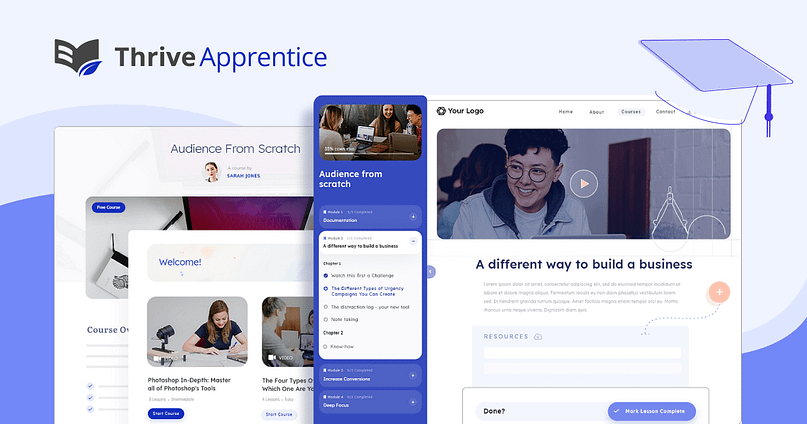
Thrive Apprentice is the membership and course platform I reach for when I want full control over my site without turning it into a complicated tech project. It gives me structure, design freedom, clean user experiences, and solid conversion tools — all without forcing me into someone else’s ecosystem.
This is the platform that lets me build a membership that still feels like my brand… not a clone of every creator who signed up before me.
Who Thrive Apprentice is Best For
I reach for Thrive Apprentice when someone is:
Thrive Apprentice: My Personal Review
I’ve tested enough membership tools to know when something actually supports my workflow versus slowing me down. Thrive Apprentice feels like the sweet spot between flexibility and ease — the “I can breathe here” kind of tool. I like that I can design my entire course or membership experience with the same visual builder I use for my landing pages.
When I’m in creative flow, there’s nothing worse than switching between clunky editors or being told, “No, you can’t move that there.” Thrive doesn’t get in my way like that. In my opinion, the biggest strength is how well it plays with the rest of Thrive Suite. I can build a sales page, test two headlines, add a one-click upsell, drip a course module, and lock bonus lessons behind a membership tier — all inside one ecosystem.
No duct tape. No “I hope this integration doesn’t break today.” Just me, building. It’s not a magic wand. I still set up hosting and keep my WordPress environment healthy.
But I genuinely prefer that over being trapped in a SaaS tool where I’m paying premium rent and watching my customization options shrink. If I’m building something long-term — something that needs to evolve with me — I want the freedom Thrive Apprentice gives.
Thrive Apprentice: Pros & Cons
Pros | Cons / Things To Consider |
|---|---|
You own your platform, your data, and your design — nothing feels generic. | You handle hosting + WordPress basics (once it’s set up, it’s smooth). |
Gorgeous course layouts + clean student experience. | Not a community platform — you’ll need a separate tool if community is the heart of your offer. |
Easy to build structured courses, drip content, and membership tiers. | More DIY than SaaS — if someone wants a plug-and-play box, this is not that. |
No transaction fees beyond Stripe/PayPal. | Cheap hosting won’t cut it for long-term growth. |
Integrates seamlessly with Thrive Architect, Thrive Leads, and Thrive Optimize → conversion powerhouse. | You’re responsible for site maintenance (updates, backups, the usual WordPress care). |
Pricing (The Actual Numbers & My Take)
Real pricing (2025):
This is licensing, not a monthly SaaS bill — and I prefer that.
What I Like About the Pricing
What to Keep in Mind
Kajabi is the platform I recommend when someone looks me dead in the eye and says, “I want to build my membership, but I do not want to touch tech. At all.” It’s the polished, everything-in-one-place option — your site, your courses, your emails, your funnels, your offers, your payments — all inside a single login.
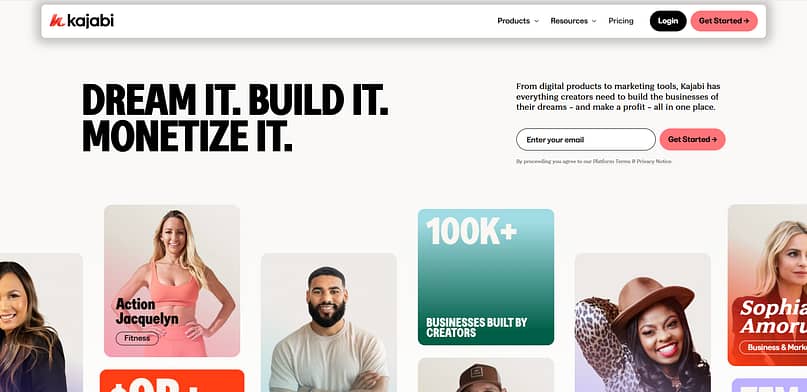
It’s sleek, opinionated, structured, and predictable. And honestly? There are moments in life when that’s a blessing.
Kajabi: Who It’s Best For
I recommend Kajabi when someone is:
Kajabi: My Personal Review
Kajabi feels like walking into a beautifully furnished apartment where the lighting is perfect, the furniture matches, and someone already alphabetized the pantry. I like how seamless it is — the whole experience feels curated. I can move from recording a lesson to setting up an email sequence to publishing a landing page, all without switching tools or crossing my fingers that an integration actually fires. In my opinion, Kajabi’s strength is its rhythm.
Everything fits together. You don’t have to worry about plugins, updates, or compatibility. You just build. And if your personality thrives in well-structured spaces, you’ll probably love that. But here’s the honest part of my personal take: I start feeling the walls pretty quickly.
The design freedom is limited, the pricing makes me raise an eyebrow once the business starts growing, and the long-term lock-in is real. Every piece of your business lives inside Kajabi — your emails, your funnels, your page designs — which means moving later requires rebuilding a lot more than you expect.
Still, for creators who want the smoothest ride and aren’t excited about WordPress maintenance, Kajabi earns its place. It’s premium for a reason.
Kajabi: Pros & Cons
Pros | Cons / Things to Consider |
|---|---|
All-in-one simplicity — everything works together smoothly. | Monthly price increases fast, especially as you scale. |
Clean, friendly dashboard that reduces tech overwhelm. | Very limited design freedom — things can start to look same-ish. |
Built-in pipelines, automations, email sequences, templates. | If you ever leave, you must rebuild everything elsewhere. |
Solid mobile experience and a polished, trusted feel. | Fewer advanced course or membership features than WordPress-based tools. |
Predictable workflow — ideal for busy coaches + creators. | Less ownership: your entire business sits inside their ecosystem. |
Kajabi Pricing (The Actual Numbers & My Take)
Real pricing (2025):
Kajabi’s common starting plan is the Basic plan around $149/month, and many creators quickly upgrade to growth tiers around $199–$399/month depending on usage, pipelines, and contact limits.
What I Like About the Pricing
What I Keep an Eye On
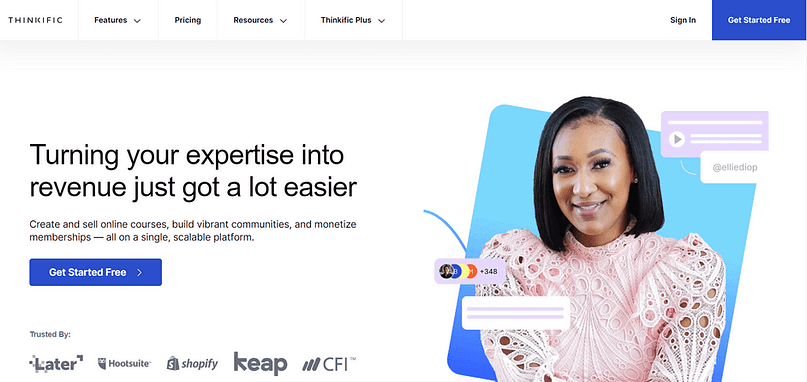
Thinkific is the platform I recommend when someone says, “My students matter to me. I want a real learning environment, not just a video library.” It’s an LMS at heart — structured, clean, reliable, and intentionally built for education rather than marketing flash.
Where Kajabi is “business in a box,” Thinkific is “school in a box.”
Where Podia is calming and simple, Thinkific is steady and pedagogical.
And where community tools like Mighty Networks focus on connection, Thinkific focuses on transformation.
Thinkific: Who It’s Best For
I recommend Thinkific for creators who:
Thinkific: My Personal Review
Thinkific feels like the platform you choose when you want your learners to feel guided, supported, and immersed — without the distractions of overly flashy interfaces. I like how grounded it feels. In my opinion, Thinkific does a great job elevating the educational experience without overwhelming the creator. What stands out most for me is the course player.
It’s clean, intuitive, and designed for focus. Students know what to do next, which increases completion rates more than we tend to admit. I also appreciate the structure of the platform — I never feel lost in Thinkific, and neither do students. It handles the basics well: clean uploads, organized modules, quizzes that don’t feel like an afterthought, and a straightforward certification system.
Where I start to feel the limits is on the marketing side. Thinkific can absolutely sell your course or membership, but the funnels and email capabilities don’t compete with Kajabi or WordPress. It’s not meant to. Thinkific is your classroom, not your sales department. If you’re the kind of creator who thrives when your teaching is front and center — not your funnels — Thinkific is often the right fit.
Thinkific: Pros & Cons
Pros | Cons / Things to Consider |
|---|---|
Excellent LMS features — quizzes, assignments, certificates. | Not an all-in-one; you need external tools for email and funnels. |
Clean, professional course player students love. | Customization is limited compared to WordPress. |
Stable, mature platform with great uptime and support. | For memberships with heavy community needs, this isn’t ideal. |
Great for structured learning, corporate training, and academies. | “Thinkific Communities” are improving, but still secondary. |
Integrates with lots of tools through apps and add-ons. | Costs rise quickly with advanced LMS features or “Thinkific Plus.” |
Thinkific: Pricing (Actual Numbers & My Take)
Real pricing (2025):
Thinkific offers a true free plan and several paid plans:
What I Like About the Pricing
What I Keep in Mind
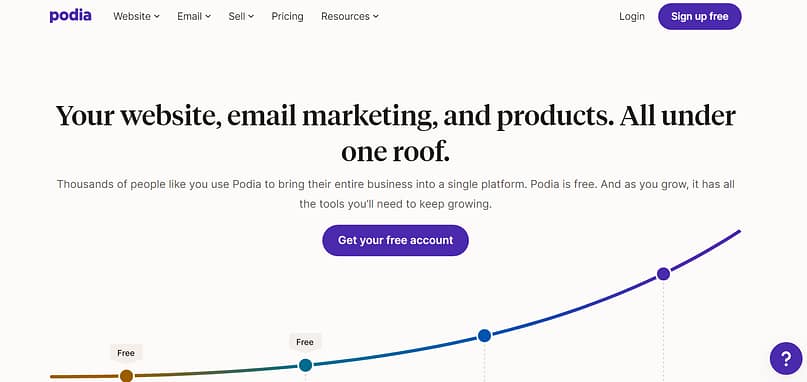
If Kajabi feels like the luxury hotel of all-in-one platforms, Podia is the relaxed boutique space with good lighting, comfy chairs, and a team that genuinely wants you to have a nice day. It’s approachable, beginner-friendly, and straightforward — the platform I recommend when someone wants simplicity without feeling boxed in.
Podia handles courses, memberships, digital products, email, and basic websites with a kind of “you’re safe here” energy that a lot of new creators appreciate.
Podia: Who It’s Best For
I recommend Podia for creators who are:
Podia: My Personal Review
Podia reminds me of the friend who shows up with iced coffee, helps you reorganize your desk, and says, “Let’s make this easier for you.” I like how the platform feels — it’s calm. It doesn’t overwhelm you with ten menus or giant dashboards. Everything is laid out in a way that makes you feel supported, especially if tech isn’t your love language.
In my opinion, Podia is perfect when you just need to get the thing out into the world. You want to sell something. You want a clean experience. You want “good enough” design without spending days tweaking. Podia lets you do that.
But because I like more control and growth freedom, I tend to see Podia as a stepping-stone for many creators. It’s excellent at the beginning, still good in the middle, and starts feeling a bit small when you want advanced funnels, deeper customization, or a brand presence that feels truly elevated. That said, if someone is choosing between “launch something simple” and “get stuck overthinking tech for six months,” Podia wins every time.
Podia: Pros & Cons
Pros | Cons / Things to Consider |
|---|---|
Incredibly easy to set up — beginner dream. | Limited design customization — you work within Podia’s aesthetic. |
Clean interface and stress-free workflow. | Fewer advanced marketing or automation features. |
Supports courses, memberships, downloads, email — all in one login. | Not ideal for complex or high-level memberships. |
Weekly updates & responsive support (Podia is known for this). | Outgrowing the platform is common as your business becomes more sophisticated. |
Great for “just launch it” energy. | Migration out later takes work — not Kajabi-level lock-in, but still work. |
Podia Pricing (Actual Numbers & My Take)
Real pricing (2025):
Podia offers a true free plan and several paid plans:
What I Like About the Pricing
What I Keep in Mind
Mighty Networks is the platform I think of when someone tells me, “My people need each other as much as they need me.” If your membership feels more like a collective, a movement, a circle, a clubhouse, or a place where people gather to talk, share, connect, and co-create… this platform feels like home.
It’s community-first in every sense. Courses exist, yes. Events exist, yes. But the heartbeat is the people inside it — not the content library.

Mighty Networks: Who It’s Best For
I recommend Mighty Networks for creators who are:
Mighty Networks: My Personal Review
Mighty Networks feels like the membership platform equivalent of lighting a candle, rearranging your furniture, and creating a cozy environment where people instinctively want to stay. I like how alive it feels — people talk, share, comment, join sub-groups, show up to live events, and make the space feel vibrant. In my opinion, this platform wins when your business success depends on retention through connection. Some memberships retain because the content is superb. Some retain because the transformation is clear. But there are entire memberships that retain because the community becomes a second home — and Mighty Networks makes that easy. Do I use it when someone needs a very structured academic course? No.
Do I use it when someone has a brand that thrives on interaction, energy, and member identity? Absolutely. One thing I keep an eye on is design flexibility. Mighty Networks has its own look and rhythm — which I like for community flow, but sometimes wish was a little more customizable. Also, the course builder is functional but not the star of the show. But when the goal is belonging, accountability, discussion, and shared experience?
This platform does that better than almost anything else.
Mighty Networks: Pros & Cons
Pros | Cons / Things to Consider |
|---|---|
Best-in-class community tools — groups, chats, posts, events. | Course builder is basic compared to WordPress LMS tools. |
Members actually come back — high engagement potential. | Less control over design and layout. |
Built-in mobile app with strong push notifications. | Not ideal for structured or academically rigorous programs. |
Great environment for coaches, collectives, and movements. | If content is your main value, this may feel mismatched. |
Sub-communities (“Spaces”) let you organize your world intuitively. | Not designed for heavy funnels or advanced conversions. |
Mighty Networks Pricing (Actual Numbers & My Take)
Real pricing (2025):
(These numbers come from recent pricing updates publicly referenced in 2024–2025 creator economy reviews.)
What I Like About the Pricing
What I Keep in Mind
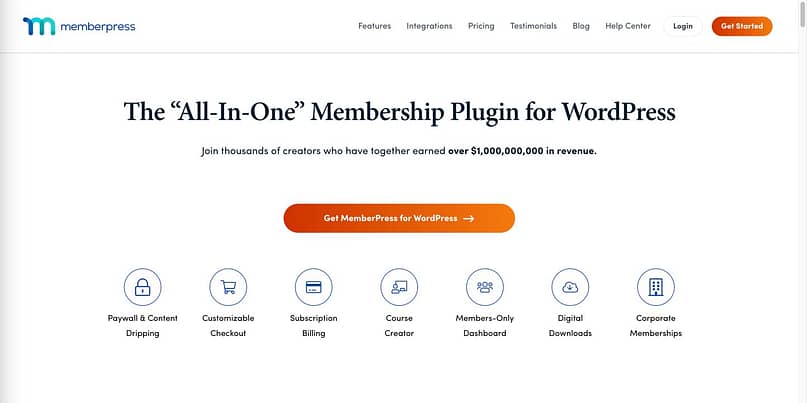
MemberPress is the tool I recommend when someone says, “I want my membership to feel completely mine — the design, the structure, the rules, the everything.” It’s the membership plugin for WordPress users who want flexibility, customization, and long-term ownership without being trapped inside a SaaS box.
If Kajabi is the house you rent and Podia is the cozy Airbnb, MemberPress is the land you buy, the foundation you lay, and the custom home you build exactly the way you want.
MemberPress: Who It’s Best For
I recommend MemberPress to creators who:
MemberPress: My Personal Review
MemberPress is the tool I turn to when I want the confidence of full ownership. I like how much creative and structural freedom it gives you — no platform limitations, no “this layout isn’t possible,” no “we only support one type of checkout.” In my opinion, MemberPress shines when you’re building something layered: multiple membership tiers, advanced content gating, drip schedules, bundles, corporate accounts, or WordPress-style customization.
But I’ll be honest: its power requires responsibility. WordPress is amazing… until it isn’t. Hosting, updates, caching, plugin relationships — all of that becomes part of the business. I don’t mind that because I like tinkering, but I know creators who find that energy-draining. The thing I appreciate most is the flexibility. If I want a particular checkout design, I can build it.
If I want a specific “unlock after 3 days unless they bought product X” logic, MemberPress can handle it. If I want integrations or add-ons, the WordPress ecosystem is practically endless. The flip side? You are the ecosystem. Or you hire someone who is. But if you value ownership and long-term control, it’s hard to beat MemberPress.
MemberPress: Pros & Cons
Pros | Cons / Things to Consider |
|---|---|
Full ownership — your site, your design, your data. | Requires hosting, maintenance, and some tech confidence. |
Extremely flexible rules engine for advanced membership logic. | Can get expensive when you add hosting, video, backups, etc. |
Works beautifully with WordPress builders (like Thrive Architect). | Not an all-in-one — you must assemble your stack. |
No transaction fees. | If a plugin breaks something, you’re the one troubleshooting. |
Corporate accounts + advanced structures most SaaS platforms can’t do. | Migration to MemberPress is easy; migration from it requires planning. |
MemberPress: Pricing (Actual Numbers & My Take)
Real pricing (2025):
MemberPress offers three main annual plans:
*(Pricing depends on annual promotions, but these are the standard recurring amounts.)*
What I Like About the Pricing
What I Keep in Mind
Wild Apricot is one of those platforms that you only understand once you’ve lived inside the world it serves. This isn’t a “creator economy” platform. It’s not for the typical memberships you and I see in the online business space. It’s built for organizations — the ones juggling directories, renewals, committees, donors, volunteers, events, and decision-making by committee.
Think: clubs, associations, community groups, alumni networks, chambers, and non-profits who need structure, not funnels.
If your membership feels more like a group that needs administration than a program that needs marketing, Wild Apricot may be the right fit.

Wild Apricot: Who It’s Best For
I recommend Wild Apricot when the membership is:
This is very different from the creator-centric platforms above — which is why Wild Apricot fills such a specific gap.
Wild Apricot: My Personal Review
Wild Apricot feels like stepping into a well-organized office where someone has already color-coded the filing cabinets. I like how much order it brings to spaces that usually have chaotic Google Sheets, inconsistent renewals, and 14 people with partial admin privileges. In my opinion, it’s less “creative playground” and more “operational backbone.”
And that’s exactly what some organizations need — a reliable, structured system that keeps the membership running without tech drama. The event management tools stand out the most to me. They’re not an afterthought; they’re woven into the platform in a way that makes life easier for teams juggling live events, conferences, registrations, and in-person meetups.
Where Wild Apricot falls short for me personally is in the design and customization department. If you come from the world of Thrive Architect, Kajabi, or beautiful WordPress builds, Wild Apricot’s templates feel… practical. Functional. Sometimes a little stiff. But again — that’s not the point of the platform. This is one of those tools that doesn’t try to be something it’s not. And once you respect that, it makes total sense.
Wild Apricot: Pros & Cons
Pros | Cons / Things to Consider |
|---|---|
Built specifically for organizations (not creators). | Templates and design options are limited. |
Excellent event registration and ticketing tools. | Not ideal for course-based memberships or personal brands. |
Strong member database and directory management. | Pricing scales with contact count, which adds cost. |
Donation tools + CRM-style features. | Requires admin time — not a set-it-and-forget-it platform. |
Handles renewals, reminders, and compliance tasks automatically. | Can feel overwhelming for solo creators or small teams. |
Wild Apricot Pricing (Actual Numbers & My Take)
Real pricing (2025): Wild Apricot scales pricing based on the number of contacts in your database:
Pricing is one of the biggest variables — the more your organization grows, the more you pay.
What I Like About the Pricing
What I Keep in Mind
5. Hidden Costs, Migration Pain, and Other Things You’ll Only Discover the Hard Way (Unless You Read This)
I wish more people talked about this part openly. Choosing a membership platform isn’t just about features — it’s about the costs, friction, and operational headaches that only show up once you’re locked in. I’ve lived through enough migrations to respect the “invisible” layer of platform decisions, and it’s one of the reasons I pay so much attention to backend details most people ignore at the start.
Let’s break this down properly.
5.1 The Hidden Economics Behind “Cheap” and “Free” Plans
Every platform looks affordable at the beginning. The trouble starts when you grow.
Here’s what I always track now — the costs nobody highlights on their pricing page:
• Transaction fees
Some “free” plans take 5–10% of your revenue.
At $2,000/month, that’s a $200 bill you never agreed to emotionally.
At $10,000/month? That’s the kind of fee that makes you rethink your whole stack.
• Email + video hosting + integrations
A platform looks cheap until you add:
I’ve seen more people overspend here than anywhere else. A $39/month plan can quietly snowball into $150/month without blinking.
• Support + “DIY time cost”
This one is real.
Some tools save money but cost hours — and that’s still a cost.
If a platform is slow, clunky, or missing features, you end up paying for:
Time is currency. And when your business is growing, time becomes the most expensive thing you own.
5.2 Migration Reality: Why Switching Platforms Hurts
The day you switch platforms is the day you realize how tightly everything is woven together. I’ve done migrations where we planned for two weeks… and ended up knee-deep in the trenches for two months.
Here are the big friction points I always warn people about:
• Password resets
You can’t migrate passwords.
They’re encrypted (as they should be), which means every single member must reset theirs.
This creates drop-off. Always.
• Billing token issues
Your Stripe/PayPal tokens don’t always transfer cleanly between platforms.
When this breaks, people have to re-enter their cards.
Nobody loves doing that.
And yes, you’ll lose a portion of members here too.
• Lost progress and data
Progress tracking, certificates, comments, quiz scores — none of this maps 1:1 across platforms.
I’ve had creators discover:
This is the part I want every membership owner to understand: migrations are not just technical; they’re emotional. They shake member confidence, and you feel it in churn rates.
5.3 How Thrive Apprentice Helps You Avoid Some of This
This is one of the reasons I like working with Thrive Apprentice inside the WordPress ecosystem: you get ownership and flexibility without being locked into someone else’s walled garden.
• You own your content, your pages, your designs
If you ever switch tools, your:
…stay with you.
That alone removes about 50% of migration pain.
• It’s easier to move stack pieces around a stable WordPress core
With Thrive Apprentice, I can swap hosting, email tools, plugins, or checkout systems without blowing up the entire membership. The core of the business stays intact.
You’re not rebuilding your whole world just because you want a new payment processor or a different automation setup. That freedom matters long-term.
6. A Simple Framework to Choose Your Membership Site Platform
Your Membership Platform Decision Framework (At a Glance)
Step | What You’re Deciding | Questions to Ask Yourself | Where This Points You |
|---|---|---|---|
1. Clarify Your Model & Offer | Understand what you’re actually selling and who you’re supporting. | - Who am I serving? - What does my audience truly pay for — content, community, transformation, access? - Do they need structure, interaction, or pure convenience? | - Content-first / LMS: Thrive Apprentice, Thinkific - Community-first: Mighty Networks - Access-to-you programs: Kajabi, Thrive Suite |
2. Decide Where You Want to Spend Energy | Your energy investment determines your tech stack. | - Do I enjoy the control of WordPress? - Do I melt when plugins break? - Do I want freedom or convenience? - Do I want to own my platform or rent it? | - “I want convenience”: Kajabi, Podia - “I want control”: Thrive Apprentice + Thrive Suite / MemberPress - “I want community ease”: Mighty Networks |
3. Map Your Platform Choice to Your Model | Match your business pattern to the appropriate tool. | - Is my offer structured like a course or like a community? - Am I running a coaching program? A peer support group? A full academy? | - WordPress + Thrive Suite for blended: courses + coaching + funnels - Podia / Kajabi for simple solo-creator setups - Mighty Networks for collectives + peer-to-peer groups - Thinkific for corporate training + academies |
4. Sanity Check Your Future Self | Imagine your business 3–5 years from now — and avoid future pain. | - What happens when I hit 300 members? 3,000? 10,000? - Will the pricing still feel fair? - Will migrating be a nightmare? - Can I test new offers quickly? - Can I build high-converting pages fast? | - Scaling safely: WordPress + Thrive Suite - Scaling smoothly but expensively: Kajabi - Scaling depends on engagement: Mighty Networks - Scaling with structure: Thinkific |
Quick Summary: Membership Site Platform
Every membership business has its own rhythm, and your platform should match the way you work — not the way comparison charts tell you to work.
If your energy goes into content, marketing, design, and experimentation, then building on a foundation you own (Thrive Suite + Thrive Apprentice) gives you the most creative and financial freedom long-term.
If you just want something gentle, simple, and contained, Podia or Kajabi can carry you through your early stages.
If your magic comes from connection and community, Mighty Networks is the most natural fit.
And if you dream in modules, assignments, and structured journeys, Thinkific is a clean, dependable classroom.
Your platform should help you move quickly, test ideas, track performance, and support your members — not box you in. When in doubt, choose the option that helps you grow without forcing you to rebuild your entire world a year from now.
7. Advanced, Conversion-Focused Membership Strategies
These are the strategies I reach for when I want a membership to do more than “exist.” I want it to convert, retain, and compound — without needing a giant team or a 6-month runway.
7.1 The 20-Minute MVP Membership
This is my favorite way to launch fast without burning out.
A 20-minute MVP membership is built on three things:
That’s it. No 45-module library. No endless planning. Just one transformation people can say yes to.
MVP ideas you can build fast inside Thrive Apprentice:
Thrive Apprentice makes this easy because you can organize the content cleanly, customize the experience, and ship something that feels polished without overbuilding.
7.2 The Hybrid Funnel: Free Content → Membership Sale
This is one of the easiest ways to turn organic traffic into paid members.
The flow:
Blog post → Content upgrade → Mini course → Membership
Here’s how it all fits with Thrive tools:
You’re guiding someone from free → deeper → transformation → paid.
And every step adds more value and more trust.
7.3 Turning Your Membership Into a Conversion Engine
A good membership doesn’t just make revenue — it creates more revenue.
Easy ways to do that:
It’s simple, but it compounds beautifully.
8. FAQ: Real Questions People Ask About Membership Site Platforms
These are the questions I hear the most — in DMs, inside creator groups, on coaching calls, and from people who are two minutes away from picking a platform and begging for clarity.
Let’s keep the answers simple and honest.
Short answer: It depends on what people are paying for.
If your offer is structured learning → a course platform is fine.
If your offer is ongoing updates, community, or access → you need a membership setup. If you want both?
This is where Thrive Apprentice shines — structured courses + flexible product access + recurring memberships.
Yes — if you use the right tools. WordPress is only painful when the setup is messy. A clean combo (Thrive Apprentice + Thrive Architect + a solid checkout tool) removes most of the drama. If you want extra help choosing hosting or improving performance, link out to any WordPress speed, hosting, or security guides here.
For structured training + community energy, you have two good paths:
- WordPress + Thrive Apprentice for your courses and members
- Pair it with a private community space (Circle, BuddyBoss, or even a gated Discord)
This gives you control over the curriculum and a home for your people.
Podia or Kajabi if you want something that feels like a guided tour.
Thrive Apprentice if you want beginner-friendly + design freedom + ownership.
You can’t stop it completely, but you can discourage it:
- limit simultaneous logins
- watermark PDFs/videos with the user’s email
- include personalized content inside the membership
Thrive Apprentice integrates cleanly with tools that support these features.
If you want genuinely free: Podia Free or Thinkific Free, but watch the transaction fees. If you want something affordable + long-term friendly:
Thrive Apprentice standalone ($149/year). No % fees, no growth penalty, no “success tax.”
You’ll lose some, yes — mostly during:
- password resets
- billing updates
- content structure changes
The more integrated your platform is, the harder the migration.
This is why I like building on WordPress + Thrive Apprentice — you keep your pages, SEO, content, and URLs, which lowers the risk.
Thinkific — clean LMS, strong student tracking, and solid compliance features.
Thrive Apprentice is great too if you want more design freedom and WordPress flexibility.
Yes — but choose your platform carefully.
- Shopify + Bold Memberships handles this well
- WooCommerce + Thrive Apprentice works beautifully on WordPress
- Kajabi is not ideal for physical products
Here’s what works in the real world:
- Flat fee → easiest to sell
- Tiered → easiest to scale (and adds natural upgrades)
- Freemium → great for email growth, risky for revenue unless you have strong upsells
If you use Thrive Apprentice, you can test all three because you control the checkout logic + product access.
9. Conclusion — Pick the Platform That Protects Your Energy, Your Margins, and Your Members
When you strip away comparison charts, feature lists, and marketing hype, choosing a membership platform comes down to three things that truly matter in the long run.
First: Pick a platform that matches your model and your personality.
Your membership should fit the way you create, teach, and show up — not force you into someone else’s workflow. Coaches, educators, community builders, and hybrid creators all need different environments, and that’s okay. There’s power in choosing the platform that lets you work in your natural rhythm.
Second: Think beyond launch day.
A membership is a long game — which means migration costs, tech debt, hidden fees, student experience, and retention all matter way more than most comparison posts admit. Protect your future self. Protect your members. And protect your margins.
Third: Prioritize conversion and experience, not features.
A beautiful dashboard means nothing if people don’t sign up, stay engaged, and get results. Focus on the tools that help you build high-converting pages, track performance, create meaningful transformations, and serve your members without burning yourself out.
And if you want a setup that gives you ownership, flexibility, conversion-focused design, and an actual long-term foundation?
Thrive Suite + Thrive Apprentice is the combination I trust the most.
It’s the sweet spot of power and control — without trapping you in an ecosystem that becomes expensive or limiting later.
You get the freedom of WordPress, the design strength of Thrive Architect, the structure of Thrive Apprentice, and the marketing tools that actually move people from “interested” to “committed.”
Final CTA
Ready to build a membership that doesn’t just look good, but actually converts and grows with you?
Get Thrive Suite and set up your first Thrive Apprentice membership today.


