
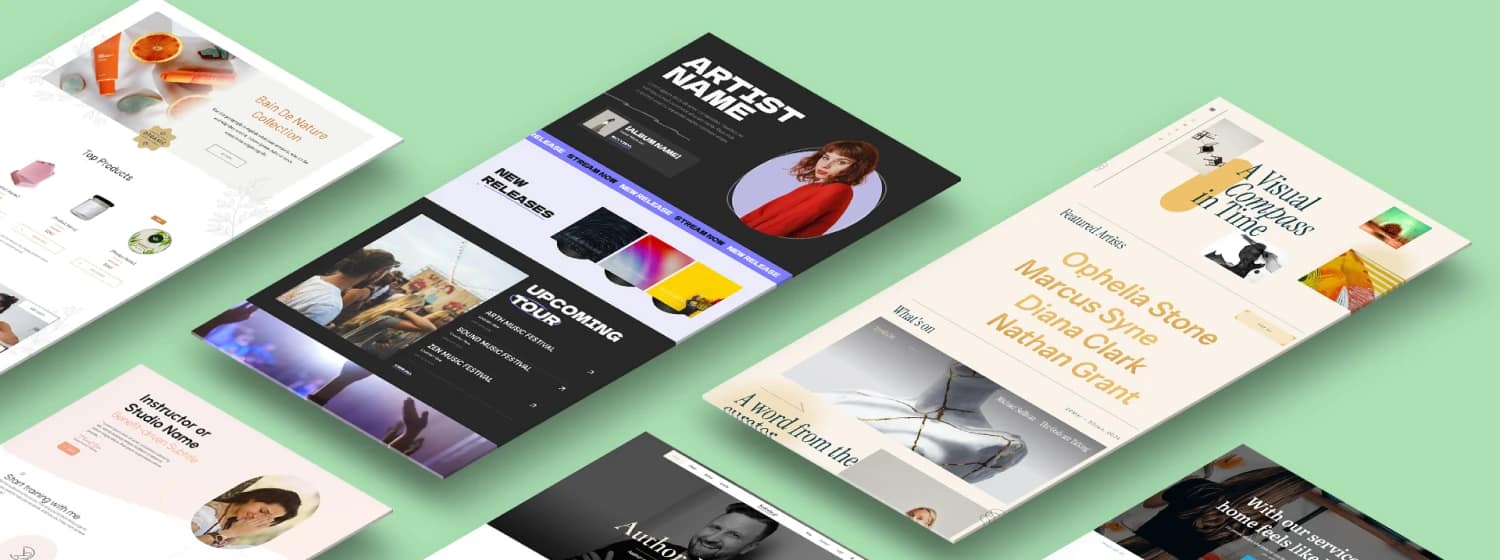

TL;DR — What This Guide Will Help You Do
This article breaks down 12 lead gen landing page examples into clear, repeatable patterns you can use to capture more leads with less guesswork. Instead of scrolling through pretty screenshots, you’ll see why each example works and how to adapt the strategy to your own business.
Key takeaways:
- Great landing pages follow patterns, not trends. Each example reveals the goal, offer, structure, form strategy, and follow-up logic behind real conversions.
- Small shifts create big gains. Changing the value exchange, reducing friction in the form, or improving message match can dramatically lift conversions.
- Your landing page is only step one. What happens after someone opts in (your thank-you page and follow-up sequence) plays a huge role in turning leads into customers.
If you’re skimming, this is your cue to slow down for a few minutes — the examples ahead will save you weeks of trial and error.
What makes someone stop scrolling, breathe for half a second, and think, fine… I’ll give you my email?
That moment is tiny, almost invisible, but it’s the heartbeat of every successful landing page. It’s also the part most people never design for — because they’re too busy adjusting colors or rewriting headlines that were already good enough.
I built this guide to change that. These lead gen landing page examples aren’t here to inspire you aesthetically. They’re here to teach you how real people make decisions, and how to design for that moment with confidence and clarity.
What You'll Walk Away With
- A clearer lens. You’ll start looking at landing pages the way marketers with strong instincts do — noticing the psychological beats, not just the blocks on the page.
- A repeatable system. Every example maps back to a pattern you can steal, remix, or adapt, so you’re not starting from zero every time.
- A stronger offer. You’ll finally understand why some value exchanges convert instantly and others fall flat, and how to shape yours so people want to say yes.
Let’s build landing pages that feel intentional, thoughtful, and quietly persuasive — the kind people remember for how easy they felt.
“If you want a deeper understanding of how people move from curiosity to commitment, this breakdown of the buyer’s journey gives you the psychological context behind every conversion moment.”
💡 Quick note before we dive in…
I build all my landing pages inside Thrive Suite, and if you’re creating lead gen funnels in 2025, it’s honestly the easiest way to design something beautiful and conversion-focused without touching code
You’ll see patterns in this guide that Thrive Architect, Thrive Leads, Thrive Quiz Builder, etc. handle effortlessly — especially the squeeze pages and segmentation flows.
Just a heads-up if you’re building your next funnel soon.
Before the Examples: What Makes a Great Lead Gen Landing Page in 2025?
Before we dive into the actual lead gen landing page examples, I want to set the stage a little. Over the past year, I’ve noticed something interesting: the pages that convert consistently aren’t the ones with the fanciest graphics or the trendiest layouts. They’re the ones that treat the reader with a kind of quiet intelligence — giving value upfront, asking for the right things at the right time, and keeping the experience simple.
What is The Job of a Lead Gen Landing Page (In One Sentence)?
At its core, a landing page has one job: offer something genuinely useful in exchange for permission to follow up.
That’s it.
A homepage tries to show everything you are.
A landing page makes a single promise and keeps the path clean. No wandering. No “maybe later.” Just a clear decision: convert or leave.
“If you want to audit your own pages through this same lens, this landing page checklist shows the exact elements high-performing pages never skip.”
The 5 Lead Gen Landing Page Non-Negotiables Every Example Will Be Judged On
Whenever I evaluate a landing page, I run it through five quick filters. If it misses even one, it usually struggles.
The 5 Non-Negotiables
- A clear, benefit-driven headline. I should know what I’m getting in three seconds, tops.
- A strong value exchange. The offer needs to feel worth my email, not a consolation prize.
- A distraction-free layout. One main CTA, no escape routes, no visual chaos.
- A low-friction form. Ask for what you truly need to move the relationship forward.
- Trust and momentum. Social proof, reassurance, and a simple explanation of what happens next.
If a page nails these five, it’s already ahead of most.
If you want a clearer structural blueprint, this guide to optimal landing page structure breaks down exactly how to organize each section so readers glide toward your main CTA.
The “Value Exchange Stack”: More Than Just a Free PDF
A great landing page starts with an offer that feels meaningful. I like thinking of offers as a little hierarchy — a stack you can move up or down based on how aware or ready your audience is.
The Value Exchange Stack
- Informational: guides, checklists, worksheets — great for early-stage readers who want clarity.
- Utility: calculators, quizzes, assessments — perfect for people who want personalized insight.
- Access: webinars, challenges, trials, consults — ideal when someone is closer to making a decision.
- Physical: samples, kits, small mailers — powerful when you need to create a tangible moment of delight.
The key is matching the offer to the reader’s stage of awareness so the exchange feels fair, even exciting.
If you’re refining the offer behind your landing page, this guide to creating irresistible lead magnets shows how to make your value exchange feel instantly worth the opt-in.
Pattern 1: Squeeze Page Examples: Tiny Pages, Huge Results
Whenever I study high-performing funnels, I’m always surprised by how often the tiniest pages do the heaviest lifting.
What is a Squeeze Page?
A good squeeze page doesn’t try to charm you with design flourishes or long persuasive copy — it just gets straight to the point. One promise. One action. One form field. And somehow, this simplicity cuts through noise faster than a beautifully crafted long-form page ever could.
The real magic is in how these pages reduce cognitive load. Decisions feel easier. The “ask” feels smaller. And the visitor can understand the value in seconds instead of scrolling through paragraphs. When I’m building these for clients or my own projects, I treat them like digital Post-it notes: small, clear, and impossible to ignore.
This pattern is perfect when you want speed, volume, and clarity — especially at the top of your funnel. Let’s break down the two core squeeze-page formats you’ll see again and again, and what makes them so effective.
Example #1 – “One-Promise, One-Field” Newsletter Page
I love this format because it forces clarity. When you only have one headline, one subhead, and one form field, you can’t hide behind design or copy tricks — the promise has to stand on its own. Whenever I build these, I ask myself: What is the one shift this person walks away with if they trust me enough to give me their email?
Just like this squeeze page example from James Clear’s website:

A strong version of this page usually starts with a single-line transformation promise — something the reader can picture immediately. The subhead then does the grounding work: who the newsletter is for, how often it arrives, and what kind of practicality they can expect. If the reader can answer “Is this for me?” in under five seconds, the page is doing its job.
The form itself stays beautifully stripped down: one email field, one button, and a short privacy reassurance written in plain human language. That single line of reassurance matters more than people think. It lowers the guard, especially for new audiences who aren’t sure what you’ll do with their data.
Why this works:
It’s low cognitive load, fast value recognition, and zero friction. People don’t need a long argument to join something that feels small but promising.
How to steal this pattern:
You can use simple headline formulas like:
- “A weekly tip to ___ without ___.”
- “Learn how to ___ in under 5 minutes a week.”
- “For [audience] who want to [desire] without [pain].”
And the wireframe is so minimal you can rebuild it in any page builder:
- Hero promise
- Clarifying subhead
- Email field
- Human privacy note
- Optional credibility logos
This is the purest version of a squeeze page — elegant because it’s disciplined.
Example #2 – Content Upgrade Squeeze for a Blog Post
Content upgrades are one of my favorite lead gen moves because they reward intent in real time. If someone is halfway through a blog post and clearly invested, giving them a targeted next step feels natural — almost like good hospitality. And instead of gating the basics (which usually frustrates people), you lock the next level of the content: the template, the checklist, the script, the calculator, the examples… the thing that actually helps them execute.
Backlinko’s squeeze page is a great example of this:

The upgrade usually sits right inside the article — a bold, visually distinct box that names the bonus and lists exactly what’s inside. The bullet list matters. It reframes the upgrade as something concrete, not mysterious. I've seen conversions double simply from rewriting vague bullets into “this is exactly what you're getting.”
Why this converts so well:
By the time someone reaches the upgrade box, they’ve already invested attention. Locking the next step capitalizes on momentum instead of demanding commitment upfront. It also signals, “I won’t make you work alone — here’s the shortcut.”
How you can adapt this pattern across industries:
- SaaS: blog post → onboarding checklist or feature planning worksheet
- Coaching: blog post → reflection worksheet, journaling prompts, or video walkthrough
- E-commerce: blog post → sizing guide, comparison chart, or style lookbook
- Local services: blog post → home maintenance checklist, price comparison guide, or “what to ask before hiring” PDF
This squeeze page works because it gives the reader a reason to say, “I’m already here… I might as well get the good stuff.”
If you want a clearer breakdown of what a squeeze page really is and how it differs from other page types, this guide on the difference between squeeze pages and sales pages gives you the full picture.
And if you want to take your content upgrades from ‘nice-to-have’ to truly irresistible, use this guide to learn exactly how to design upgrades people genuinely want.”
Pattern 2: Long-Form Lead Gen Examples: When Your Offer Is a Big Ask
Long-form landing pages come into play the moment the stakes rise. Any time I’m asking for real commitment — a strategy call, a high-ticket program application, a multi-step consultation, or anything that requires someone to share real details about themselves — I know a short page won’t cut it. People need time. They need context. They need to see themselves reflected in the story before they decide to step forward.
This pattern is less about “selling” and more about reducing fear. The fear of wasting time. The fear of choosing the wrong solution. The fear of being pressured. A good long-form page meets those fears head-on and slowly replaces them with clarity, confidence, and the feeling of, “Okay… this actually makes sense for me.”
When I build these, I think of them as guided conversations:
- First, orient them.
- Then show them they’re in the right place.
- Then prove you can help.
- Then ask for the details you genuinely need.
It’s slower, more intentional, and far more human — which is exactly why it works.
Let’s break down the two most common long-form lead gen formats and the psychological mechanics behind each one.
If you’re wondering when a longer, story-driven page is actually necessary, this breakdown of long-form vs short-form pages gives you a clear, no-fluff way to choose the right length for your offer.
Example #3 – High-Ticket Coaching / Course Application Page
High-ticket applications need more emotional intelligence than any other landing page format. When someone is considering a multi-thousand-dollar coaching program or a cohort-based course, they’re not evaluating a “resource” — they’re evaluating themselves. Their readiness. Their fears. Their trust in you. A short page can’t hold that conversation, so the long-form structure becomes the safety net.
Just like this page from Pavilion:

I usually start these pages with a story-driven introduction. Not a dramatic memoir — just a clear moment that answers, “Why does this offer exist, and why now?” When you root the offer in a lived problem, people connect faster and feel less like they’re being pitched.
From there, the page moves through the stabilizing sections:
- Who it’s for (which helps the right people self-identify)
- What you get (clear outcomes, not vague “modules”)
- Proof (stories, screenshots, transformations, specifics)
- FAQ (address the worries they won’t say out loud)
- Application form (the final step, not the first)
The psychological advantage of long-form copy is simple: people calm down when they understand what they’re stepping into. The commitment feels smaller when the path feels grounded.
The form itself carries the final weight.
This is where the “6 essential questions” framework becomes useful — name, email, company, website, team size, and biggest challenge. But I’ve learned to place the more intimidating questions after someone feels seen, informed, and supported by the earlier copy. This sequencing preserves conversions without compromising lead quality.
High-ticket applications don’t convert because they’re persuasive. They convert because they’re honest, intentional, and structured around emotional safety.
If you’re building a high-ticket funnel around these principles, this consulting funnel blueprint shows how to structure your pages, forms, and follow-up for real demand.
Example #4 – B2B Service Lead Gen with Deep Case Studies
Whenever I build B2B lead gen pages for agencies or service providers, I treat proof as the product. Enterprises and mid-sized companies don’t respond to poetic copy or clever headlines — they respond to evidence. And that’s why this pattern leans heavily on data, screenshots, and specific outcomes.
Klientboost has a neat example here:

The hero section usually carries a direct, measurable promise:
“Increase demo-to-close rate by 27% in 90 days.” Something specific enough to signal expertise but grounded enough to feel believable.
Then the page moves into visual proof. Charts, dashboards, before-and-after snapshots — anything that lets a prospect see the outcome without needing a phone call. Case studies are broken into digestible snippets: the starting point, the intervention, and the measurable win.
The conversion layer is where trust becomes architecture. B2B audiences respond differently to types of proof:
- Logos create familiarity and reduce the initial friction.
- 1–2 sentence testimonials add human credibility.
- G2/Capterra style reviews offer social validation at scale.
- Detailed case studies anchor your process in reality.
Where you place these elements matters. I’ve found that logos work best high on the page, while deeper proof belongs closer to the CTA — a final “yes, this team knows what they’re doing.”
To help readers adapt this pattern, I use a simple copy block template that works across niches:
Problem → Process → Proof → Promise
This structure is predictable in the best way — it reassures prospects that your work is repeatable, not accidental.
This is the same logic behind how most SaaS companies structure their landing pages — and this guide on SaaS marketing breaks down how to get your strategy right.”
Pattern 3: Utility & Tool-Based Lead Gen Examples: Calculators, Quizzes & Assessments
Utility-based lead gen is one of my favorite patterns to build, mostly because it feels so refreshing. Instead of asking someone to download something or sign up for something, you’re inviting them to use something. The value is instant, the engagement is higher, and the data you collect tends to be richer and far more actionable.
Whenever I create these, I think of them as “micro-experiences.” They give the reader a sense of progress in seconds — a score, a number, a result, a personalized insight. And because the payoff comes before the email capture, the opt-in feels voluntary instead of transactional.
This pattern shines in niches that rely on clarity, personalization, or measurable outcomes. Think ROI calculators, readiness assessments, personality quizzes, or “find your fit” workflows.
When you build them well, they do three things beautifully:
- Reduce friction by offering value upfront
- Elevate trust because the user sees your expertise in action
- Segment your audience naturally based on real behavior
Let’s break down the two most common examples and how you can adapt them to almost any business model.
Example #5 – ROI / Savings Calculator Page
Whenever a product has a measurable financial impact, I lean toward calculators because they let the user see the value instead of taking my word for it. A good ROI or savings calculator feels almost unfair — you give someone a number that matters to them, and suddenly the conversation shifts from “Should I try this?” to “I can’t afford not to.”
HubSpot’s ROI calculator is a great example:

A strong calculator page starts with a promise above the fold:
“See how much you could save in the next 30 days.” Not poetic. Not conceptual. Just a number they’re curious about.
Then you give them a few simple inputs — revenue, hours spent, team size, ad spend, whatever matters in your model — and the tool instantly generates the output. No opt-in, no gating, no friction. The value comes first.
Only after they’ve seen their personalized result do you introduce the form:
“Want this full report emailed to you?”
That sequencing changes everything. They’re not “signing up” — they’re collecting something valuable they’ve already earned.
Why this works:
It reverses the usual dynamic. Instead of asking them to trust you upfront, you prove your usefulness immediately and the opt-in becomes a small, logical step.
How to repurpose this pattern:
Calculators don’t have to be financial. Some of the best-performing ones are non-monetary:
- Time saved calculators (great for productivity or SaaS tools)
- Risk estimators (amazing for cybersecurity, legal, health, or finance)
- Readiness scores (perfect for coaching, courses, or workflows that require maturity)
Whenever I’m brainstorming these, I ask: What number or insight would make someone feel more in control? That answer becomes the tool.
Example #6 – Personality / Fit Quiz for Coaching or Courses
Quizzes work because they turn lead generation into a conversation. Instead of reading, the user is participating. Instead of evaluating you, they’re reflecting on themselves. That shift creates emotional momentum you can’t get from static pages.
I like what Sparketype did with theirs:

When I build these, I design the question flow to feel like someone is being guided — gently, curiously — toward a clearer self-understanding. Not fluff, not BuzzFeed-style entertainment, but thoughtful prompts that naturally segment people into distinct needs or motivations.
The result page is where the real magic happens. Instead of a generic “Thanks for taking the quiz,” you deliver a tailored insight — a type, a stage, a score, a profile — and the follow-up path changes based on the outcome. Some people need more education, some need validation, some are ready to act now. The quiz becomes a sorting mechanism wrapped in a self-discovery moment.
The conversion layer matters a lot here. Instead of saying, “Join my list to get your results,” I always frame the opt-in around value:
“Get your full report, personalized recommendations, and next steps.” People opt into meaning — not mailing lists.
Why this works:
- It personalizes the experience instantly
- It builds trust through relevance
- It segments your audience without needing complicated forms
Whenever a client asks me to improve their quiz conversions, I focus on two things:
That combination is unbeatable.
If you want to add interactive elements to your own lead gen, this guide to personality quizzes shows how to turn curiosity into segmented, high-intent subscribers.
✨ The Tools I Use to Build These Lead Gen Pages (Why I Stick With Thrive Suite)
If you want to recreate the templates, wireframes, and patterns in this article, Thrive Suite gives you the exact building blocks:
- Thrive Architect → drag-and-drop page building with conversion-ready elements
- Thrive Leads → advanced targeting, A/B testing, and multi-step form options
- Thrive Theme Builder → clean page templates with zero design friction
- Smart Landing Page Templates → squeeze pages, webinar pages, quizzes, resource hubs
- Dynamic Personalization → show different blocks to different segments, no dev needed
The thing I love most?
You build entire lead generation funnels inside WordPress — from the landing page to the thank-you page to the post-opt-in experience — without stacking extra tools or paying per-month per-feature fees.
If you’re serious about conversion-first design, Thrive Suite removes the tech friction so you can focus on the offer and the message.
Pattern 4: Access-Based Lead Gen Examples: Workshops, Webinars & Trials
Access-based offers change the dynamic completely. Instead of giving someone a resource to read later, you’re inviting them into an experience — a live workshop, a webinar, a trial. And because the commitment is higher, the page has to reduce hesitation, not amplify it.
When I build these, I focus on two things:
People sign up for access when they feel like they’re stepping into something genuinely helpful, not another hour of fluff. These pages work best when they set clear expectations, show real outcomes, and make the next step feel easy.
Let’s look at the two strongest patterns in this category and how to use them well.
Example #7 – Live Workshop / Webinar Landing Page
When I build webinar or workshop pages, I treat them like mini event invitations. People aren’t just giving an email — they’re giving an hour of their time, which is far more valuable. So the landing page has to make that hour feel purposeful.
Marie Forleo has a great example for her free training:

A strong page leads with a time-bound promise:
“Learn how to map your sales funnel in 45 minutes.”
Then I layer in social proof, even if it’s simple:
“12,000 marketers have attended.”
The agenda stays short and outcome-driven. Not “what we’ll cover,” but “what you’ll be able to do afterward.” That subtle shift makes the commitment feel lighter.
Urgency comes from the logistics — date, time, limited seats, replay rules — not from pressure.
And honestly, the page is only half the battle.
Post-conversion logic determines how many people actually show up:
- A confirmation page that reinforces the promise
- Add-to-calendar buttons
- A reminder sequence (24 hours, 1 hour, 10 minutes)
- Optional pre-work to boost engagement
If the landing page gets them in the door, the follow-up sequence gets them to the room.
If you want a simple structure to follow, this step-by-step webinar funnel blueprint shows the four pages that consistently attract registrations and turn attendees into leads.
Example #8 – Free Trial Lead Gen for SaaS
Free trials work best when the page sets a clear expectation for what can realistically happen in the trial window. I always anchor the headline in an achievable outcome:
“Get your team fully organized in 7 days.”
Right below that, I handle objections before they surface:
- No credit card (if applicable)
- Cancel anytime
- Fast onboarding
- Human support
Hotjar has a pretty neat example:

It’s amazing how much skepticism evaporates when you answer these concerns proactively.
The conversion angle depends on your business model:
There’s no universal rule — just alignment with your goals.
For UX, visuals matter more than copy. I mix:
People don’t sign up for free trials because the headline is clever — they sign up because they can imagine themselves using the product.
Pattern 5: Segmentation & Splash Page Examples: Route People Before You Pitch
Segmentation pages feel almost too simple when you first build them… until you look at the data. I’ve seen entire funnels turn around just by letting people choose their own path before they ever see an offer. It removes guesswork on both sides: visitors get copy that finally feels written for them, and you get cleaner intent signals without adding friction.
Whenever I’m working with a business that serves different personas, industries, or use-cases, this is the pattern I reach for. One screen, one question, a few buttons — and suddenly your entire funnel feels more aligned. It’s the easiest way to boost relevance without rewriting your whole site.
This pattern isn’t about personalisation “tech.” It’s about clarity, choice, and message match. And it works far better than most people expect.
Let’s break down the two most useful versions of it.
Example #9 – “Choose Your Path” Splash Page
Whenever I’m working with a business that serves totally different personas, I start with a simple splash page. One question, a few buttons, and suddenly the entire funnel becomes more intelligent.
The page usually asks something like:
“Who are you building for today?”
And offers 2–4 options — SMB, Enterprise, Parent, Teacher… whatever fits the business.

Each click routes the visitor to a landing page with messaging written specifically for them. No more generic copy that tries to speak to everyone and ends up speaking to no one.
Why this works:
That single choice delivers instant message match. The copy feels more relevant, the offer feels more aligned, and the leads coming through tend to be noticeably higher quality.
How to adapt it:
You don’t need a developer. A simple decision tree works beautifully:
- One question
- A few buttons
- One tailored page per answer
It’s one of the easiest ways to personalize without “personalization tech.”
Example #10 – Industry / Use-Case Selector for SaaS
When a SaaS product serves multiple industries, one of the fastest ways to increase relevance is to let visitors choose their use-case before you show them anything else. Instead of guessing what matters to them, you let them self-identify in one click — agencies, coaches, ecommerce, B2B teams, whatever matches your world.
The moment they choose, the next page shifts:
ADP has a clear example of this in action:

People convert faster when the page already feels like it “gets” them.
Why this works:
Industry context removes friction. An ecommerce founder shouldn’t have to translate generic copy into something meaningful — you meet them where they are and show proof that reflects their environment. Conversion almost always lifts when the visitor sees themselves in the story.
The data advantage:
That click isn’t just for UX.
It becomes actionable segmentation you can use immediately:
- Tagging subscribers by industry
- Sending nurture sequences that match their use-case
- Auto-routing demo requests to the right team
- Personalizing follow-up content without heavy tech
One tiny decision creates a full chain of clarity — for you and for the person on the other side.
Pattern 6: Trust-Heavy Lead Gen Examples: When Skepticism Is Your Biggest Enemy
Some offers don’t struggle because of the headline or the design — they struggle because the audience simply doesn’t trust easily. I see this the most in industries that touch money, health, data, compliance, or anything that feels “high stakes.” In those moments, the landing page has one job: lower the guard.
Trust-heavy pages work because they slow the pace. They explain, clarify, and reassure. They put a real person or a real policy between the visitor and their fear. And instead of leaning on persuasion, they lean on transparency.
Whenever I build these, I focus less on conversion tricks and more on emotional safety. Clear data use. Human language. Social proof that actually feels earned. A founder’s voice that feels steady and credible.
When skepticism is the barrier, trust becomes the funnel.
Let’s look at two examples where this pattern is essential.
Example #11 – Compliance & Security-Focused Page (GDPR, ISO, etc.)
Any time I’m working with products that handle sensitive data — email platforms, fintech tools, health apps, anything with compliance requirements — the landing page has to earn trust before it earns a lead. People pause not because they don’t want the offer, but because they’re unsure what happens to their information once they click.

That’s why I put a clear, human “this is safe” explanation right near the form. Not legal language — human language. I’ll include the essentials (GDPR, ISO, HIPAA if relevant) alongside badges, short policy summaries, and a simple breakdown of what happens to their data.
The interesting part:
Phrases like “GDPR-compliant” or “We’ll never spam you” actually move sign-ups when the industry already feels risky. Those reassurances aren’t fluff — they’re friction reducers.
A security-focused page works when the visitor walks away thinking,
“Okay, they take this seriously. I’m fine to opt in.”
Example #12 – Founder-Led Lead Gen for Personal Brands
Founder-led pages have a different kind of work to do. When someone signs up for a personal brand — a consultant, creator, coach, strategist — the trust isn’t in the offer. It’s in the person.
So I use an “About” section, but not the kind that reads like a resumé. It has one job: make the founder feel human, credible, and relevant without veering into memoir territory.
The easiest way to structure it is a simple three-part arc:
- Why I care — the belief or moment that shaped the work
- What I’ve done — enough proof to feel solid, not boastful
- Why this is for you — the bridge back to the reader’s need
The personal story becomes proof, not decoration. It shows competence and intent. And for solo brands especially, that emotional connection lifts conversions more than any “tactic” ever will.
If you want to build the kind of trust that makes long-form pages convert, this guide to personal branding for entrepreneurs breaks down how to communicate your expertise with clarity and confidence.
Turn These Lead Gen Landing Page Examples Into Action: How to Build Your Own
Seeing examples is great, but the real shift happens when you know how to build your own version with intention. This is the part I come back to whenever I’m designing a new funnel — the simple, conversion-obsessed workflow that keeps everything focused.
Pick Your Pattern Based on Your Goal (Simple Decision Tree)
I always start by matching the offer to the right page pattern:
A basic decision tree helps keep this clear:
Offer type → Page pattern → Example to model.
Wireframe Your Page in 20 Minutes
I sketch every lead gen page the same quick way:
Suggested Layout for Most Lead Gen Pages: Hero → Key benefits → Proof → Form → FAQ or next steps.
It doesn’t need to be fancy — it just needs to be clear.
Add One “Beyond Basic” Conversion Layer
Once the skeleton is in place, I add one element that nudges the page past “generic”:
If you want to test anything, start with:
Those three usually move the needle fastest.
Common Questions About Lead Gen Landing Pages (FAQ Section)
A lead gen landing page has one job: get someone to sign up for a specific offer.
A homepage tries to do everything at once — introduce the brand, show products, link out in multiple directions. A landing page removes all of that noise so the visitor can make one clear decision.
Most strong lead gen pages convert between 20–40%, depending on traffic quality and offer strength.
Exceptionally targeted pages (like content upgrades) can go much higher.
Use the minimum needed to make the follow-up meaningful.
For most offers, one or two fields is enough.
For high-ticket or consult-style offers, more fields make sense — just spread them across steps instead of one long block.
If the person needs context, clarity, or reassurance, send them to a dedicated landing page.
If the offer is simple, familiar, and low-risk, direct-to-checkout can work.
The more expensive or complex the decision, the more the landing page matters.
Removing navigation usually boosts conversions because there are fewer escape routes. But if your offer requires context or supporting pages (like pricing or features), you can keep a minimal version. Clarity matters more than strict rules.
Focus on:
- a readable headline
- a fast-loading hero section
- tap-friendly buttons
- forms that don’t feel cramped
- minimal scrolling before the main CTA
Most visitors will see your page on mobile first, so build with that version in mind.
Test when you have enough traffic to make the data meaningful.
A good rhythm is one focused test per month, prioritizing the biggest levers: the offer, headline, CTA, or form length. Small tweaks matter, but strategic changes move faster.
Bringing It All Together: Your Next Lead Gen Landing Page Experiment
Every landing page in this guide has one thing in common: none of them were built as monuments. They’re experiments — small, intentional bets designed to learn what makes people say yes.
If you’re planning your next move, don’t overhaul everything. Pick one pattern and one example you feel drawn to, and copy it this week. A simple squeeze page, a short assessment, a segmentation splash page… anything that helps you create a cleaner value exchange.
Because that’s the promise behind all of these lead gen landing page examples. You’re not chasing trends — you’re building moments that respect your audience’s time and attention, and give them something genuinely useful in return.
If you want a next step, try this:
One experiment is all you need to start seeing what actually works for your audience — and where your next lift will come from.
Ready to Build Your Next Lead Gen Page? Start With Thrive Suite.
If you want to turn the patterns in this guide into real, high-converting pages, Thrive Suite gives you the tools to do it:
- Build pages that look good and convert even better
- Test offers, headlines, and layouts
- Create multi-step forms, quizzes, webinars, and segmentation flows
- Personalize your funnels without code
Everything in one place.
Everything designed for marketers who care about results.
👉 Start building with Thrive Suite — and create a lead gen funnel you’re genuinely proud of.


