


TL;DR: How to Build a Digital Product Funnel
A digital product funnel is the path that takes someone from your free content to a paid purchase, and you can build the whole thing inside WordPress. Here are the seven pieces, in the order I'd build them:
- Lead magnet page: one focused page offering a free resource worth an email address.
- Lead magnet form: the opt-in itself, placed across your site rather than on that one page.
- Thank you page: delivery, plus the first small next step.
- Email sequence: five emails that help before they sell.
- Sales page: where the trust you've built turns into a decision.
- Checkout page: the fewest possible steps between yes and paid.
- A/B testing: the piece most people skip, and the reason their funnel stops improving.
If you'd rather see finished funnels before you build your own, three real ones are just below.
This is the tutorial you need to sell more copies of your digital product (without spending thousands of dollars on ads).
If you're here, you most probably have a product you're trying to get in the hands of your target customers. Which means you don't need me to tell you what a digital product (or digital product funnel is).
What you don't have is a reliable way to get it in front of people who'll actually buy, and a sales page sitting on its own won't do that job.
What you need is a funnel, which is really just a path: free thing, trust, paid thing. I work at Thrive Themes, so I spend a lot of my time looking at what our customers build, and I'll tell you what surprised me. The funnels that work are almost never the complicated ones. They're the ones where every step has a single job and does it properly.
So in this guide I'll walk you through the seven pieces of a digital product funnel and how to build each one in WordPress, without stitching together five tools that don't talk to each other. I've also put three real customer funnels near the top, because I think seeing a finished one makes the building part far less abstract.
Does Your Digital Product Really Need a Funnel?
Here's the thing about selling digital products: most visitors aren't ready to buy the moment they land on your site. They need to warm up to you first – to see that you understand their problems and can actually help solve them.
It's like walking into a store where the salesperson immediately tries to sell you their most expensive item. Pretty off-putting, right? Instead, imagine they first help you find exactly what you're looking for, answer your questions, and show their expertise. That's what a good funnel does.
A funnel gives your visitors a natural path to follow:
Discover your helpful free content
Get value from a targeted resource that addresses their specific problem
Build trust through your expertise and guidance
See how your paid product can take them even further
Sure, you could try selling without a funnel. But why make it harder on yourself? A well-crafted funnel turns more visitors into customers by giving them the information and confidence they need to make a buying decision.
Ready to build a funnel that actually works? Let's get started.
Step-by-Step Guide to Building a Digital Product Funnel in WordPress
Got a digital product ready to share with the world? Perfect – let's get it in front of the right people. This guide will show you how to build a WordPress funnel that turns casual visitors into eager customers.
Before we dive in: if you're still brainstorming your digital product idea, check out our guide to profitable digital product ideas first. But if you've got your product ready to go, let's build you a funnel that works.Easily Build Your Funnels With the Right Tools
Building a digital product funnel doesn't have to be complicated. I'll show you how to do it right — because I know that every technical hiccup or confusing moment could cost you sales and damage trust with your potential customers.
You might be bracing yourself for half a dozen separate subscriptions. You won't need them. Thrive Suite covers every piece of this funnel in one WordPress plugin bundle, and it's the toolkit behind all three of the customer funnels I just showed you.
Here's what you'll get to work with:
- Thrive Architect to build professional pages without touching code
- Thrive Leads to capture leads across your site with one form
- Thrive Ultimatum to add real scarcity and drive action
- Thrive Ovation to show social proof at the perfect moment
Plus several other powerful tools to help you optimize every step of your funnel.
You'll have everything you need to build a conversion-focused funnel – without the headache of piecing together multiple platforms or spending thousands on separate tools. Let me show you how it all works together.
1. Create a Lead Magnet Page for a Free Offer
Think of your lead magnet page as the coolest window display for your online shop. That's where you'll showcase that super tempting freebie which makes people stop and go, "Ooh, I need that!"
You could offer anything -- from a super tasty recipe ebook to a total game-changer checklist, or an awesome video tutorial. Whatever it is, this page has to make it look great.
And that's where Thrive Architect comes in.
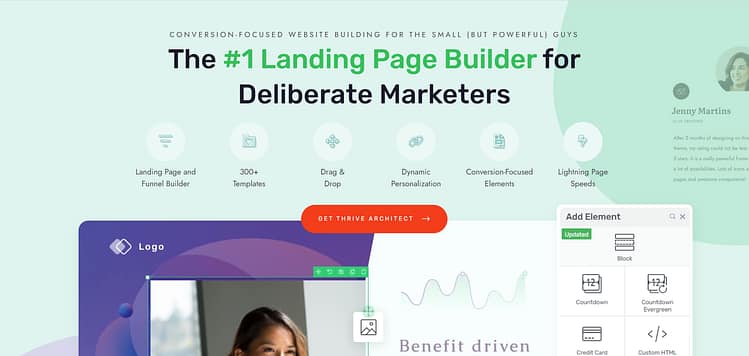
This is the landing page plugin you need to create pages that grab attention and convert curious website visitors into leads and customers.
The Thrive Themes team has fused years of marketing experience into the templates and design elements in this plugin to help you get solid results.
All you need to do is hop in and start designing.
Thrive Architect’s drag-and-drop editor makes the landing page creation process much easier — and more enjoyable! You can easily move around whole sections, or small design elements without compromising the rest of your page.
Build Your Landing Page: Step-by-Step Process
First, open Thrive Architect and select 'Create New Landing Page.' You can either start from scratch or choose from their pre-built templates (which often saves time).
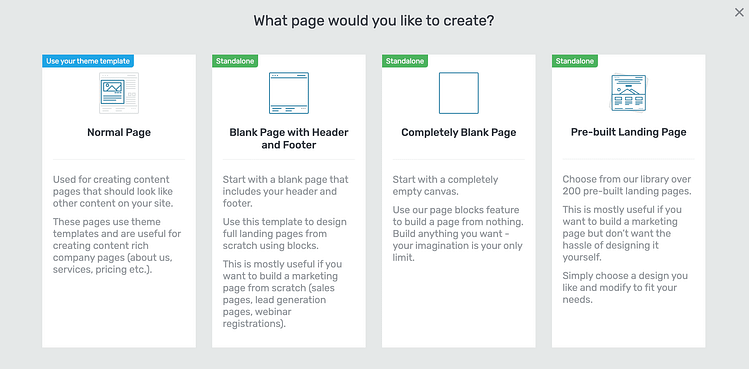
So, what's the magic formula to an effective landing page? Just keep it simple and super engaging. Write stuff that hits right at your visitor's biggest struggles or what they really want. "Sick of wasting hours on meal prep? Snag our 15-minute dinner blueprint!" or "Looking to double your Instagram followers? Check out our proven strategy guide!" You catch my drift.
Your page needs three key elements:
- A compelling headline that speaks directly to your ideal client's needs (learn more here)
- Clear description of what they'll receive (your lead magnet)
- A prominent sign-up form or button (which we'll discuss in the next step)
NOTE:
For more tips on creating a solid landing page, check out this tutorial: Beginner’s Guide: How to Create a Great Landing Page
Remember, this page has one job: turning curious visitors into excited subscribers. Keep the distractions to a minimum — maybe even hide your regular navigation menu. You want their focus laser-pointed at that tantalizing free offer and the simple sign-up form that stands between them and digital goodness.
2. Create a Lead Magnet Form for Your Funnel (and to Expand Its Reach)
Now that you have your landing page set up, you'll need a reliable way to gather those valuable visitor details.
While your landing page's built-in form is fine, getting serious about lead generation means expanding your reach across your entire website. After all, why limit yourself to just one entry point when you could be capturing leads from all the most relevant spots on your site?
This is where Thrive Leads comes into play.
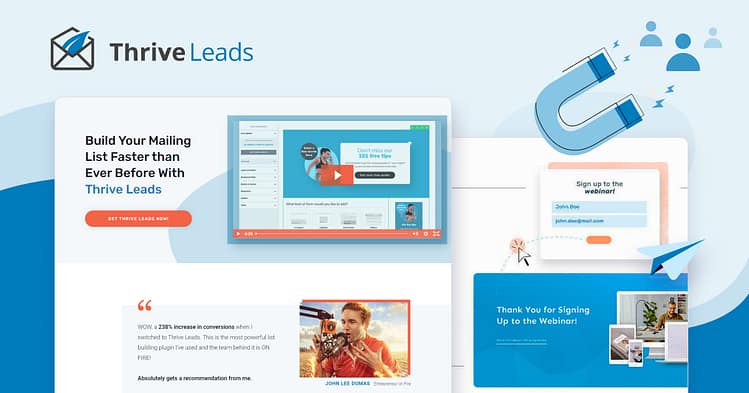
Create Your Lead Generation Form with Thrive Leads
Think of Thrive Leads as your landing page's partner in crime. While your landing page does the convincing, Thrive Leads handles all the technical heavy lifting of converting that interest into actual leads.
Here's why it's my go-to choice for creating lead generation forms:
1. It's surprisingly user-friendly, even if you're not particularly tech-savvy. You won't need to spend weeks figuring out how everything works – the dashboard is straightforward and gets you up and running quickly.
2. The template selection is fantastic. You'll find plenty of pre-designed, conversion-focused forms ready to go. Just pick one that matches your style, make a few tweaks in the visual editor, and you're set.
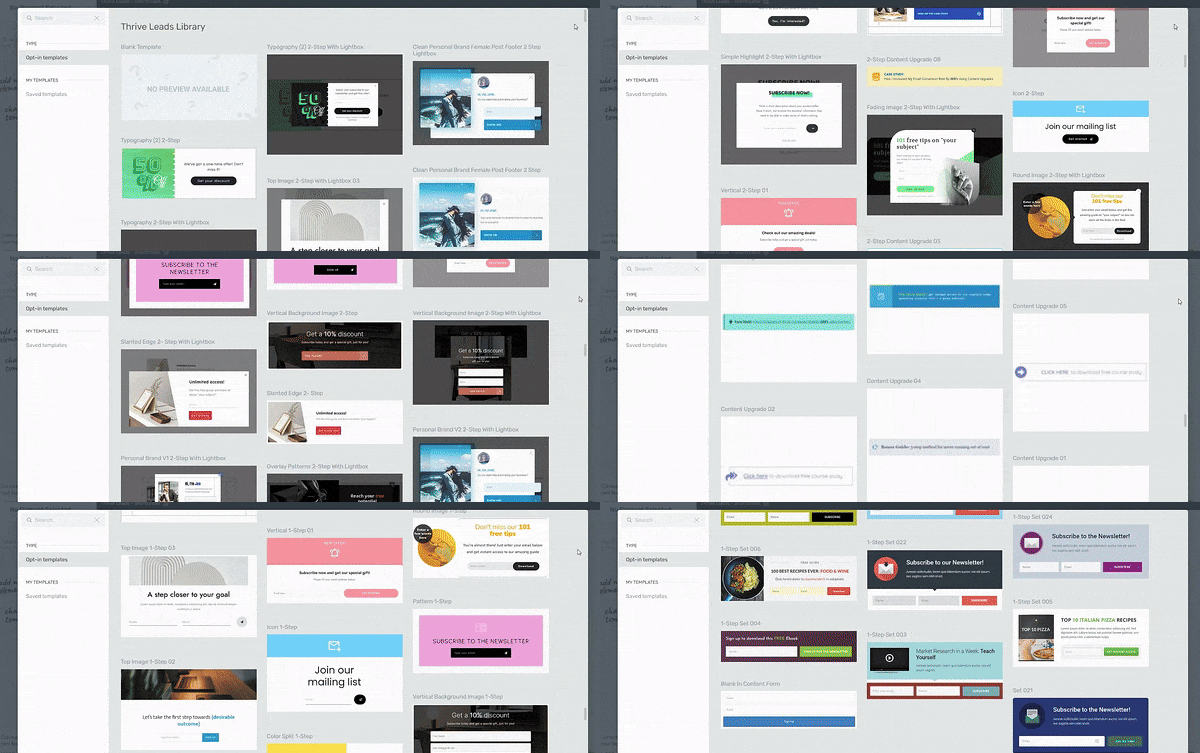
Form Templates in Thrive Leads
3. The targeting features are where things get really interesting. Say goodbye to manually adding forms to every single relevant page (who has time for that?). Instead, Thrive Leads lets you be strategic about where your forms appear.
Smart Form Placement with Thrive Leads
You can easily set up rules for where your forms show up – across your whole site, on specific pages, or nowhere at all. Let's say you're offering a women's fitness guide. You can display your form on all your women's fitness blog posts and your about page, but keep it from popping up on posts about men's fitness or children's nutrition. This way, you're showing your lead magnet to the people who are most likely to want it.
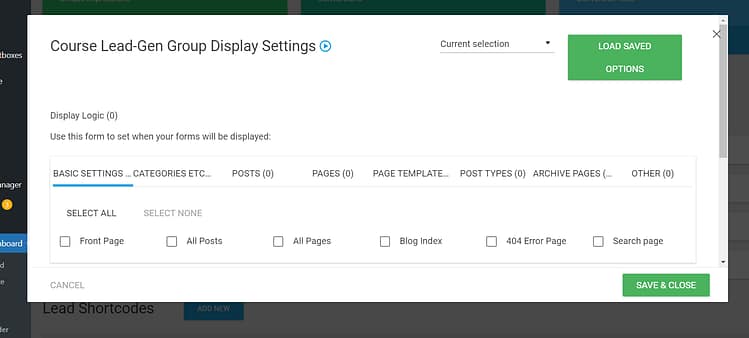
Display Settings in Thrive Leads
NOTE:
Thrive Leads equips you with everything you need to create eye-catching opt-in forms. But if you want to be sure you understand the exact structure of a conversion-focused lead magnet form, check out this tutorial.
3. Set Up Your Thank You Page
Your thank you page is the most wasted page in most funnels. Someone has just said yes to you, so their interest in what you do will never be higher than it is right now, and the usual move is to spend that moment on the word "thanks" and nothing else.
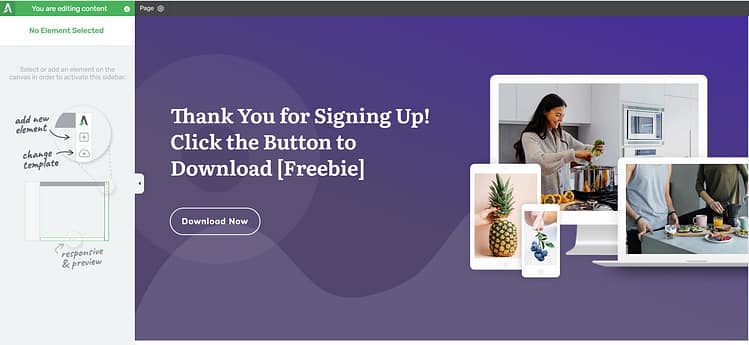
First, be sure they know their lead magnet is on the way-and how to access it. Next, consider adding a special one-time offer or "fast action" bonus. Perhaps it's a discount on your paid product, a complementing resource that builds on what they signed up for in the first place.
Keep the page clean and focused, yet make sure there is a clear path of what to do next, be it guiding them further to your best blog content, inviting them into your Facebook group, or introducing them to your paid offer at a special "welcome" price.
This would also be a good place to offer your paid product as an upsell offer, too. You can learn more about this sales strategy right here.
4. Create an Email Sequence for Your New Leads
The nurture sequence is where you build a relationship with your leads and show them the true value of your digital product.
This isn't about pushing for a quick sale — it's about helping your subscribers solve real problems while showing them how your paid product can take them even further.
A good nurture sequence guides subscribers through a natural journey. Each email should flow into the next, gradually showing them how your digital product can help them reach their goals. Mix helpful content with gentle invitations to learn more about your offer.
Here's a proven framework for your sequence:
- Email 1: Welcome them and deliver your lead magnet with a quick win they can implement today
- Email 2: Share a customer success story that tackles a common challenge
- Email 3: Teach them something valuable your competitors often overlook
- Email 4: Show another customer transformation that highlights your product's approach
- Email 5: Present your digital product while addressing common concerns
Pro tip
Don't forget to add a link to your sales page in each email's footer. Keep it casual — something like "P.S. If you're ready to dive deeper, check out [Your Product Name] here." This way, you're always giving subscribers an easy path to purchase when they're ready, without being pushy.
5. Create a Sales Page for Your Paid Offer
Here's where the magic happens, and you turn those leads into customers! This is where your sales page should take all that trust you built with your lead magnet and channel it into presenting your paid offer.
Thrive Architect provides a large selection of templates you can choose from to get started with building your sales pages fast.
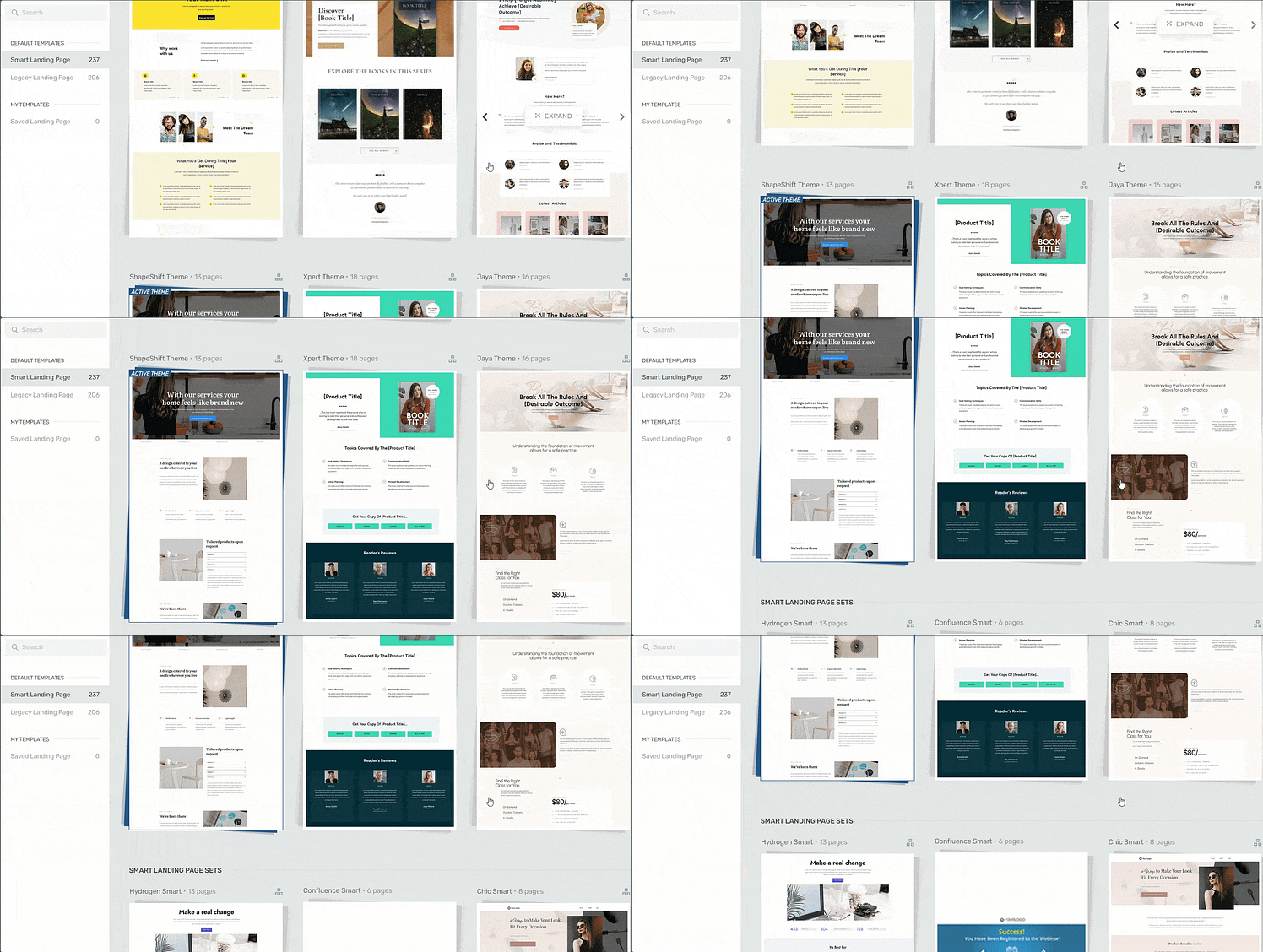
Landing page template sets in Thrive Architect
Think of your sales page as telling a compelling story. Acknowledge your visitor's challenges to begin with — which they've shown interest in through your lead magnet — then guide them toward your solution. Be specific about exactly how your paid offer solves their problems in ways your free content couldn't.
Add a clear pricing table, a strong guarantee if you offer one, and multiple calls-to-action throughout the page. Add in some social proof-testimonials or case studies from people who have used your product are pure gold here. And make sure your checkout process is smooth and trustworthy.
NOTE:
These tips are just the start. If you're looking for more ways to make sure your sales pages are positioned for conversions, check out this handy guide.
And if you need guidance from the very beginning, take a look at this step by step tutorial on how to create your first sales page.
6. Configure Your Checkout Page
You’ll need a checkout page since a payment needs to be processed.
If you’re using WooCommerce to sell your products, you can use Thrive Theme Builder (which is also a part of Thrive Suite) and Thrive Architect to customize the default WooCommerce checkout page and connect it to your email marketing service, too.
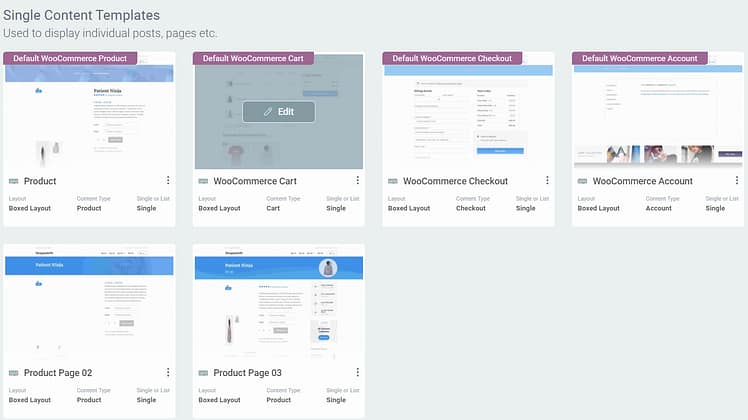
WooCommerce Templates in Thrive Theme Builder
But other third-party tools like ThriveCart, WP Simple Pay, and others may require you to design a checkout page from within the app.
Once you’ve created your checkout page, add the link to the call to action buttons on your thank you page.
7. Optimize Your Funnel with Thrive Optimize
Gut feelings won't cut it when you're building a digital product funnel. You might think you know what will convince people to buy, but without testing, you're just guessing. That's where A/B testing comes in — it's the best way to know for sure what works with your audience.
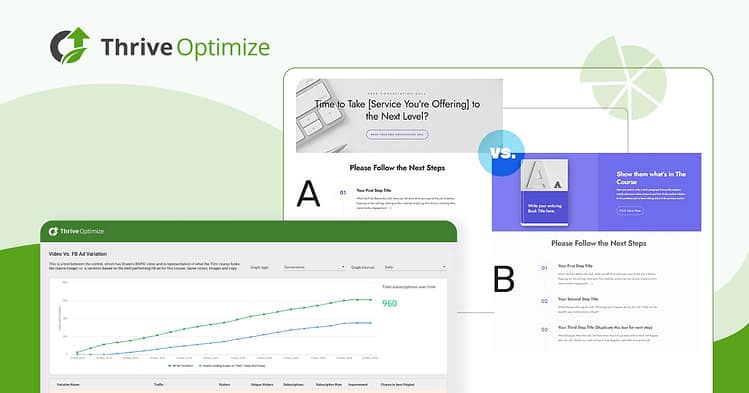
Here's the good news: Thrive Optimize comes included with Thrive Suite, making it easy to test different versions of your pages. Just create two versions and let real data show you which one converts better.
Some key elements worth testing:
- Different lead magnet offers
- Various headlines on your sales page
- Button text and colors
- Price display formats
- Social proof placement
- Sales page layouts
Remember to test one element at a time, so you know exactly what made the difference. Those small improvements compound faster than people expect. If you want the wider picture of what moves conversion rates beyond the funnel itself, I've written up eight fixes backed by real results, including the A/B test we ran on our own sales page."
Three Real Digital Product Funnels (And What Each One Gets Right)
Before you build anything, I find it helps to look at finished ones. These three all belong to Thrive customers we've interviewed, and I picked them deliberately, because each one solves a different problem you're likely to run into.
Debi McKee let her buyers pick the price
Debi runs Rescue Dogs 101, and hers is the most conventional funnel of the three, which is exactly why it's a good starting point. Free resources bring dog owners in, her email list sorts them by what they actually need, and a self-paced course sits at the end as the paid offer.

The part I keep coming back to is how she landed on her price. She launched the same course four different ways in a single year: a cheaper beta while she was still building it, a self-paced version somewhere between $77 and $97, a version with coaching attached, and a membership. She expected the membership to win. It got two signups. Her audience chose the self-paced course at $97, and she only knows that because she let them choose instead of guessing.
If you take one thing from Debi's funnel, make it this. The offer is the thing worth testing, not just the headline on your sales page.
HomeCleanse turned a quiz into the front door
HomeCleanse is a mold remediation company that grew from a small New Jersey operation into a national brand, and their lead magnet isn't a PDF. On their founder's site there's a detailed mold quiz: you answer questions about your home, and your answers produce a score telling you how likely it is you have a mold problem.
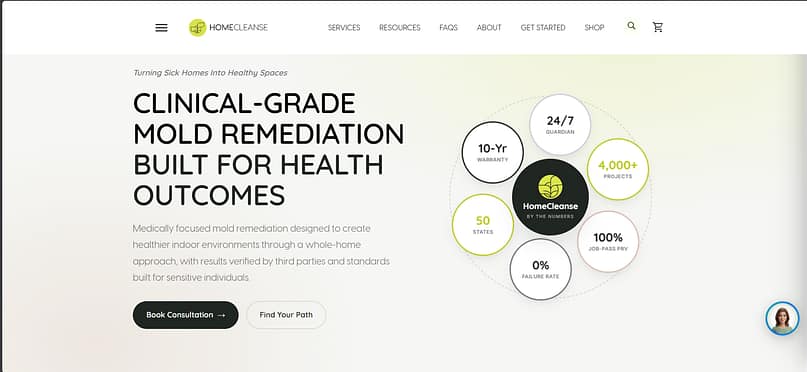
I love this as a funnel entry point because nobody feels sold to while answering questions about their own house, and the answers tell the business exactly who is worth following up with. Their CMO, Scott Broschart, puts it plainly:
> "Thrive Quiz Builder is my favorite plugin. I use it on a site and it's a tremendous lead magnet for me." -- Scott Broschart, HomeCleanse
A quiz works best when the result is genuinely useful to the person taking it. If yours only tells them they need your product, they'll feel it.
Jorge sorts his audience before he sells them anything
Jorge de los Reyes Martinez runs En Busca Del Fuego, a business education platform, and he takes the quiz idea a good deal further. A qualifying quiz sorts everyone into one of four profiles, and his site then shows different courses and content depending on which profile someone lands in. Two people logging into the same website see two different experiences.
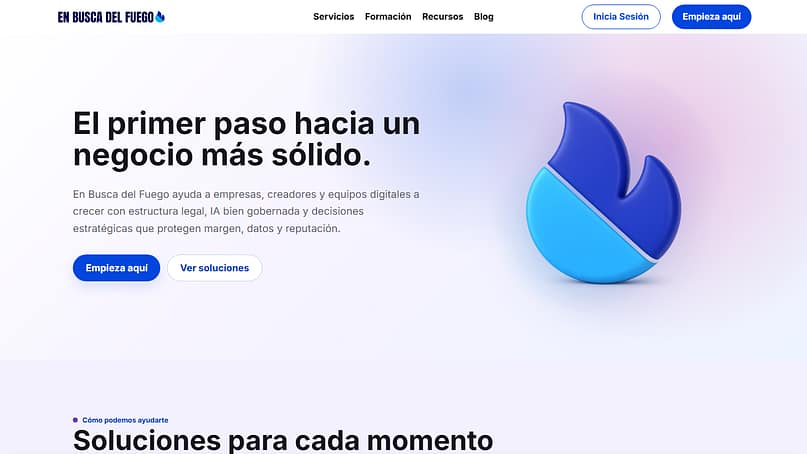
That's more machinery than most people need on day one, and I wouldn't start here. But it's worth seeing, because it shows where a simple funnel can go once you know who your people are. Personally, I'd get one lead magnet and one sequence working first, then add profiles when the segments are obvious.
Three funnels, three different front doors, one thing in common. None of them tried to sell on first contact.
Ready to Build Your Digital Product Funnel?
None of this has to be built in one sitting, and I'd argue it shouldn't be. Look again at the three funnels near the top of this guide. Debi's is a lead magnet, a sorted list and one course. HomeCleanse's is a quiz that tells people something useful about their own home. Neither started complicated.
So pick your free resource and build the lead magnet page this week. That one page is enough to start collecting the leads everything else depends on, and you can add the sequence, the sales page and the testing once people are actually coming through the door.
Want to start building? Thrive Suite gives you every tool you need to build your complete funnel in WordPress. You'll get everything in one powerful toolkit: high-converting landing pages, lead capture forms, and proven conversion boosters like countdown timers and social proof.


