

TL;DR: The Small Business Owner’s Guide to Conversion Tools That Actually Drive Sales
You’re looking for the best conversion optimization tools because you want to stop guessing and start making more money from the traffic you already have. I get it. This guide cuts through the noise of complex marketing jargon and focuses on the essential, affordable tools small business owners need to turn more website visitors into paying customers without needing a huge budget or a dedicated CRO team. We focus on practical application, not just feature lists.
Key Takeaways:
- You don't need 50 tools. Focus on mastering one tool in each core area: Analytics, Behavior Tracking, and Voice of Customer.
- Your website is a leaky bucket. The best tools help you find the holes first, before you start pouring more traffic (money) into it.
- The most powerful tool is often free. Learn to use Google Analytics (GA4) and Microsoft Clarity to identify your biggest problems before buying anything.
If you’re ready to move past the feature lists and build a reliable revenue machine, keep reading. We’ll walk through the exact, affordable stack you need.
I’ve seen A LOT of smart small business owners get paralyzed by the sheer volume of marketing tools available. You’re trying to run a business, not manage a software subscription farm.
When you’re looking for the best conversion optimization tools for your website, you don’t need the most expensive enterprise solution; you need the ones that deliver the fastest, clearest answers to one simple question: Why aren't people buying?
The truth is, the most effective conversion optimization strategy for a small business isn't about having 50 tools. It’s about mastering three core areas: Analytics, Behavior Tracking, and Voice of Customer. If you focus your budget and energy on tools that solve problems in those three areas, you can significantly increase your sales without needing to spend a dime on more traffic.
What is Conversion Rate Optimization (CRO) and Why Does It Matter for Your Small Business?
Conversion Rate Optimization (CRO) is just a grounded way of saying: making your website easier for people to buy from. It's the disciplined process of increasing the percentage of website visitors who take a desired action.
My goal is to help you stop pouring money into advertising that drives traffic to a website that secretly leaks customers. CRO is the ultimate form of business efficiency.
If you want the full playbook on how to increase conversion rates, we've got over 25 high-impact tips ready for you.
Defining Conversions: Macro vs. Micro
When we talk about conversion, most people immediately jump to the sale—the final, big win. That’s called a Macro Conversion.
But smart small business owners know the path to a sale is paved with smaller steps, or Micro Conversions. These are critical intermediate actions that indicate interest and move the customer closer to the purchase.
Macro vs. Micro Conversions
Conversion Type | Definition | Example for an E-commerce Site | Example for a Service Business |
|---|---|---|---|
Macro | The ultimate business goal. | Completing a purchase. | Booking a consultation or requesting a quote. |
Micro | Steps leading to the goal. | Signing up for the email list, adding an item to the cart, viewing the pricing page, downloading a lead magnet. | Watching a demo video, clicking the "About Us" page, using the live chat feature. |
Focusing on micro conversions is often easier and faster. If you can increase the number of people adding items to their cart, you've already won half the battle.
Understanding the customer journey is key here, so if you're not sure how your visitors move from curious browser to paying customer, check out our guide on What is the Buyer’s Journey. And these micro-wins are crucial steps, and we show you exactly How to Improve Your Funnel Conversion Rates with 13 proven upgrades.
The CRO Process: A Simple Loop
You don't need a massive team to run CRO. You just need a process. It looks like this:
This loop ensures every change you make is based on data, not just a hunch or the latest design trend.
Before you dive into testing tools, make sure your foundation is solid using our comprehensive Website Optimization Checklist.
The Small Business Owner's Toolkit: Finding the Right Conversion Tools to Boost Sales
Why Most Small Businesses Waste Money on Conversion Tools
I often talk to business owners who have signed up for a $300/month testing platform, only to use it once and let it gather dust. Why? Because they fell for the "Shiny Object" Syndrome. They bought a tool based on an impressive feature list without first defining the problem they needed to solve.
The biggest trap in online business is the Traffic Trap. You think, "If I just get more visitors, my sales will go up." But if your current conversion rate is 1%, doubling your traffic only doubles your frustration.
Your real goal isn't to run complex A/B tests; it’s to make more money from the traffic you already have. The right tools simply illuminate the path to that goal.
Step 1: Stop Guessing – The Essential Foundation Tools
Before you spend a cent on advanced optimization, you need to know what's actually happening on your site. This means setting up a solid foundation of data collection. This step is non-negotiable.
Foundation First: Getting this foundation right often starts with learning Conversion Tracking in Google Analytics so you know exactly what success looks like.
Tool Category A: Knowing Where People Go (Analytics)
This is the map of your customer journey. You can’t fix a problem you can’t measure.
The Baseline Requirement: Google Analytics 4 (GA4)
GA4 is the industry standard, and it’s free. Yes, it can be intimidating, but you don't need to master every report. You just need to focus on three things daily:
Pro Tip: Make sure you set up simple conversion goals (like "Contact Form Submission" or "Viewed Confirmation Page") today. You can usually do this in under ten minutes, and it changes GA4 from a traffic counter into a decision-making machine. These goals often align perfectly with the Must Have Website Features that every high-converting site needs.
If mobile conversion is your weak spot, we've got 9 essential tips on How to Make Your WordPress Site Mobile-Friendly that you can implement right away.
GA4 Mini-Review
Feature | Detail |
|---|---|
Best Feature for SMBs | Free and Comprehensive. It provides the fundamental data needed for every optimization strategy, including traffic sources and conversion paths, at zero cost. |
Key Limitation/Con | Steep Learning Curve. The interface and event-based model are significantly more complex than previous versions, often requiring a dedicated tutorial or plugin to use effectively. |
Starting Price Point | Free |
The Friendly Upgrade: MonsterInsights
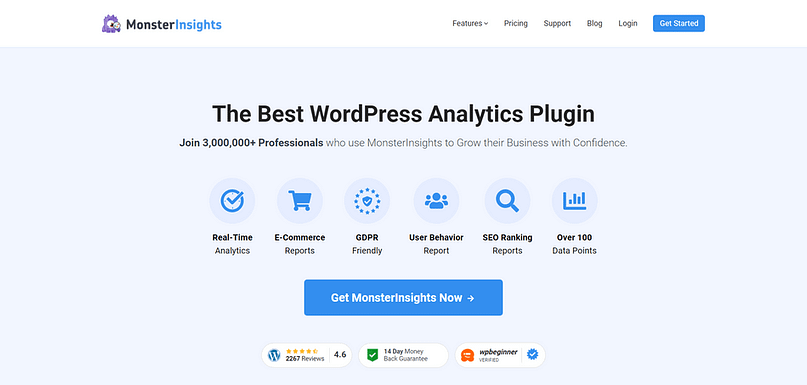
If the GA4 interface makes your eyes glaze over, you might want to look at MonsterInsights. It’s a WordPress plugin that pulls the critical GA4 data out of the complex dashboard and puts it right into your WordPress admin area, using language you can actually understand.
MonsterInsights
For small business owners, MonsterInsights saves time because it automatically sets up things like E-commerce tracking and popular post reports, letting you focus on the data, not the setup.
Tool Category B: Seeing What They Do (Behavior Tracking)
Analytics tells you what happened (e.g., 80% of people left the pricing page). Behavior tracking tells you why (e.g., they didn't scroll down far enough to see the key features).
Heatmaps and Session Recordings (Hotjar or Microsoft Clarity)
I highly recommend starting with Microsoft Clarity, primarily because it’s free and offers unlimited recordings.
Hotjar / Microsoft Clarity Mini-Review
Feature | Detail |
|---|---|
Best Feature for SMBs | Session Recordings. Watching real users struggle with your site provides instant, actionable insights that spreadsheets simply cannot replicate. |
Key Limitation/Con | Data Overload. It's easy to get lost watching hundreds of recordings. You must focus only on sessions where the user failed to complete a key micro-conversion. |
Starting Price Point | Microsoft Clarity is Free (unlimited). Hotjar has a generous Free Basic plan (35 daily sessions). |
Tool Category C: Hearing What They Say (Voice of Customer)
Quantitative data (analytics and heatmaps) tells you where the problem is. Qualitative data—the Voice of Customer (VoC)—tells you why they are frustrated, confused, or leaving. This is often the fastest way to find a high-impact fix. (Another powerful way to gather qualitative data and segment leads is through our proven Interactive Content Strategy for Lead Gen.)
Simple On-Site Surveys and Feedback Widgets
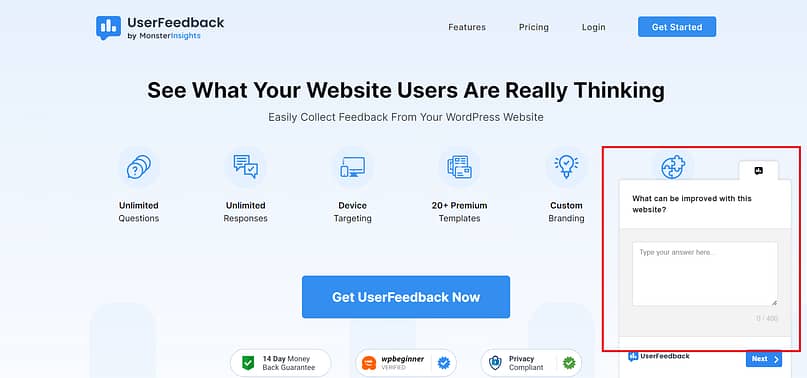
Don't overthink this. If someone is about to leave your checkout page, trigger a simple, one-question poll (Hotjar has a great, affordable version for this, and Clarity offers basic feedback widgets). But if you’re on WordPress, UserFeedback is the perfect tool to use.
Ask: "What stopped you from completing your purchase today?"
The answers you get—"Shipping was too high," "I couldn't find the size chart," "I wasn't sure if you shipped to Canada"—are immediate, actionable fixes that no analytics tool can give you. This feedback is priceless because it uses the customer's own language, which you can then use in your marketing copy.
All this feedback helps you get better at anticipating and Answer[ing] Before They Ask! How to Handle Customer Objections.
Analyzing Support Transcripts and Live Chat
If you already use a live chat tool (like Tidio, Freshchat, or Intercom), you are sitting on a goldmine of conversion data.
Your support team is fielding questions about missing information, confusing steps, and pricing confusion every single day. These conversations are the purest form of VoC. You'll want to regularly review transcripts for recurring themes. If three different people ask where to find your return policy, you don't need an A/B test—you need to move the link.
If you want to capture those users who are struggling in real-time, you might want to learn How to Add a Chatbot To Your WordPress Website.
Step 2: Fixing the Leaks – Tools for Immediate Impact and Lead Capture
Once you know where your website is leaking customers (thanks, Step 1!), you need tools to plug those holes quickly. These tools focus on capturing leads, improving form completion, and creating urgency before the visitor bounces.
Tool Category D: Capturing Attention (Lead Generation & Pop-ups)
You need to grab attention and offer value before a visitor disappears forever.
The All-in-One Conversion Toolkit (Thrive Suite Focus)
For WordPress users, a dedicated conversion toolkit is often far more cost-effective and integrated than stitching together five different single-purpose tools.
Example: A local plumbing service I worked with used a two-step opt-in form (a button that opened a pop-up) created in Architect and Leads. They offered a "Seasonal Home Maintenance Checklist" instead of just asking for a newsletter sign-up. Their email sign-ups doubled in three weeks because the perceived value was so high.
Thrive Leads Mini-Review (Part of Thrive Suite)
Feature | Detail |
|---|---|
Best Feature for SMBs | Exit-Intent Technology. This feature alone can dramatically increase lead capture by catching visitors right before they bounce, offering a final, high-value incentive. |
Key Limitation/Con | WordPress Only. This is a powerful, integrated solution, but it’s only available for websites built on the WordPress platform. |
Starting Price Point | From $299 per year (for the full Thrive Suite, which includes Leads, Architect, and Optimize). |
If you're ready to start building, we have a quick guide on How to Build a Landing Page in WordPress that gets you live in 15 minutes. And for a deeper into the builder itself, you should check out our comprehensive Thrive Architect Review to see if it’s the right fit for your business.
Tool Category E: Form and Funnel Optimization Tools
Forms are where conversions go to die. Every extra field you ask for, every poorly phrased question, creates friction. Your goal here is to reduce form abandonment.
You might want to use a dedicated form tool like WP Forms or Jotform for high-value lead capture because they offer a better user experience than standard website forms.
Crucially, you need to analyze form behavior. Tools like Hotjar (or specialized form analytics features in platforms like HubSpot) can show you:
If you can increase form completion by just 10%, that’s 10% more leads for free.
Tool Category F: Building Trust and Urgency (Social Proof)
Humans are herd animals. We trust what other people are doing. Simple tools can leverage this psychology effectively.
Real-Time Social Proof (TrustPulse or similar)
These tools display small, non-intrusive notifications like, "John from Texas just purchased the Pro Package," or "Sarah from Ohio just signed up for the free trial."
This works better than generic testimonials because it creates immediate, real-time credibility and a subtle sense of urgency. It tells the hesitant visitor, "Other people are taking this action right now, so it must be safe."
Pros
Points to Consider
Step 3: Advanced Optimization – Testing, Personalization, and Scale
If you’ve mastered Steps 1 and 2, and you have enough traffic (I generally recommend 5,000+ unique visitors per month to the page you want to test), you can start running more sophisticated tests and personalizing the experience.
Tool Category G: The A/B Testing Toolkit (Thrive Optimize or VWO)
When to Test (And When Not To)
Testing with low traffic is a waste of time. You won't achieve statistical significance, meaning the results you get are likely random noise, not reliable data.
When you do test, focus on testing Big Ideas, Not Button Colors. Don't spend a week testing if a blue button converts better than a green one. Test your core offer, your headline, or the placement of your main CTA.
Budget-Friendly Testing Alternative: If you are not on WordPress and don't want to pay for a dedicated tool yet, you could try the free version of VWO Testing or simply run manual A/B tests by implementing a change for two weeks, measuring the results in GA4, and then reverting the change for two weeks to compare. This takes longer but costs nothing.
The most important part of A/B testing is the hypothesis. Don't just guess. State your belief clearly: "I hypothesize that changing the headline to focus on pain relief will increase clicks by 15% because the current headline is too feature-focused."
VWO / Optimizely / Thrive Optimize Mini-Review (A/B Testing)
Feature | Detail |
|---|---|
Best Feature for SMBs | Data-Driven Decisions. It eliminates guesswork by providing statistical proof that a change actually improved your conversion rate before you commit to a full redesign. |
Key Limitation/Con | Requires High Traffic. If you don't meet the traffic minimum (5,000+ visitors/month to the tested page), the tool is useless, and you risk making bad decisions based on unreliable data. |
Starting Price Point | Thrive Optimize: Included in the $149/year Thrive Suite. VWO/Optimizely: Often start at $200+/month, catering to higher traffic volumes. |
If you’re ready to start testing but need a step-by-step guide, here’s How to Run an A/B Test on WordPress.
Tool Category H: Personalization Tools
If you have different customer segments, why show them the same message? Personalization means tailoring the website experience based on who the visitor is, where they came from, or what they’ve done before.
For small businesses, personalization doesn’t have to mean complex AI algorithms. It can be simple:
Tools like RightMessage or the personalization features within platforms like Unbounce or Optimizely let you create these rules without needing a developer. This is a powerful way to make your website feel less like a brochure and more like a conversation.
Budget-Friendly Personalization Alternative: Look into the personalization features built into your existing email marketing or CRM platform (like HubSpot or ActiveCampaign). Many offer basic personalization rules (like showing a different pop-up to existing subscribers) without requiring a separate subscription.
Once you've captured those leads, you need solid Email Marketing Foundations to build trust and grow sales over time.
Tool Category I: CRM Integration and Funnel Management
Your conversion tools shouldn't operate in a silo. The data you collect on your website needs to feed directly into your Customer Relationship Management (CRM) system.
If you use a platform like HubSpot, Salesforce, or ActiveCampaign, the best conversion tools are those that integrate seamlessly.
Prioritize tools that offer native integrations or simple webhook connections. This ensures that every conversion, micro or macro, is tracked and acted upon immediately, turning website visitors into long-term customers.
The Hidden Conversion Killer: Website Speed
No amount of optimization tools can fix a slow website. A slow site kills conversions before any of your fancy pop-ups or heatmaps even load.
Tools for Diagnostics (Google PageSpeed Insights)
Use Google PageSpeed Insights. It’s free and gives you a clear score and a list of actionable fixes.
The simple fixes every small business owner can implement: use better hosting, compress your images (TinyPNG is your friend), and delete unnecessary plugins. Speed is trust, and speed is money.
How to Choose the Best Conversion Optimization Tools for Your Budget: A Small Business Checklist
Before you commit to a new subscription, you need a clear-eyed evaluation. Remember, the best tool is the one you actually use and that provides clear, actionable data. For small businesses, the criteria are different than for enterprise companies. You prioritize integration and simplicity over raw power.
Here is what you'll want to check off before hitting "Subscribe":
The Small Business Conversion Stack: A Budget Breakdown
You don't need to buy everything at once. Here is a tiered recommendation based on your budget and technical skill level.
Small Business CRO Stack Tiers
Stack Level | Focus | Key Tools | Estimated Monthly Cost |
|---|---|---|---|
Level 1: Free Starter | Diagnostics & Data | GA4, Microsoft Clarity, Google PageSpeed Insights | $0 |
Level 2: Growth Engine | Lead Capture & Behavior | GA4, Hotjar (Basic/Plus), Thrive Suite (All-in-one) or Leadpages/Unbounce (Basic), TrustPulse | $12 – $150 |
Level 3: Power User | Testing & Scale | GA4, MonsterInsights, Thrive Suite, VWO/Optimizely (Paid Tier) Budget Alternative: Manual Testing/Google Optimize, Personalization/CRM Integration Tools | $150+ |
Frequently Asked Questions (FAQ)
While many people focus on bounce rate or traffic volume, the most important metric is Revenue Per Visitor (RPV) or, for lead generation, Goal Completion Rate. RPV ties your optimization efforts directly back to business goals. If you increase your RPV by 10%, you’ve increased your profit by 10% without spending more on ads.
You need enough traffic to achieve statistical significance. I recommend a minimum of 3,000 to 5,000 unique visitors per month to the specific page you are testing. Crucially, you also need enough actual conversions (at least 100 per variation) to ensure your results aren't just random chance. Testing with low volume is just guessing with extra steps.
Conversion rates vary wildly by industry, traffic source, and what you are defining as a "conversion" (e.g., an e-commerce purchase vs. a free PDF download). Instead of comparing yourself to a mythical industry average, focus on improving your current rate. If you can move from 1% to 1.2% through smart optimization, that’s a 20% improvement in sales—and that is always good.
You should always optimize for the device that brings in the most traffic and the most revenue. For most small businesses today, that means prioritizing mobile. Use your analytics and behavior tracking tools (like Hotjar or Clarity) to see exactly where mobile users struggle, and fix those issues first.
Conclusion: Your Next 7 Days of Conversion Action
You now have a clear strategy. Remember, the goal is clarity, not complexity. You have the best conversion optimization tools at your disposal, and many of them are free.
Here are three concrete steps you can take right now to stop the guessing game:
Start small, focus on the data, and make smart, informed decisions. You’ll be amazed how quickly a few simple fixes can turn a leaky bucket into a reliable revenue stream.


