

TL;DR: The Best Blog Platforms, From Someone Who's Used All Five
I'm not going to make you scroll for the answer: WordPress.org is the best blog platform if your blog is meant to become something, a business, an audience, a body of work you own. I've used every platform on this list, and that's the one I stayed with.
But "best" depends on what you're building, so here's the quick version:
- Building a business or blogging long term: WordPress.org. It asks for the biggest investment and pays back the most control.
- You want WordPress without babysitting the backend: WordPress.com. I still keep a blog there myself.
- Your blog needs to be beautiful more than it needs to be powerful: Squarespace.
- You want everything handled and you're not planning to scale: Wix.
- You're really building a newsletter with a blog attached: Substack.
The rest of this post is me walking you through each one, what they're actually like to use, what they cost, and the one question most platform roundups skip: what happens when you want to leave.
Put your hands up if you think searching for a blog platform is super stressful? 🙋🏾♀️
And I'm pretty sure this isn't your first article. So your mind's probably trying to choose between five different options.
What makes it worse is the fact that everyone has a take. Reddit says one thing, your friend with the newsletter says another, and every "best blogging platforms" list somehow features fifteen options, a comparison chart, and no actual opinion. Meanwhile, all you want to do is write.
So here's what this post is instead:
My first blog lived on WordPress.com. The writing was extremely immature, and while I appreciate that I somehow got it to 11,000 views in a year with no SEO or paid strategy, it needed to go. So in 2013 I closed it and moved to Wix, where I set up a site for myself, one for my mom's recycling business at the time, and a couple of starter blogs.
Eventually I outgrew that too, and I landed on self-hosted WordPress, where I've been ever since.
And here's what makes me useful to you: I never fully left the other platforms. I still keep a small personal blog on WordPress.com for my more emotion-led writing. I've rebuilt sites on the builders. I work in WordPress every single day, on this blog and on my own.
So when I tell you who each platform is for, it's not from a features page. It's from having paid for it, published on it, and in some cases, packed up and moved out of it.
Quick Glance: The Five, Compared
My Top Blog Platforms (In Table Format)
Platform | My verdict | Best for | Starting price | Ownership & exit |
|---|---|---|---|---|
WordPress.org | The one I stayed with | Business, scale, long-term | Software free; hosting from ~$3/mo | Total: your content, your list, your rules |
WordPress.com | WordPress without the babysitting | Simple premium blogs, stepping stone to .org | Free; paid from $4/mo | Strong exit: full export to .org |
Squarespace | The cool, artsy kid | Design-led blogs and portfolios | From $16/mo | Partial exit: blog exports, designs don't |
Wix | Easiest in, no way out | Beginners who want it all handled | Free; custom domain from $17/mo | No exit: blog posts can't be exported |
Substack | The newsletter that blogs | Writers building a subscriber list | Free; 10% of paid subscriptions | Your list is portable; the network isn't |
Let's Look At The Best Blog Platforms (In My Opinion)
Every platform roundup compares editors and templates. Almost none of them ask the question I learned to ask the hard way: what does leaving cost?
Because you will probably want to leave someday. Your blog will grow, or your goals will change, or the platform will change its rules. And when that day comes, the platforms on this list behave very differently. One lets you pack everything. One lets you take the writing but not the design. One keeps your blog posts entirely.
Notice something as you read the reviews: rank these five by how gracefully they let you go, and you get almost exactly my ranking of how good they are for serious bloggers. That's not a coincidence. Ownership is what you're actually buying.
1. WordPress.org: The One I Stayed With
Every platform on this list, I've tried and moved on from. This is the one I stayed with.
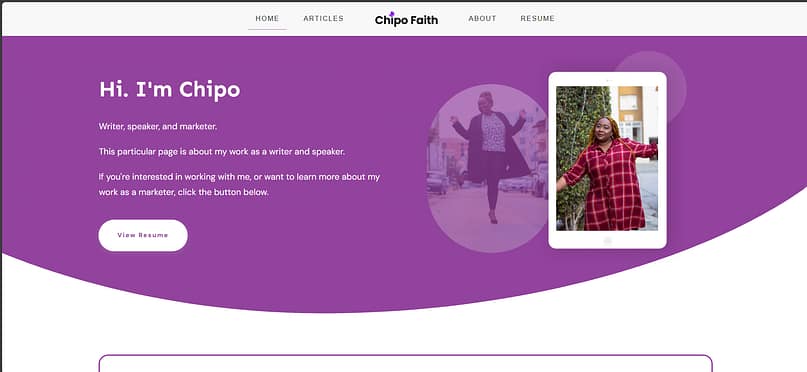
My personal website that lives on WordPress.org
WordPress.org is perfect if you're blogging at the level where you want to turn this into a business, you want to do it for the long term, or you want to do it at scale, because it requires that investment. I won't pretend otherwise: there's a learning curve, and you're taking on decisions the other platforms make for you. Hosting. Themes. Plugins. Updates.
What you get back is everything. Your content, your reader list, your design, your monetization, with nobody's percentage coming off the top and nobody's rule change pulling the floor out from under you.
The receipts are easy for me to produce, because you're reading them. This blog runs on WordPress. My personal branding site runs on WordPress. Everything I've written about themes, installing WordPress, and my software stack exists because this is where I actually live.
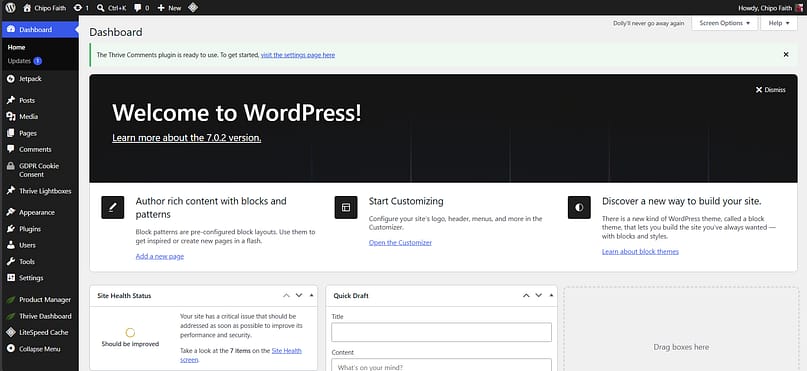
The practicals:
- Writing & editing: the block editor is fine, and with a visual builder it gets genuinely good. More on my exact setup in the tools section below.
- Design control: unlimited. Any theme, any builder, any layout you can imagine.
- SEO & growth: full control, any SEO plugin, schema, speed work. No built-in audience, so search and email are your growth engine, and you own both levers.
- Monetization: everything, with no platform cut. Display ads, affiliate, subscriptions, products. Only payment-processor fees apply.
- Ownership & exit: total. Full content export, full database, and "leaving" just means changing hosts.
- Price: the software is free; you pay for a domain (~$15/yr) and hosting (from ~$3/mo).
- Who it's for: anyone building a blog that has to become something.
- Who should skip it: if you just want to write and publish this weekend with zero setup, start lower on this list and graduate later. WordPress will still be here.
2. WordPress.com: WordPress With "Less Effort"
Confession: my very first blog lived here, and I closed it (RIP to 11,000 views a year of very immature writing). But here's the thing. I came back.
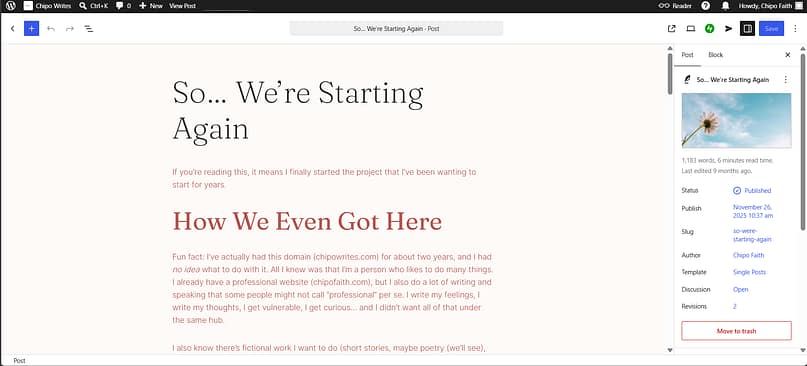
I keep a small personal blog on WordPress.com today, for my more emotion-led writing. I wanted something simpler, I didn't want to build and maintain a whole site for it, and I liked what WordPress.com offered. I can hop in, quickly draft, publish, and go. The analytics are there, the templates are there, and I'm happy.
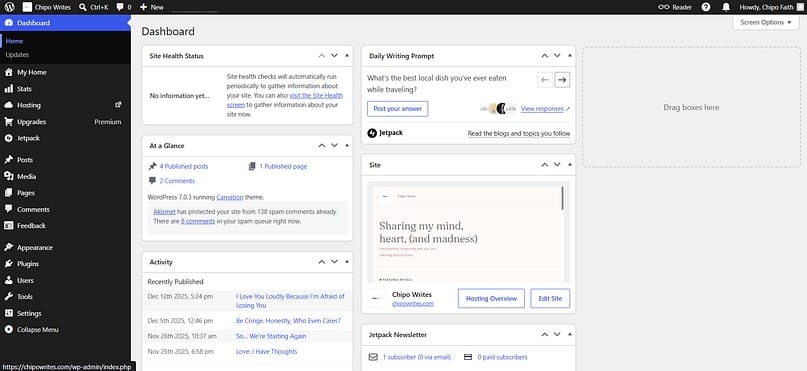
Backend of my blog on WordPress.com
I do have to keep reminding myself, though: "This isn't WordPress.org. You don't have full flexibility here."
And since this confuses almost everyone: WordPress.com is a hosted service, like Wix or Squarespace, where they handle everything. WordPress.org is the free software you install on your own hosting. Same name, very different deals. WordPress.com got notably more interesting in April 2026, when plugins arrived on all paid plans, even the $4/month tier (from a pre-approved catalog; installing anything you want still needs the Business plan).
The practicals:
- Writing & editing: the same editor rhythm as big WordPress, minus the maintenance. Draft, publish, go.
- Design control: templates and theming within their rails; real freedom starts at the higher tiers.
- SEO & growth: custom domain on every paid annual plan; solid basics; deep technical control is gated behind Business.
- Monetization: ad revenue from Premium up; affiliate within their terms.
- Ownership & exit: the best exit in the hosted class. Full export straight into self-hosted WordPress, subscribers included. This is the stepping stone platform.
- Price: free on a subdomain (with their ads); paid from $4/mo billed annually.
- Who it's for: anyone who wants a simple, premium blog experience, and anyone who suspects they'll want WordPress.org eventually but isn't ready.
- Who should skip it: if you already know you need full flexibility, start at .org and skip the migration.
3. Squarespace: The Cool, Artsy Kid
I have always seen Squarespace as the cool, artsy kid on the block. It mixes templates with a bit of AI to help you land on a good design, and I find their templates a bit more sophisticated than Wix's, to be honest.
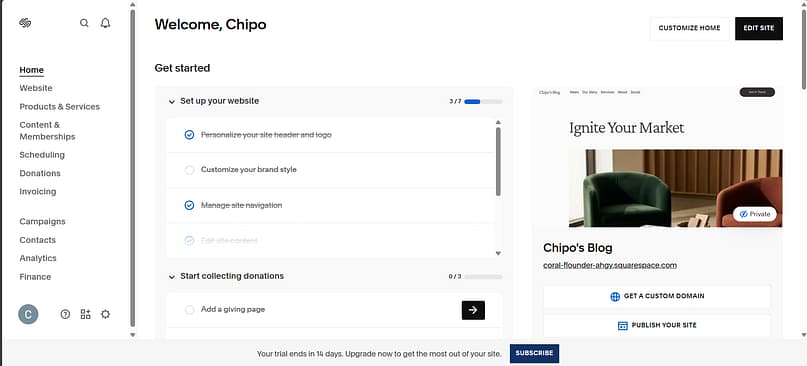
I also found setting up my site and trying to get my blog up a little bit... complicated.
For example, while trying to set up my blog page, I found myself in a bit of a "digital loop" switching screens to find:
1. Where to choose my blog template
2. Actually getting in to edit posts
Once I figured it out, it was a bit easier to navigate Squarespace's point-and-click editor... but it felt a little bit complicated. Unnecessarily complicated.
However, from my perspective, Squarespace promises creativity and power, not so much simplicity. ,
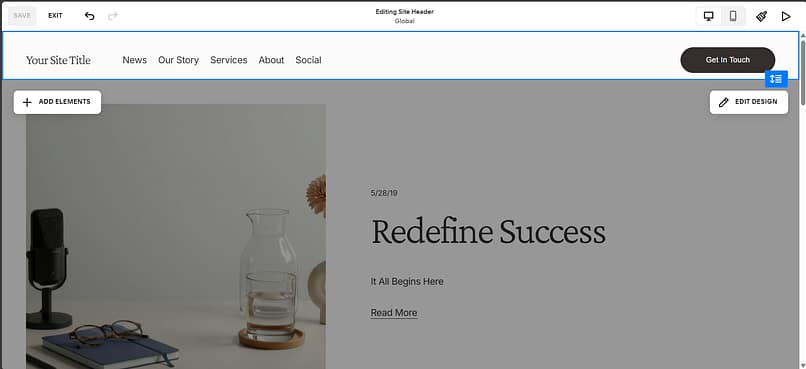
The blogs it produces are genuinely beautiful, which matters if your blog IS your portfolio: photographers, designers, food bloggers, anyone whose posts need to look as good as they read. The trade is the usual all-in-one trade: you're renting the sophistication. There's no server access, the plugin ecosystem is theirs, and there's no public API for blog posts, which quietly rules out most third-party content and SEO tools.
The practicals:
- Writing & editing: clean and fast; one of the nicest publish-quickly experiences here.
- Design control: the best-looking templates in the builder class; customization within their system.
- SEO & growth: decent built-ins, real technical ceiling: no server-side caching, limited structured-data control, no post API.
- Monetization: no cut on content; ecommerce fees on lower tiers; memberships on higher plans.
- Ownership & exit: partial. Your blog exports as XML and imports cleanly into WordPress; custom blocks, galleries, and member areas stay behind, and images download separately. An exit door with luggage limits.
- Price: no free plan (free trial); paid from $16/mo billed annually on the 2026 plans.
- Who it's for: design-led blogs and creatives who want sophistication without touching a backend.
- Who should skip it: anyone who'll eventually want deep control over how the site functions.
4. Wix: Easiest In, Not The Easiest Way Out
I started using Wix back in 2013, and again in 2015, right after closing that first blog. I set up a site for myself, one for my mom's recycling business at the time, and a couple of starter blogs.
I have no real knocks against how Wix feels to use. Like Squarespace, the editor is simple and easy, and they've made it as frictionless as possible to get posts out the door. It's built for beginners, and for people who aren't interested in DIY-ing their sites and want it all taken care of. The AI setup flow gets you to a decent-looking site fast, and for a casual blog, that's genuinely enough.
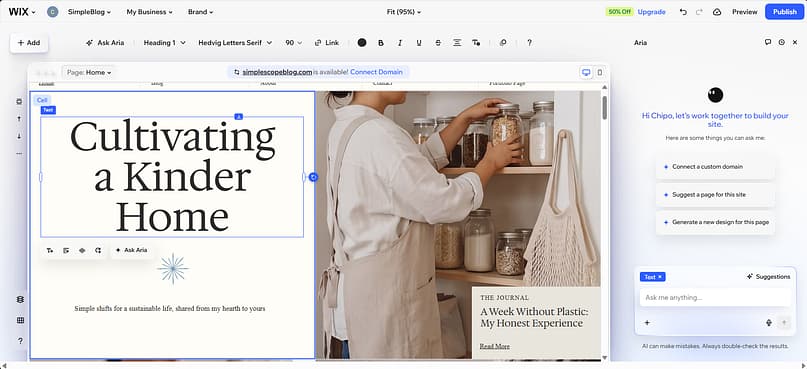
But there's one fact about Wix that I need you to weigh before you commit, because Wix's own support documentation confirms it: blog posts cannot be exported to other platforms, and your site cannot be moved to another host. If you build your blog here and outgrow it, you don't migrate. You rebuild, post by post.
That's fine for a hobby blog you'll never move. It's a serious problem for a blog you hope will become more than that. Easiest way in on this list, and the only one with no way out.
The practicals:
- Writing & editing: simple, fast, beginner-proof.
- Design control: plenty of freedom for a builder, within Wix's world.
- SEO & growth: the basics are genuinely solid now; the technical ceiling is the same builder-class one.
- Monetization: ads and affiliate are fine; products via their ecommerce plans.
- Ownership & exit: none. Blog posts can't be exported (their docs say so), and content collections export as CSV without the image files.
- Price: free plan on a Wix subdomain with Wix branding; custom-domain plans from $17/mo billed annually.
- Who it's for: beginners who want the whole thing handled and don't plan to move.
- Who should skip it: anyone with plans to scale. You'll end up feeling limited or frustrated, and you won't be able to take your posts with you.
5. Substack: The Newsletter That Blogs
Is Substack even a blogging platform? I asked myself exactly that while putting this list together, and here's the honest answer: it is now. Every Substack post is a public webpage with an archive, Google indexes them, and plenty of writers use Substack as their only blog, with email as the distribution. It's blogging with the newsletter built in.
Substack is on the rise, and I understand why. Ease of access, easy setup, and you can start sharing immediately. You also have a wider audience at your disposal, thanks to the network and its recommendations. But realistically speaking, it's not easy to depend on just that.
The editor is simple, because this is primarily a newsletter platform. It actually reminds me of Medium's platform, to an extent, that same straightforwardness. Lowkey, to me, Substack feels like Medium 2.0. Which isn't a bad thing: the more people writing, the better.
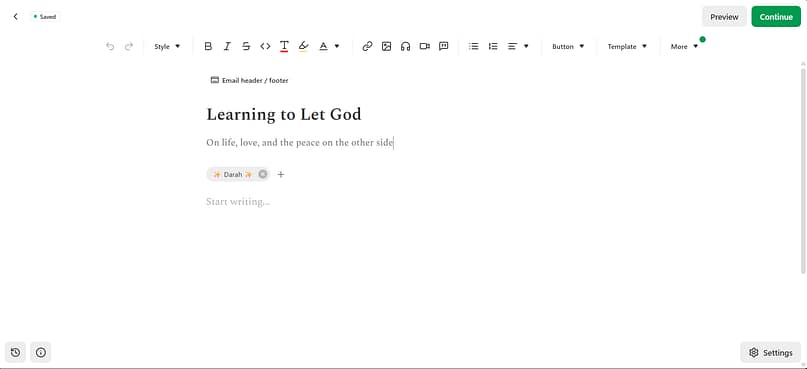
In terms of ownership...well...
It's your platform, yes, on Substack, which is fine. But here's where the math comes in, because it's the most honest pricing model on this list and also the most expensive one at scale. Substack is free until you charge, and then it takes 10% of your subscription revenue, plus Stripe's ~3%. A $10/month subscriber nets you about $8.40. There's no cap: at $1,000 a month you're paying Substack about $100, at $10,000 about $1,000. Somewhere past roughly $500 a month, running your own site starts being cheaper.
The ownership story is better than you'd expect: your posts export, and your full subscriber list downloads as a CSV. The email list is genuinely yours. What you can't take is the growth engine, because Substack's recommendations network only works while you're inside it.
The practicals:
- Writing & editing: simple and immediate; it's a newsletter platform first, and the editor's Medium-like straightforwardness reflects that.
- Design control: minimal by design; your Substack looks like a Substack.
- SEO & growth: posts index but SEO control is thin; growth runs on the Substack network and your list, not search.
- Monetization: paid subscriptions native, zero monthly fee, 10% of revenue + payment fees.
- Ownership & exit: posts and subscriber list export; the recommendation-network growth stays behind.
- Price: free to publish; you pay only when readers pay you.
- Who it's for: writers whose real asset is the subscriber relationship, and anyone testing whether people will pay for their writing.
- Who should skip it: anyone who needs search traffic, design control, or plans to sell more than subscriptions.
A Few Top Blog Platforms I Didn't Review (On Purpose)
Four platforms deserve a mention, and I'd rather be upfront about why they're not full reviews: I haven't lived in them, and I'm not going to pretend otherwise.
- Ghost: publishers I respect swear by it: open source, fast, built for serious writing with memberships baked in. If Substack's model appeals but the 10% doesn't, Ghost is the one to research.
- Blogger: Google's free blogging platform, and the one on this list I did try, back in 2015 and 2016. It was simple enough for me to use, but it just wasn't my preference, so I moved on before I had enough time in it for a fair review. If you want free and simple and you already have a Google account, it's still an option.
- Medium: it used to be THE place for writers without websites. The built-in audience is still real, but you're renting reach from an algorithm, and the platform's moment has visibly passed. Fine as a supplement, risky as a home.
- LinkedIn: I was a bit reluctant to include this one, since it's a social platform. But with the way people are actively sharing long-form writing there now, I guess it could fit, if your audience is professional and your goal is visibility where they already scroll. Just know it's publishing on someone else's feed, not blogging on something you own.
The Tools I Build My Blogs With
Since I've now told you WordPress is my winner, let me shamelessly tell you what I run on top of it:
Thrive Theme Builder for the site's structure and Thrive Architect for designing pages and posts, visually, without code. That combination is most of the reason the WordPress learning curve never scared me off.
Yes, I work at Thrive Themes; I also genuinely built my own sites with these tools before you ever read a word of mine here.
There are other good options, and I've compared everything I use, layer by layer, hosting and forms and SEO included, in my full software stack breakdown. If you pick the WordPress path, that article is your next stop.
How to Choose (In One Minute)
- "My blog is my future business." WordPress.org. Accept the learning curve; own everything.
- "I want to write, not run a website." WordPress.com, and graduate to .org if it takes off.
- "My work has to look stunning." Squarespace.
- "I just want this handled, forever." Wix, with eyes open about the no-export rule.
- "My readers should land in inboxes." Substack, until the 10% math tells you to move.
- "I can't spend anything yet." Medium if you just want to write, or WordPress.com's free plan if you want a blog you can grow into.
And whatever you pick: buy your own domain from day one. It's the one piece of every platform above that's fully portable.
Frequently Asked Questions About Blog Platforms
Which blog platform is best?
WordPress.org, if your blog is meant to grow into a business or a long-term audience: it's the only major platform where you fully own your content, your email list, and your monetization, with no platform percentage. If you want zero setup instead, WordPress.com and Substack are the strongest simple starts.
Is Substack a real blogging platform or just a newsletter tool?
It's both now. Every Substack post is a public, Google-indexable webpage with an archive, and many writers use Substack as their only blog. The trade: minimal design and SEO control, and growth depends on Substack's network rather than search.
When does WordPress become cheaper than Substack?
Substack is free until you charge readers, then takes 10% of subscription revenue plus payment fees. Past roughly $500 a month in subscriptions, a self-hosted WordPress site with a membership plugin usually costs less, and the gap widens as you grow: at $10,000 a month, Substack's cut is about $1,000 every month.
What's the difference between WordPress.com and WordPress.org?
WordPress.com is a hosted service, like Wix or Squarespace, where they handle everything and you work within their plans. WordPress.org is the free software you install on your own hosting, with 100% control. WordPress.com is the easier start; WordPress.org is the destination, and the export between them is painless.
Can you still make money blogging?
Yes, and the platform decides your options. If making money is the goal, the best blogging platform is WordPress.org, because everything works there: display ads, affiliate, products, subscriptions, with no platform cut. On Substack, you sell subscriptions and give up 10%. On the builders, ads and affiliate work but technical SEO ceilings make big traffic harder to build. Match the platform to how you actually plan to earn.
What's replacing blogging?
Nothing is replacing it; it's redistributing. Newsletters (Substack), social long-form (LinkedIn), and video all feed the same job blogging does: owning an audience's attention. The blog remains the only version where you own the whole machine, which is why every serious creator I know still runs one, whatever else they publish.
What's the best free blog platform?
If you just want to start writing and pay nothing, I'd tell you to pick Medium. There's nothing to set up, publishing is free, and readers are already there, which is more than a brand-new site gets in its first few months. But if you want to build a blog you can grow, I'd start on WordPress.com's free plan instead. You'll be on their subdomain with their ads, and in exchange you get the best exit of any free option here, because everything exports straight into self-hosted WordPress when you're ready. Just remember the leaving question applies to free plans too. Medium's audience belongs to Medium, and on Wix, free or paid, your posts can't come with you.
The Platform Is the Foundation. Pick It Like One.
If you remember one thing from this post, make it the leaving question: the best blog platform is the one that still works for you in year three, not just weekend one. That's why I keep recommending the platform that asks the most of you upfront and takes the least from you forever.
I'll see you on whatever platform you pick. Just make sure you can leave it.
And if you're starting where I ended up, on WordPress, here's exactly how to start a WordPress blog, and the stack I'd hand you to build with.


Great breakdown of blog platforms! The comparisons are super helpful for choosing the right one. Love the clarity and insights—very well-researched and practical.
Very helpful indeed. I like the way you analyzed the platforms. The aspects you reviewed are exactly the items I would consider. It helps also to understand which aspects should be considered before a decision, if you are a novice. I was surprised that blogger.com was not analyzed, especially considering it is free of charge, very easy to start and very common. I would like to know what you think about it. Thank you for your insights.
Hey Mete, thanks for reading through and I’m glad you appreciated the article! And good catch on blogger not being there, yes it is free of charge and easy to start but in my experience, I felt the other options mentioned in this list provide more value (with the ease of use and all) compared to blogger 🙂 I think it’s a good platform to try out, but I don’t think it’s the greatest for long-term plans
Excellent information! A professional, user-friendly website plays an important role in building customer trust and growing a business online. Keep sharing useful tips.
Great article! Thank you for sharing such valuable insights. Digital solutions, effective SEO, and professional website development are essential for businesses looking to improve their online presence and achieve long-term growth. Keep up the great work!
Great post! Thank you for sharing such useful information. A strong online presence, effective SEO, and a professional website can help businesses reach more customers and grow online. Keep up the excellent work!
Thanks for this helpful article. I appreciate the practical information about industrial equipment and diesel engine applications. Keep sharing more useful content!
Such a helpful guide! I followed your instructions exactly and everything worked on the first try. It’s rare to find tutorials this accurate and clear. Mumbai Escorts
https://www.missmumbai.com/